


Headset Stock Levels in Bloemfontein: January 2026 Report
Headset Stock Levels in Bloemfontein: January. Current stock data & price tracking for SA buyers. See what is available and where prices are heading.
Read moreCase Maintenance Schedule: Keep It Running. Essential maintenance routine to keep your gear running longer in SA climate conditions.
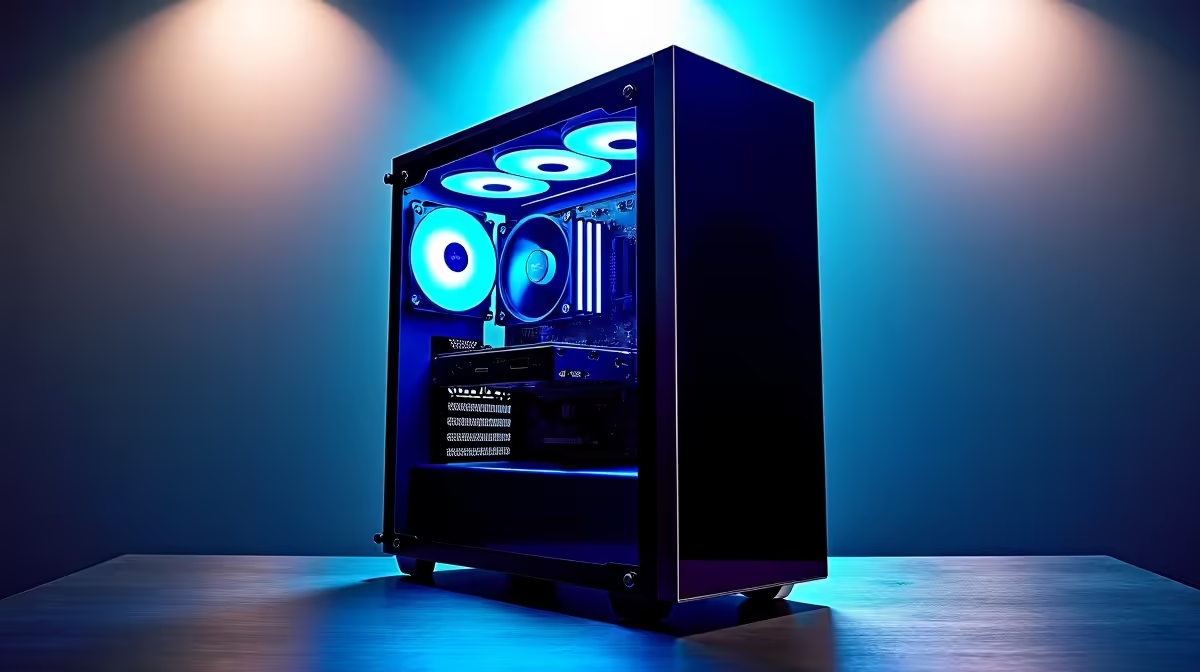
A PC case in South Africa needs cleaning every 1 to 3 months due to high dust levels, loadshedding-related power surges, and seasonal humidity. A simple maintenance schedule covering filters, fans, and cable management keeps thermals low and hardware lasting longer.
South Africa's climate varies dramatically from Joburg's dry Highveld to Cape Town's coastal humidity. Both extremes affect your PC case. Dry conditions accelerate dust buildup on fan blades and heatsinks, causing temperatures to spike and fans to ramp up noisily. Coastal humidity encourages oxidation on exposed connectors and PCB traces. Loadshedding compounds the problem - each power cycle stirs internal airflow and deposits more particulate on filters. A PC that runs in a loadshedding-prone area can accumulate a month's worth of dust in two weeks if filters go unchecked. Building a maintenance habit around these realities protects your investment.
Monthly: Remove and rinse magnetic dust filters under lukewarm water, allow to dry fully before reinstalling. Check fan LEDs for flickering, which indicates bearing wear. Wipe the exterior with a dry microfibre cloth. Quarterly: Open the side panel and use a can of compressed air to blow dust off heatsinks, GPU fan shrouds, and PSU vents - always do this outdoors or in a well-ventilated space. Inspect all cable ties for stress cracks and re-route any cables that are blocking airflow paths. Check that your PC case is elevated off carpet if floor-mounted, as carpet fibres are a major dust source in SA homes. Annually: Reseat RAM modules and GPU, and consider replacing thermal paste on your CPU if temperatures have crept up more than 5 to 8 degrees Celsius over baseline. This annual reset can recover years of thermal degradation.
Q: How often should I clean my PC case filters during loadshedding season? A: Every 3 to 4 weeks. Each power-off and power-on cycle disturbs dust inside the case, and the surge protectors or UPS units common in loadshedding setups can introduce minor vibrations that settle dust onto filters faster than normal.
Q: Is canned air safe to use inside a PC case? A: Yes, as long as you hold the can upright and use short bursts to avoid liquid propellant discharge. Keep the can at least 15 cm from sensitive components like GPU fans and capacitors.
Q: Does case colour affect heat buildup in SA summer? A: Dark exterior panels can absorb more radiated heat in direct sunlight, but internal temperatures are primarily driven by airflow design, not case colour. Position your PC away from windows and direct sunlight regardless of case finish.
Ready to Find Your Perfect Match? Explore Evetech's gaming PC deals and find systems built with premium airflow-optimised cases ready for SA conditions.
Case Maintenance Schedule: Keep It Runni available at Evetech.co.za with local warranty and fast delivery.
Case Maintenance Schedule: Keep It Runni - check Evetech for latest stock and SA pricing.
Depends on your use case. Case Maintenance Schedule: Kee offers good value at current Rand pricing.
Headset Stock Levels in Bloemfontein: January. Current stock data & price tracking for SA buyers. See what is available and where prices are heading.
Read more
iMac for Medical Practice: Patient Management. SA-focused analysis with local pricing data, real-world insights & actionable buying advice.
Read more
RTX 5060 Fortnite Ultra Settings at 1080p: FPS. Real-world benchmark data, FPS numbers & performance analysis. What SA gamers can actually expect.
Read more
Headset Stock Levels in Cape Town: August Report. Current stock data & price tracking for SA buyers. See what is available and where prices are heading.
Read more
Eskom Load Shedding During Video Call: Solutions. SA-focused analysis with local pricing data, real-world insights & actionable buying advice.
Read more
LoL Performance on Extreme Gaming PC. Real-world benchmark data, FPS numbers & performance analysis. What SA gamers can actually expect.
Read more
Is a Ultra Short Throw Projector Good for Gaming?. Diagnosis steps, proven fixes & when to seek professional help. SA-specific support info included.

Is a Short Throw Projector Good for Gaming? Input. Diagnosis steps, proven fixes & when to seek professional help. SA-specific support info included.

Top Mouse Settings for Competitive FPS: Sensitivity picks evaluated on performance, value & SA availability with current Rand pricing from Evetech.

Top Speakers for MacBook Desk Setup picks evaluated on performance, value & SA availability with current Rand pricing from Evetech.

Is a Ergonomic Chair Better Than a Standard Office Chair for Gaming Detailed answer with SA data, expert analysis & practical recommendations for local buyers.

Use Spotlight Search Like a Pro on macOS. Step-by-step instructions with SA-specific tips, common pitfalls to avoid & expert recommendations.

wireless keyboard Fan Noise Too Loud: Quiet. Everything you need to know with SA pricing, step-by-step instructions & expert recommendations.

Connection Timeout: Troubleshooting Guide #2. Diagnosis steps, proven fixes & when to seek professional help. SA-specific support info included.
Headset Stock Levels in Bloemfontein: January. Current stock data & price tracking for SA buyers. See what is available and where prices are heading.
iMac for Medical Practice: Patient Management. SA-focused analysis with local pricing data, real-world insights & actionable buying advice.
RTX 5060 Fortnite Ultra Settings at 1080p: FPS. Real-world benchmark data, FPS numbers & performance analysis. What SA gamers can actually expect.
Headset Stock Levels in Cape Town: August Report. Current stock data & price tracking for SA buyers. See what is available and where prices are heading.