


Headset Stock Levels in Bloemfontein: January 2026 Report
Headset Stock Levels in Bloemfontein: January. Current stock data & price tracking for SA buyers. See what is available and where prices are heading.
Read moreCore Ultra 9 285K Gaming Performance: Full. Real-world benchmark data, FPS numbers & performance analysis. What SA gamers can actually expect.
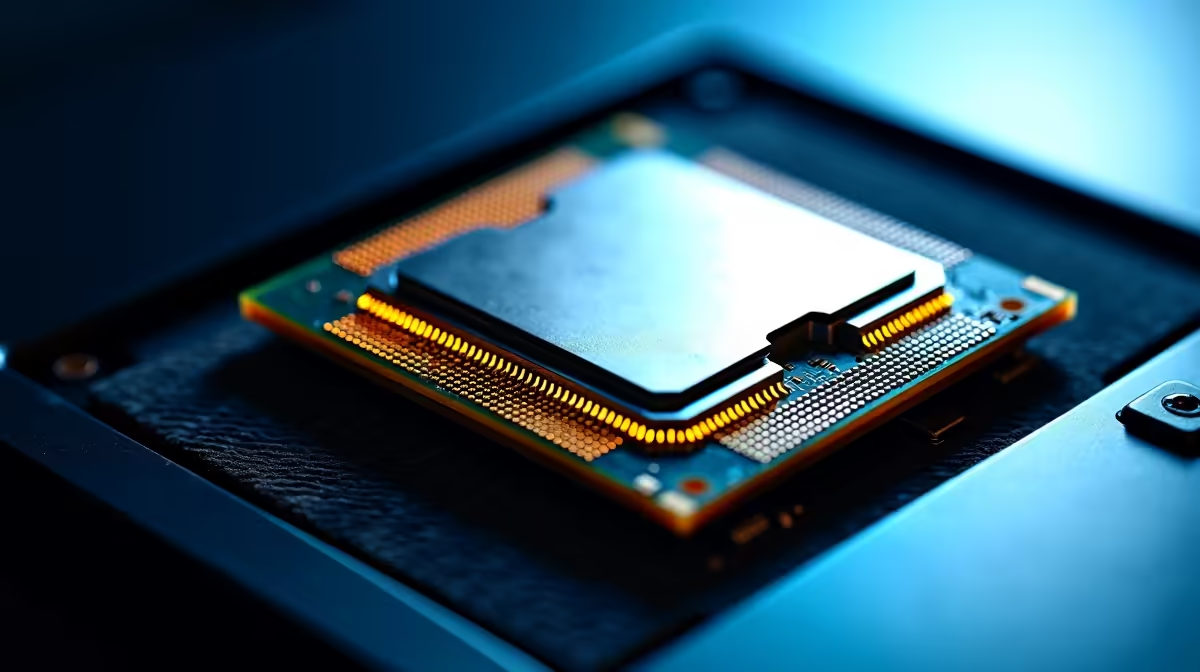
The Intel Core Ultra 9 285K is a top-tier gaming processor that performs best when the right platform settings are dialled in. Enabling Intel Application Optimization, fine-tuning P-core and E-core allocation, and using a high-frequency DDR5 kit unlocks the chip's full gaming potential and reduces frame time variance significantly.
The Core Ultra 9 285K uses Intel's Arrow Lake architecture with 8 Performance cores running up to 5.7 GHz and 16 Efficiency cores handling background tasks. Unlike previous Intel generations, Arrow Lake shifts thread scheduling intelligence to the operating system and Intel's Thread Director firmware. Out of the box on Windows 11 24H2 with updated chipset drivers, the 285K delivers competitive gaming performance. Unoptimised, it trails the Ryzen 9 9950X3D in 3D cache-dependent titles but leads or matches in games that favour raw clock speed and IPC.
The key insight for 285K owners is that gaming performance is significantly influenced by motherboard settings and driver versions. A fresh install with generic settings leaves performance on the table.
Start with an updated BIOS from your Z890 motherboard manufacturer. Intel released several firmware patches post-launch that improve P-core scheduling and reduce unnecessary E-core interference in gaming workloads. Enable Intel Application Optimisation (APO) if your BIOS supports it. This feature dynamically assigns game threads to the most suitable cores in real time, reducing stutters in CPU-heavy titles.
Set your memory to its rated XMP or EXPO profile. The Core Ultra 9 285K responds well to DDR5-6400 and above, with the memory controller supporting speeds up to DDR5-6800 on quality kits. Tighter timings at DDR5-6000 provide a balance of bandwidth and latency that benefits most gaming titles. Avoid leaving memory at DDR5-4800 base speeds, as this noticeably limits the chip's gaming ceiling.
For power limits, the 285K has a default MTP of 250W. Enabling Extreme Power Delivery Mode in BIOS allows full sustained boost, which matters in long gaming sessions where the chip would otherwise thermally throttle on lesser coolers.
The Core Ultra 9 285K needs serious cooling to sustain peak clocks. A 240mm AIO is the minimum for stable performance in extended sessions. A 360mm AIO or a high-end tower cooler like a Noctua NH-D15 or DeepCool Assassin IV keeps temperatures below 90 degrees Celsius under sustained all-core loads. Throttling above 95 degrees Celsius will pull clock speeds down and reduce gaming frame rates, negating the chip's performance advantage. Liquid metal or a high-quality thermal compound between the IHS and cooler contact plate makes a meaningful temperature difference on this chip.
Does the Core Ultra 9 285K need a new motherboard? Yes. The 285K requires an LGA1851 socket motherboard, which means a Z890 board. It is not backward compatible with Z790 or older platforms.
Is the Core Ultra 9 285K better than the Ryzen 9 9950X3D for gaming? In most titles, the Ryzen 9 9950X3D leads due to its 3D V-Cache advantage in cache-sensitive games. The 285K is competitive or ahead in games that favour high clock speed and benefits from proper optimisation to close the gap.
What DDR5 speed is best for the Core Ultra 9 285K? DDR5-6000 with tight timings offers the best gaming performance-to-stability ratio. DDR5-6400 and above adds incremental benefit but requires careful XMP tuning for stability.
Ready to Find Your Perfect Match? Shop Intel Core Ultra and the full CPU range at Evetech, with local SA stock, warranty, and competitive ZAR pricing.
Core Ultra 9 285K Gaming Performance: Fu available at Evetech.co.za with local warranty and fast delivery.
Core Ultra 9 285K Gaming Performance: Fu - check Evetech for latest stock and SA pricing.
Depends on your use case. Core Ultra 9 285K Gaming Perfo offers good value at current Rand pricing.
Headset Stock Levels in Bloemfontein: January. Current stock data & price tracking for SA buyers. See what is available and where prices are heading.
Read more
iMac for Medical Practice: Patient Management. SA-focused analysis with local pricing data, real-world insights & actionable buying advice.
Read more
RTX 5060 Fortnite Ultra Settings at 1080p: FPS. Real-world benchmark data, FPS numbers & performance analysis. What SA gamers can actually expect.
Read more
Headset Stock Levels in Cape Town: August Report. Current stock data & price tracking for SA buyers. See what is available and where prices are heading.
Read more
Eskom Load Shedding During Video Call: Solutions. SA-focused analysis with local pricing data, real-world insights & actionable buying advice.
Read more
LoL Performance on Extreme Gaming PC. Real-world benchmark data, FPS numbers & performance analysis. What SA gamers can actually expect.
Read more
Is a Ultra Short Throw Projector Good for Gaming?. Diagnosis steps, proven fixes & when to seek professional help. SA-specific support info included.

Is a Short Throw Projector Good for Gaming? Input. Diagnosis steps, proven fixes & when to seek professional help. SA-specific support info included.

Top Mouse Settings for Competitive FPS: Sensitivity picks evaluated on performance, value & SA availability with current Rand pricing from Evetech.

Top Speakers for MacBook Desk Setup picks evaluated on performance, value & SA availability with current Rand pricing from Evetech.

Is a Ergonomic Chair Better Than a Standard Office Chair for Gaming Detailed answer with SA data, expert analysis & practical recommendations for local buyers.

Use Spotlight Search Like a Pro on macOS. Step-by-step instructions with SA-specific tips, common pitfalls to avoid & expert recommendations.

wireless keyboard Fan Noise Too Loud: Quiet. Everything you need to know with SA pricing, step-by-step instructions & expert recommendations.

Connection Timeout: Troubleshooting Guide #2. Diagnosis steps, proven fixes & when to seek professional help. SA-specific support info included.
Headset Stock Levels in Bloemfontein: January. Current stock data & price tracking for SA buyers. See what is available and where prices are heading.
iMac for Medical Practice: Patient Management. SA-focused analysis with local pricing data, real-world insights & actionable buying advice.
RTX 5060 Fortnite Ultra Settings at 1080p: FPS. Real-world benchmark data, FPS numbers & performance analysis. What SA gamers can actually expect.
Headset Stock Levels in Cape Town: August Report. Current stock data & price tracking for SA buyers. See what is available and where prices are heading.