


Headset Stock Levels in Bloemfontein: January 2026 Report
Headset Stock Levels in Bloemfontein: January. Current stock data & price tracking for SA buyers. See what is available and where prices are heading.
Read moreCS2 No Voice Chat: Audio Problem. Diagnosis steps, proven fixes & when to seek professional help. SA-specific support info included.
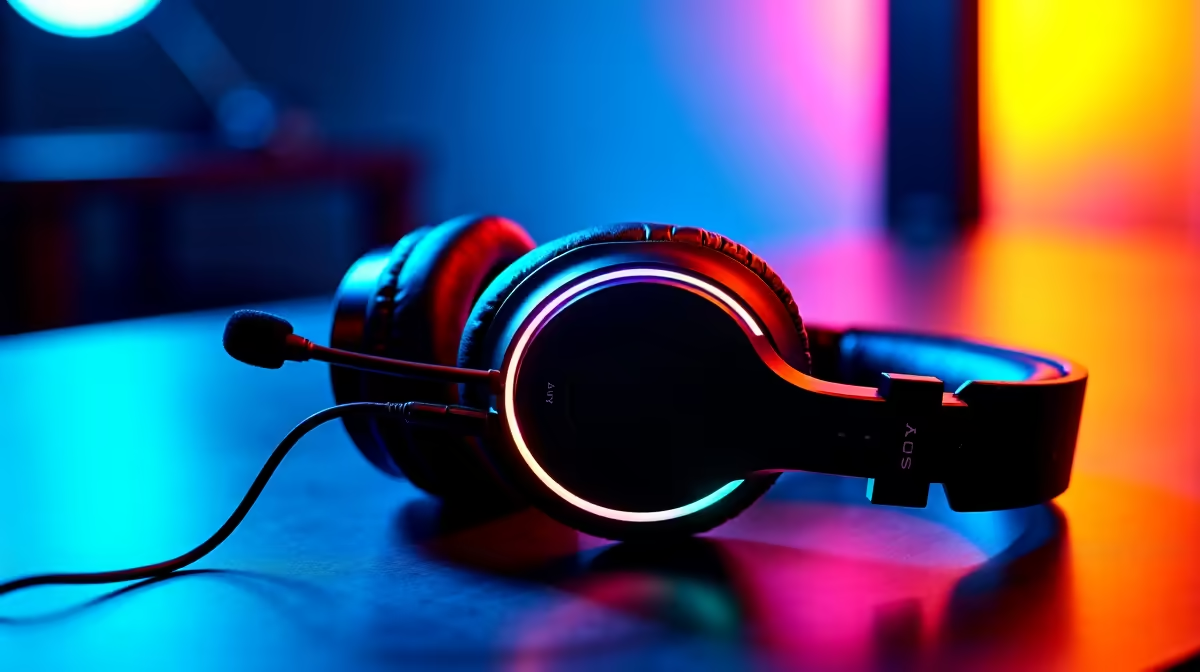
CS2 voice chat not working is usually caused by an incorrect microphone input device selected in Steam or Windows settings, push-to-talk key conflicts, or microphone permissions being blocked in Windows. The fix takes less than five minutes in most cases.
Counter-Strike 2 has inherited some of the audio configuration quirks from its predecessor, and voice chat issues are one of the most commonly reported problems in the South African CS2 community. Whether you are running a budget gaming headset or a standalone microphone, the root cause of voice chat silence is almost always a settings problem rather than a hardware fault. Here is a straightforward walkthrough of every fix worth trying.
Windows 11 and Windows 10 both have microphone privacy settings that can block applications from accessing your mic without warning. Go to Settings, then Privacy and Security, then Microphone, and confirm that microphone access is enabled both globally and specifically for desktop apps. If CS2 uses Steam as its launcher, Steam must also have microphone access. While there, check your Sound settings and confirm the correct input device is set as the Default Communication Device - right-click the speaker icon in the system tray, select Sound Settings, and look for the Input section. Many South African gamers run multiple audio devices (a headset and a monitor's built-in speaker, for example) and Windows sometimes reassigns the default input to the wrong device after a driver update or device reconnection. Set your headset or microphone as the default device and the default communication device explicitly.
Inside CS2, open the Audio settings and confirm Voice Input Device is set to your actual microphone and not "Default" if "Default" is pointing to the wrong device. Check Voice Enable is set to 1 in your launch options or console (type voice_enable 1 in the developer console). In Steam's settings under Voice, run the microphone test to confirm Steam can hear audio from your device - this eliminates hardware issues from the equation quickly. Push-to-talk conflicts are another common culprit: if your push-to-talk key is bound to a key that CS2 also uses for a game action, the input may not register correctly for voice. Rebind push-to-talk to an uncommonly used key like F5 or Caps Lock to test. If you use Voice Activation rather than push-to-talk, check that the activation threshold is not set too high - the slider in Steam's Voice settings should be set so that normal speaking clearly triggers the level indicator.
If the settings checks above do not resolve the issue, the next step is audio drivers. A corrupt or outdated Realtek, VIA, or dedicated USB audio driver can cause microphone input to fail silently. Go to Device Manager, expand Audio Inputs and Outputs, right-click your microphone device, and select Update Driver. Alternatively, download the latest driver directly from your motherboard manufacturer's support page. For USB headsets and standalone USB microphones, try a different USB port - some motherboard USB hubs share bandwidth in ways that can cause audio devices to drop out under load. If you are gaming through a USB hub, connect the headset directly to a rear motherboard USB port instead. Finally, verify game files through Steam to rule out a corrupted CS2 audio file causing the voice subsystem to fail.
Q: Why does my mic work in Discord but not CS2? A: Discord and CS2 can use different audio input APIs. CS2 uses Steam's voice system, which routes through Windows WASAPI or DirectSound. Check Steam's Voice settings and ensure the correct device is selected there, as Discord has its own device selection that can differ from Steam.
Q: Does CS2 voice chat work on South African servers? A: Yes, CS2 voice chat functions on South Africa's Johannesburg servers the same as any other region. If you can hear teammates but they cannot hear you (or vice versa), the issue is a local settings or hardware problem rather than a server-side one.
Q: Can antivirus software block CS2 microphone access? A: In rare cases, yes. Some security software intercepts microphone access requests. Check your antivirus application's privacy protection settings and add CS2 and Steam as trusted applications if microphone blocking is active.
Ready to Find Your Perfect Match? Upgrade your gaming setup for better CS2 sessions - browse gaming PC deals and peripherals at Evetech.
CS2 No Voice Chat: Audio Problem available at Evetech.co.za with local warranty and fast delivery.
CS2 No Voice Chat: Audio Problem - check Evetech for latest stock and SA pricing.
Depends on your use case. CS2 No Voice Chat: Audio Probl offers good value at current Rand pricing.
Headset Stock Levels in Bloemfontein: January. Current stock data & price tracking for SA buyers. See what is available and where prices are heading.
Read more
iMac for Medical Practice: Patient Management. SA-focused analysis with local pricing data, real-world insights & actionable buying advice.
Read more
RTX 5060 Fortnite Ultra Settings at 1080p: FPS. Real-world benchmark data, FPS numbers & performance analysis. What SA gamers can actually expect.
Read more
Headset Stock Levels in Cape Town: August Report. Current stock data & price tracking for SA buyers. See what is available and where prices are heading.
Read more
Eskom Load Shedding During Video Call: Solutions. SA-focused analysis with local pricing data, real-world insights & actionable buying advice.
Read more
LoL Performance on Extreme Gaming PC. Real-world benchmark data, FPS numbers & performance analysis. What SA gamers can actually expect.
Read more
Is a Ultra Short Throw Projector Good for Gaming?. Diagnosis steps, proven fixes & when to seek professional help. SA-specific support info included.

Is a Short Throw Projector Good for Gaming? Input. Diagnosis steps, proven fixes & when to seek professional help. SA-specific support info included.

Top Mouse Settings for Competitive FPS: Sensitivity picks evaluated on performance, value & SA availability with current Rand pricing from Evetech.

Top Speakers for MacBook Desk Setup picks evaluated on performance, value & SA availability with current Rand pricing from Evetech.

Is a Ergonomic Chair Better Than a Standard Office Chair for Gaming Detailed answer with SA data, expert analysis & practical recommendations for local buyers.

Use Spotlight Search Like a Pro on macOS. Step-by-step instructions with SA-specific tips, common pitfalls to avoid & expert recommendations.

wireless keyboard Fan Noise Too Loud: Quiet. Everything you need to know with SA pricing, step-by-step instructions & expert recommendations.

Connection Timeout: Troubleshooting Guide #2. Diagnosis steps, proven fixes & when to seek professional help. SA-specific support info included.
Headset Stock Levels in Bloemfontein: January. Current stock data & price tracking for SA buyers. See what is available and where prices are heading.
iMac for Medical Practice: Patient Management. SA-focused analysis with local pricing data, real-world insights & actionable buying advice.
RTX 5060 Fortnite Ultra Settings at 1080p: FPS. Real-world benchmark data, FPS numbers & performance analysis. What SA gamers can actually expect.
Headset Stock Levels in Cape Town: August Report. Current stock data & price tracking for SA buyers. See what is available and where prices are heading.