


Headset Stock Levels in Bloemfontein: January 2026 Report
Headset Stock Levels in Bloemfontein: January. Current stock data & price tracking for SA buyers. See what is available and where prices are heading.
Read moreStop alt-tabbing to change volume. Dedicated media controls on a mechanical keyboard make it faster to pause, skip, and adjust sound—right from your keys 🎧⚡.
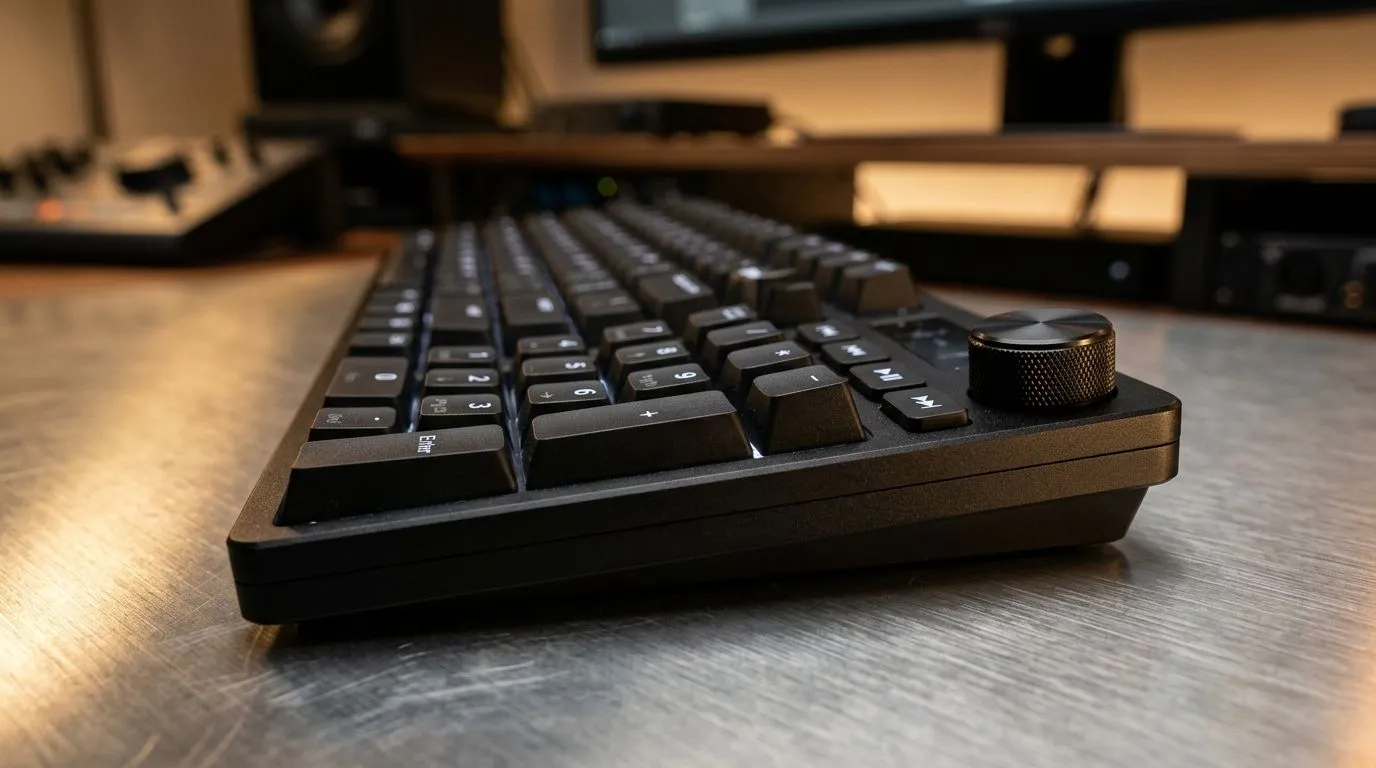
Ever find yourself fumbling with Alt-Tab during intense gameplay or streaming? It’s a universal struggle—switching between windows without missing a beat can feel impossible. Dedicated media controls on mechanical keyboards aren’t just a luxury; they’re a necessity for serious gamers in South Africa. These keys help you control volume, skip tracks, or mute chat instantly, so your focus stays razor-sharp 🔧.
Mechanical keyboards with dedicated media functionality combine tactile precision with quick access, letting you keep your eyes on the game, not the screen. Whether you’re fragging on fibre internet or catching up on the latest tunes, these controls elevate your setup.
Imagine this: You’re clutching the last round, but your Spotify track suddenly spikes in volume. Instead of Alt-Tabbing and losing precious milliseconds, dedicated media keys let you adjust sound seamlessly. This reduces disruption and helps you stay calm under pressure.
South African gamers often face unstable network conditions, but latency isn’t the only challenge. Audio distractions can wreck your flow too. Build a setup with a mechanical keyboard that offers reliable media controls—it’s a small upgrade with a big impact on your focus.
Mechanical keys provide a superior typing feel and swift actuation, perfect for gaming precision, while the dedicated media controls enhance usability. These keyboards come wired or wireless, catering to different preferences and setups.
Explore the best gaming keyboard deals at Evetech to find mechanical keyboards tailored for South African tastes and price points. You’ll often find options that blend functionality with sleek aesthetics.
Avoid frustration during gameplay by programming your media keys with software that supports your keyboard. Custom key-mapping can save you from awkward Alt-Tab moments.
Wired keyboards typically offer lower latency, which pro gamers prefer when every millisecond matters. If you value cable freedom and a clean desk, wireless models have come a long way, with minimal input lag and longer battery life—ideal for casual setups and streaming stations alike.
Check out Evetech’s selection of wired mechanical keyboards versus wireless mechanical keyboards. Both categories offer dedicated media keys, so it’s about what fits your lifestyle.
To maximise efficiency, consider pairing your mechanical keyboard with a responsive gaming mouse. Combos that include media keys plus mouse control simplify your gaming setup and improve ergonomics.
Evetech has curated keyboard and mouse combos that balance affordability and quality for South African gamers. This can be an excellent way to upgrade your battlestation without breaking the bank.
Looking for options that don’t compromise on features? Evetech’s carefully selected lineup includes some of the cheapest mechanical keyboards available in South Africa. They deliver great media control capabilities without costing a fortune.
Remember, investing in a keyboard with dedicated media keys improves daily usability beyond gaming. Whether you’re working from home or streaming tunes, these keyboards make multitasking effortless.
Upgrade Your Setup Today Stop Alt-Tabbing mid-game and gain flawless control with mechanical keyboards designed for South African gamers. Shop now at Evetech for performance that leaves lag in the dust.
Yes. Dedicated media keys let you pause, skip, and change volume without alt-tabbing, improving workflow during music, calls, and games.
Volume up/down, mute, play/pause, and next/previous track are the most useful. These audio shortcuts reduce window switching.
Most media keys follow standard OS media controls, so they typically work across apps like Spotify and YouTube, and even some games.
Use a mechanical keyboard with dedicated media buttons (volume and mute). This enables fast audio control while staying in your current app.
Often yes. Dedicated keys are immediate and tactile, so you do not need to remember shortcuts or search for modifier key combos.
Look for dedicated volume/mute buttons, responsive actuation, and compatibility with your OS for consistent play and track switching.
They can. You can adjust volume, mute, or manage music without leaving the game, helping you stay focused and avoid distractions.
Yes. Even with a headset, volume changes and mute are frequent. Media keys make those changes instant and reduce friction.
Headset Stock Levels in Bloemfontein: January. Current stock data & price tracking for SA buyers. See what is available and where prices are heading.
Read more
iMac for Medical Practice: Patient Management. SA-focused analysis with local pricing data, real-world insights & actionable buying advice.
Read more
RTX 5060 Fortnite Ultra Settings at 1080p: FPS. Real-world benchmark data, FPS numbers & performance analysis. What SA gamers can actually expect.
Read more
Headset Stock Levels in Cape Town: August Report. Current stock data & price tracking for SA buyers. See what is available and where prices are heading.
Read more
Eskom Load Shedding During Video Call: Solutions. SA-focused analysis with local pricing data, real-world insights & actionable buying advice.
Read more
LoL Performance on Extreme Gaming PC. Real-world benchmark data, FPS numbers & performance analysis. What SA gamers can actually expect.
Read more
Is a Ultra Short Throw Projector Good for Gaming?. Diagnosis steps, proven fixes & when to seek professional help. SA-specific support info included.

Is a Short Throw Projector Good for Gaming? Input. Diagnosis steps, proven fixes & when to seek professional help. SA-specific support info included.

Top Mouse Settings for Competitive FPS: Sensitivity picks evaluated on performance, value & SA availability with current Rand pricing from Evetech.

Top Speakers for MacBook Desk Setup picks evaluated on performance, value & SA availability with current Rand pricing from Evetech.

Is a Ergonomic Chair Better Than a Standard Office Chair for Gaming Detailed answer with SA data, expert analysis & practical recommendations for local buyers.

Use Spotlight Search Like a Pro on macOS. Step-by-step instructions with SA-specific tips, common pitfalls to avoid & expert recommendations.

wireless keyboard Fan Noise Too Loud: Quiet. Everything you need to know with SA pricing, step-by-step instructions & expert recommendations.

Connection Timeout: Troubleshooting Guide #2. Diagnosis steps, proven fixes & when to seek professional help. SA-specific support info included.
Headset Stock Levels in Bloemfontein: January. Current stock data & price tracking for SA buyers. See what is available and where prices are heading.
iMac for Medical Practice: Patient Management. SA-focused analysis with local pricing data, real-world insights & actionable buying advice.
RTX 5060 Fortnite Ultra Settings at 1080p: FPS. Real-world benchmark data, FPS numbers & performance analysis. What SA gamers can actually expect.
Headset Stock Levels in Cape Town: August Report. Current stock data & price tracking for SA buyers. See what is available and where prices are heading.