


Headset Stock Levels in Bloemfontein: January 2026 Report
Headset Stock Levels in Bloemfontein: January. Current stock data & price tracking for SA buyers. See what is available and where prices are heading.
Read moreDoom: The Dark Ages System Requirements: Minimum. Full hardware requirements with SA pricing for minimum, recommended & ultra performance tiers.
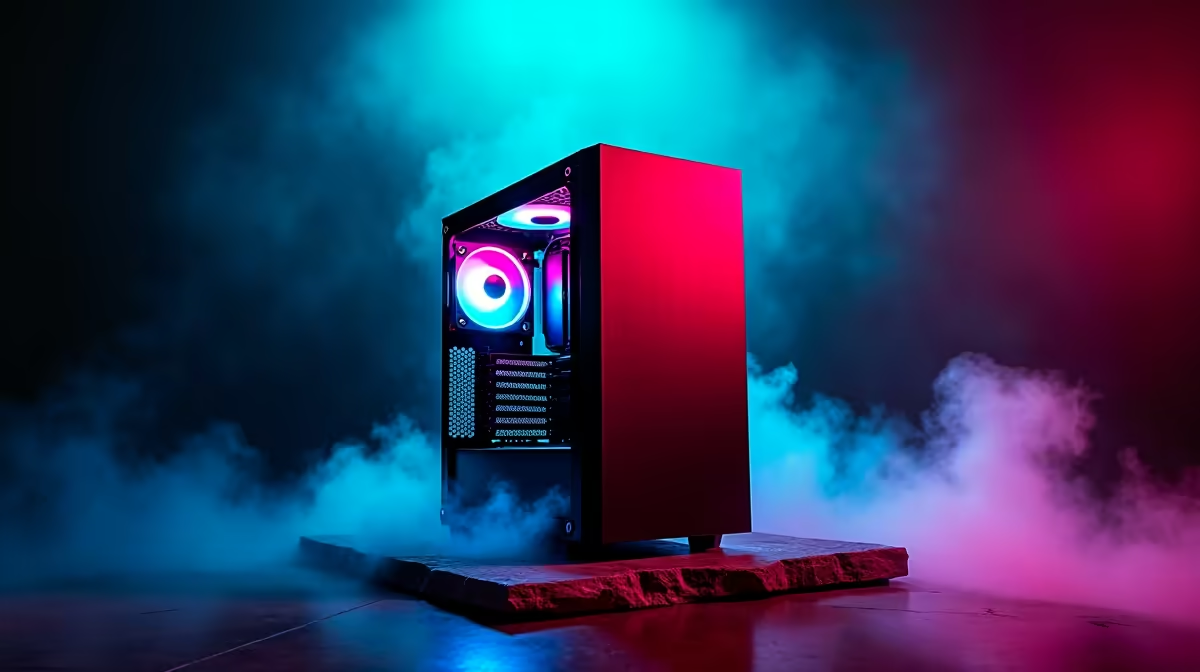
Doom: The Dark Ages minimum specs call for an Intel Core i5-8600K or AMD Ryzen 5 3600 paired with 16GB RAM and an RTX 2060 or RX 6600 XT. Recommended specs target an RTX 3080 or RX 6800 XT for high-fidelity performance at 1080p and above. A fast NVMe SSD is required -- traditional HDDs are not supported.
Doom: The Dark Ages is built on id Software's id Tech 8 engine, the most demanding iteration of the engine to date. The game uses hardware ray tracing, Nvidia DLSS 4, AMD FSR 4, and Intel XeSS natively, meaning a modern GPU with dedicated ray-tracing cores is strongly recommended even at 1080p.
Minimum (1080p, Low Settings, 60fps target):
Recommended (1080p, Ultra Settings, 60fps+):
Ultra (1440p/4K, High Frame Rate):
Doom Eternal ran on a heavily optimised id Tech 7 engine fine-tuned for broad hardware compatibility. The Dark Ages represents a significant visual leap -- medieval-apocalyptic open environments require persistent streaming of large geometry and texture data, which is why id Software dropped HDD support entirely. NVMe throughput directly affects load times and in-engine texture streaming quality.
The game leans heavily on hardware-accelerated ray tracing for shadows and reflections, which is why an RTX 2060 sits at minimum rather than older Pascal cards. South African gamers on minimum spec will benefit from enabling DLSS Quality mode or FSR Quality mode to maintain frame rates without sacrificing visual clarity -- these upscaling technologies reduce GPU workload while keeping image quality high.
The fastest check is VRAM. The game requires 6GB minimum, and Ultra 4K settings can consume close to 16GB. Any GPU with less than 6GB VRAM will not run the game officially.
On the CPU side, the game is well multi-threaded and rewards 6-core processors. Older quad-core CPUs like the i5-7600K or Ryzen 5 1600 do not meet minimum requirements. If your CPU is the bottleneck, enabling performance upscaling and capping the game at 60fps can partially offset this while still enjoying the visual experience.
A gaming PC meeting recommended specs -- RTX 3080-class card with a Ryzen 7 5800X or i7-12700F -- typically starts from around R18,000 to R24,000 as a pre-built unit in South Africa. Ultra-tier builds targeting 4K with an RTX 4080 Super or RX 7900 XTX are priced from roughly R35,000 to R50,000 depending on RAM, storage, and cooling configuration.
Import duties and VAT mean South African GPU pricing is typically 20-30% higher than USD retail equivalents. Planning around a complete pre-built system often delivers better rand value than sourcing individual components at retail.
The game streams data from an NVMe SSD continuously throughout a session. A sudden power cut mid-session can corrupt save files or cause filesystem errors on the drive. If you are in an area with frequent loadshedding, a UPS rated at 600VA or higher is a worthwhile investment for your gaming PC -- it gives your system time to save and shut down gracefully rather than losing progress abruptly.
Yes. The game has no artificial frame rate cap. With the recommended spec (RTX 3080 + Ryzen 7 5800X) at 1080p Ultra settings, average frame rates sit well above 100fps. A 144Hz monitor is a genuine upgrade. Enabling DLSS Performance mode on an RTX 4070 or higher pushes well past 144fps at 1440p.
It is strictly required. id Tech 8 streams world geometry and texture data continuously, needing approximately 3,500 MB/s sequential read -- a speed only NVMe drives meet. A SATA SSD may technically boot the game but is officially unsupported and causes texture pop-in or stuttering.
No. Integrated graphics from Intel or AMD do not meet the minimum VRAM or shader performance requirements. A dedicated GPU is mandatory.
Ready to Find Your Perfect Match? Find the right pre-built gaming PC to run Doom: The Dark Ages at maximum settings. Shop Gaming PC Deals at Evetech
Doom: The Dark Ages System Requirements: available at Evetech.co.za with local warranty and fast delivery.
Doom: The Dark Ages System Requirements: - check Evetech for latest stock and SA pricing.
Depends on your use case. Doom: The Dark Ages System Req offers good value at current Rand pricing.
Headset Stock Levels in Bloemfontein: January. Current stock data & price tracking for SA buyers. See what is available and where prices are heading.
Read more
iMac for Medical Practice: Patient Management. SA-focused analysis with local pricing data, real-world insights & actionable buying advice.
Read more
RTX 5060 Fortnite Ultra Settings at 1080p: FPS. Real-world benchmark data, FPS numbers & performance analysis. What SA gamers can actually expect.
Read more
Headset Stock Levels in Cape Town: August Report. Current stock data & price tracking for SA buyers. See what is available and where prices are heading.
Read more
Eskom Load Shedding During Video Call: Solutions. SA-focused analysis with local pricing data, real-world insights & actionable buying advice.
Read more
LoL Performance on Extreme Gaming PC. Real-world benchmark data, FPS numbers & performance analysis. What SA gamers can actually expect.
Read more
Is a Ultra Short Throw Projector Good for Gaming?. Diagnosis steps, proven fixes & when to seek professional help. SA-specific support info included.

Is a Short Throw Projector Good for Gaming? Input. Diagnosis steps, proven fixes & when to seek professional help. SA-specific support info included.

Top Mouse Settings for Competitive FPS: Sensitivity picks evaluated on performance, value & SA availability with current Rand pricing from Evetech.

Top Speakers for MacBook Desk Setup picks evaluated on performance, value & SA availability with current Rand pricing from Evetech.

Is a Ergonomic Chair Better Than a Standard Office Chair for Gaming Detailed answer with SA data, expert analysis & practical recommendations for local buyers.

Use Spotlight Search Like a Pro on macOS. Step-by-step instructions with SA-specific tips, common pitfalls to avoid & expert recommendations.

wireless keyboard Fan Noise Too Loud: Quiet. Everything you need to know with SA pricing, step-by-step instructions & expert recommendations.

Connection Timeout: Troubleshooting Guide #2. Diagnosis steps, proven fixes & when to seek professional help. SA-specific support info included.
Headset Stock Levels in Bloemfontein: January. Current stock data & price tracking for SA buyers. See what is available and where prices are heading.
iMac for Medical Practice: Patient Management. SA-focused analysis with local pricing data, real-world insights & actionable buying advice.
RTX 5060 Fortnite Ultra Settings at 1080p: FPS. Real-world benchmark data, FPS numbers & performance analysis. What SA gamers can actually expect.
Headset Stock Levels in Cape Town: August Report. Current stock data & price tracking for SA buyers. See what is available and where prices are heading.