


Headset Stock Levels in Bloemfontein: January 2026 Report
Headset Stock Levels in Bloemfontein: January. Current stock data & price tracking for SA buyers. See what is available and where prices are heading.
Read moreFortnite Cannot Connect to Servers: Network. Diagnosis steps, proven fixes & when to seek professional help. SA-specific support info included.
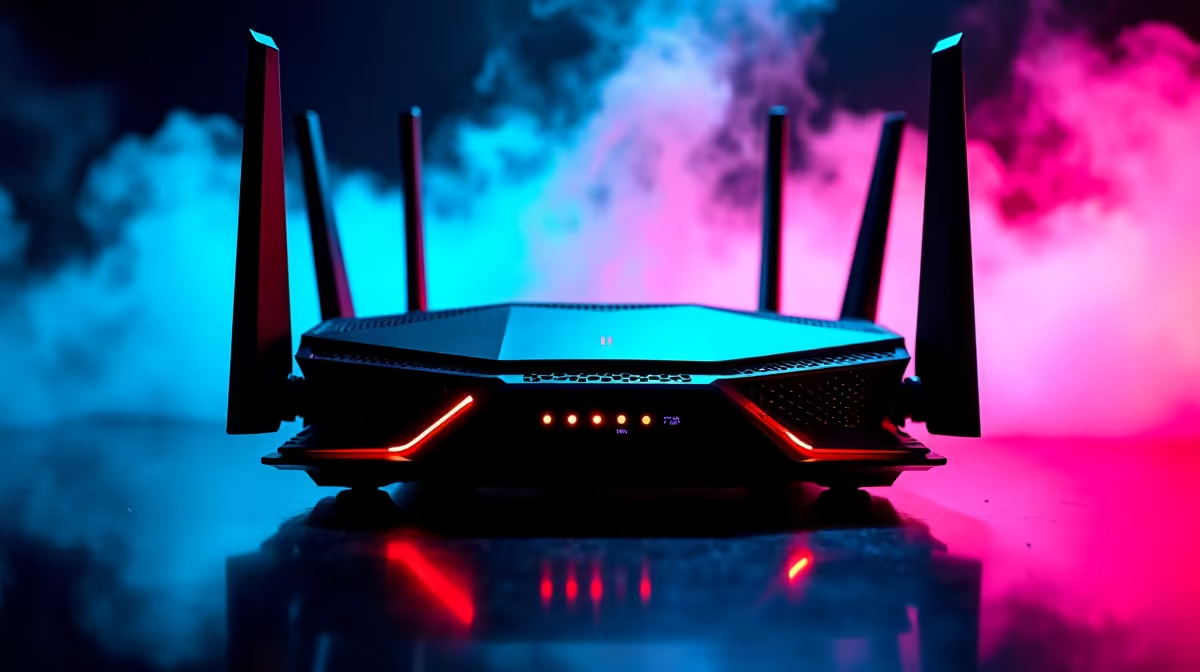
When Fortnite refuses to connect to its servers, the cause is almost always a network configuration issue on your side, a DNS problem, or a temporary Epic Games outage - not a hardware fault. Identifying which layer is broken takes only a few minutes with a structured approach.
Why can't Fortnite connect to servers? The most common causes are a misconfigured router, an overloaded DNS server, or a temporary Epic Games server outage. Restart your router, switch to Google DNS (8.8.8.8), and check the Epic Games server status page before diving into deeper troubleshooting.
Power-cycle your router by unplugging it for 30 seconds. Once it reconnects, launch Fortnite and test. If the issue persists, change your DNS server. On Windows, go to Settings > Network & Internet > Change Adapter Options, right-click your connection, select Properties, then IPv4, and enter 8.8.8.8 (primary) and 8.8.4.4 (secondary). Google's DNS is faster and more reliable than most ISP-assigned DNS servers - South African ISPs like Afrihost and MTN sometimes route DNS queries through congested servers during peak hours.
Flush your DNS cache by opening Command Prompt as Administrator and running ipconfig /flushdns. This clears stale DNS records that can cause connection failures.
Fortnite requires several ports to be open: TCP 443 and UDP 5222 are the primary ones, but Epic also uses a wide range of UDP ports (7000–9000). If your router has a strict NAT or SPI firewall, it may block these. Check your router admin panel (usually at 192.168.0.1 or 192.168.1.1) and enable UPnP, or manually set your PC to a DMZ address as a test.
Windows Firewall can also block Epic Games Launcher. Go to Windows Defender Firewall > Allow an App and ensure both Epic Games Launcher and FortniteClient-Win64-Shipping.exe are allowed on both private and public networks.
If your network is confirmed healthy, visit status.epicgames.com to check for ongoing outages. Fortnite patches release on Tuesdays and sometimes cause a brief server queue - waiting 10 to 15 minutes resolves it. If the connection error appears only after a game update, verify your game files through the Epic Games Launcher by clicking the three dots next to Fortnite and selecting "Verify."
As a last resort, uninstall and reinstall Fortnite. Corrupted installation files occasionally cause persistent connection errors that the verifier misses.
Does a wired connection fix Fortnite server errors? In most cases, yes. A wired Ethernet connection eliminates Wi-Fi interference and provides lower, more consistent latency. If you are on Wi-Fi and experiencing connection drops, try plugging directly into your router.
Can my ISP block Fortnite? It is uncommon, but some ISPs throttle gaming traffic during peak hours. If Fortnite consistently fails between 18:00 and 22:00 but works at other times, contact your ISP - Vumatel fibre users can also check for area-level outages via the Vumatel status portal.
Do VPNs help with Fortnite connection errors? A VPN can help bypass ISP routing issues but typically increases latency. Use a VPN only as a diagnostic step - if Fortnite connects successfully through the VPN, your ISP's routing to Epic's servers is likely the culprit.
Evetech stocks Fortnite Gaming PCs and Graphics Card Deals — shop online with fast delivery across South Africa.
Ready to Find Your Perfect Match? Shop at Evetech
Fortnite Cannot Connect to Servers: Netw available at Evetech.co.za with local warranty and fast delivery.
Fortnite Cannot Connect to Servers: Netw - check Evetech for latest stock and SA pricing.
Depends on your use case. Fortnite Cannot Connect to Ser offers good value at current Rand pricing.
Headset Stock Levels in Bloemfontein: January. Current stock data & price tracking for SA buyers. See what is available and where prices are heading.
Read more
iMac for Medical Practice: Patient Management. SA-focused analysis with local pricing data, real-world insights & actionable buying advice.
Read more
RTX 5060 Fortnite Ultra Settings at 1080p: FPS. Real-world benchmark data, FPS numbers & performance analysis. What SA gamers can actually expect.
Read more
Headset Stock Levels in Cape Town: August Report. Current stock data & price tracking for SA buyers. See what is available and where prices are heading.
Read more
Eskom Load Shedding During Video Call: Solutions. SA-focused analysis with local pricing data, real-world insights & actionable buying advice.
Read more
LoL Performance on Extreme Gaming PC. Real-world benchmark data, FPS numbers & performance analysis. What SA gamers can actually expect.
Read more
Is a Ultra Short Throw Projector Good for Gaming?. Diagnosis steps, proven fixes & when to seek professional help. SA-specific support info included.

Is a Short Throw Projector Good for Gaming? Input. Diagnosis steps, proven fixes & when to seek professional help. SA-specific support info included.

Top Mouse Settings for Competitive FPS: Sensitivity picks evaluated on performance, value & SA availability with current Rand pricing from Evetech.

Top Speakers for MacBook Desk Setup picks evaluated on performance, value & SA availability with current Rand pricing from Evetech.

Is a Ergonomic Chair Better Than a Standard Office Chair for Gaming Detailed answer with SA data, expert analysis & practical recommendations for local buyers.

Use Spotlight Search Like a Pro on macOS. Step-by-step instructions with SA-specific tips, common pitfalls to avoid & expert recommendations.

wireless keyboard Fan Noise Too Loud: Quiet. Everything you need to know with SA pricing, step-by-step instructions & expert recommendations.

Connection Timeout: Troubleshooting Guide #2. Diagnosis steps, proven fixes & when to seek professional help. SA-specific support info included.
Headset Stock Levels in Bloemfontein: January. Current stock data & price tracking for SA buyers. See what is available and where prices are heading.
iMac for Medical Practice: Patient Management. SA-focused analysis with local pricing data, real-world insights & actionable buying advice.
RTX 5060 Fortnite Ultra Settings at 1080p: FPS. Real-world benchmark data, FPS numbers & performance analysis. What SA gamers can actually expect.
Headset Stock Levels in Cape Town: August Report. Current stock data & price tracking for SA buyers. See what is available and where prices are heading.