


Headset Stock Levels in Bloemfontein: January 2026 Report
Headset Stock Levels in Bloemfontein: January. Current stock data & price tracking for SA buyers. See what is available and where prices are heading.
Read moreFortnite Low FPS: Motherboard Bottleneck. Real-world benchmark data, FPS numbers & performance analysis. What SA gamers can actually expect.
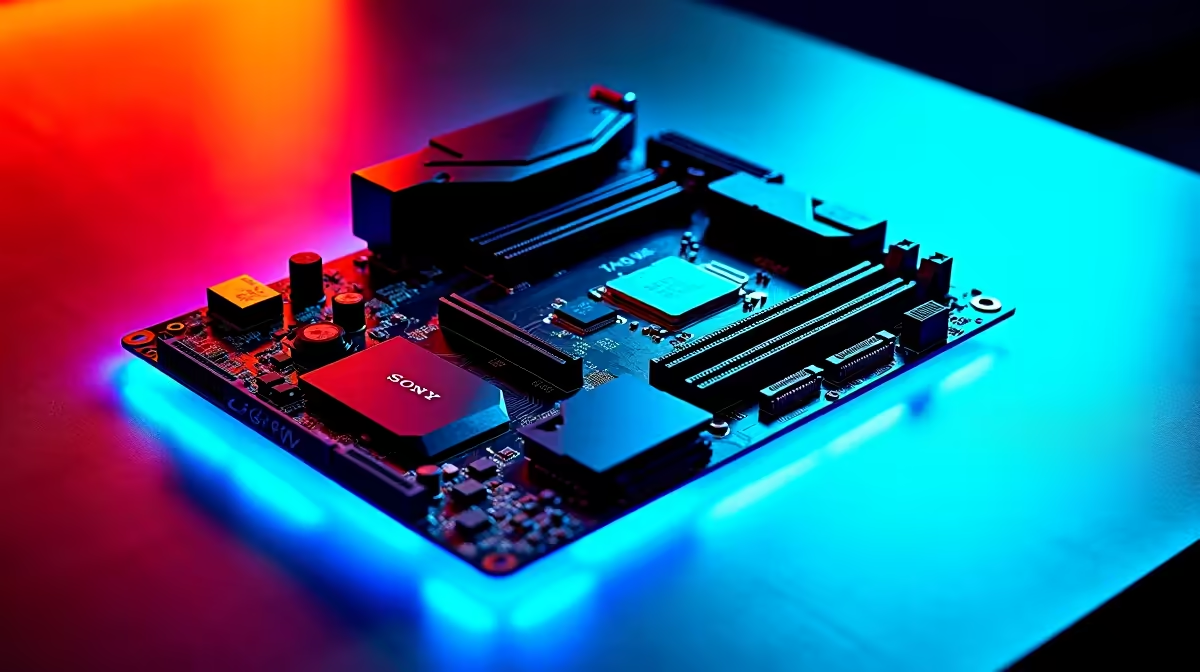
A motherboard is almost never the cause of low FPS in Fortnite. Motherboards route data but do not process graphics or game logic, so they cannot bottleneck frame rates the way a GPU or CPU can. If your Fortnite FPS is low, check your CPU, GPU, RAM speed, and thermal throttling before suspecting the board.
The motherboard is the interconnect layer -- it links your CPU, GPU, RAM, and storage. It does not render frames, run game logic, or process physics. For Fortnite specifically, the board's contribution to FPS is essentially zero once you have a stable platform with PCIe 4.0 or 5.0 lanes for the GPU and properly installed dual-channel RAM.
Where a motherboard can indirectly affect performance is through VRM (voltage regulation module) quality. A weak VRM on a budget board can throttle a high-end CPU under sustained load, reducing clock speeds and causing dips in demanding areas like Tilted Towers during heavy build battles. However, this is a thermal management issue, not a bottleneck in the traditional sense.
Before replacing or blaming your motherboard, work through this checklist:
GPU utilisation: Open Task Manager or MSI Afterburner during a match. If your GPU sits below 95% utilisation while FPS is low, something else is starving it. If it sits at 100% and FPS is still low, you need a GPU upgrade.
CPU core usage: Fortnite is not heavily multi-threaded. A high-frequency dual or quad-core CPU can outperform a slow 8-core in Fortnite. Check whether one or two cores are maxed out while others idle.
RAM configuration: Single-channel RAM cuts effective bandwidth significantly. If you have one stick installed in a dual-channel board, you are leaving meaningful Fortnite FPS on the table. Move to 2x8GB or 2x16GB in the correct dual-channel slots.
Thermal throttling: A CPU or GPU hitting its thermal limit will drop clocks to protect itself, causing sudden FPS drops. Clean your cooler and reapply thermal paste if temperatures exceed 90C under load.
Driver and settings: Outdated GPU drivers or in-game settings mismatched to your hardware account for a large share of Fortnite FPS complaints.
If you are running an older platform locked to slow RAM speeds (for example, DDR3 or early DDR4 at 2133MHz), a platform upgrade -- motherboard plus CPU plus RAM -- will improve Fortnite FPS. The gain comes from faster RAM and a newer CPU, not the board itself.
Similarly, if your board lacks PCIe 4.0 and you install a modern GPU, the GPU will still function but may not reach its full bandwidth potential in GPU-limited scenarios. For Fortnite at standard resolutions this rarely matters, but it is worth noting for future-proofing a SA build.
A damaged or unstable motherboard can cause system instability, crashes, or general slowdowns, but these present as errors and freezes rather than consistent low FPS. If the PC runs stable and just has low frames, the board is almost certainly not the issue.
For a single GPU setup in Fortnite, no. The game does not saturate PCIe 3.0 x16 bandwidth, let alone PCIe 4.0. Extra lanes matter for multi-GPU or storage-intensive workloads, not gaming at typical resolutions.
Good VRM quality for stable CPU clocks, support for fast DDR5 or DDR4 RAM speeds, and a reliable BIOS with XMP/EXPO support. Everything else is connectivity and convenience.
Ready to Find Your Perfect Match? If a platform upgrade is the right call, browse reliable boards at Evetech. Shop Motherboards
Fortnite Low FPS: Motherboard Bottleneck available at Evetech.co.za with local warranty and fast delivery.
Fortnite Low FPS: Motherboard Bottleneck - check Evetech for latest stock and SA pricing.
Depends on your use case. Fortnite Low FPS: Motherboard offers good value at current Rand pricing.
Headset Stock Levels in Bloemfontein: January. Current stock data & price tracking for SA buyers. See what is available and where prices are heading.
Read more
iMac for Medical Practice: Patient Management. SA-focused analysis with local pricing data, real-world insights & actionable buying advice.
Read more
RTX 5060 Fortnite Ultra Settings at 1080p: FPS. Real-world benchmark data, FPS numbers & performance analysis. What SA gamers can actually expect.
Read more
Headset Stock Levels in Cape Town: August Report. Current stock data & price tracking for SA buyers. See what is available and where prices are heading.
Read more
Eskom Load Shedding During Video Call: Solutions. SA-focused analysis with local pricing data, real-world insights & actionable buying advice.
Read more
LoL Performance on Extreme Gaming PC. Real-world benchmark data, FPS numbers & performance analysis. What SA gamers can actually expect.
Read more
Is a Ultra Short Throw Projector Good for Gaming?. Diagnosis steps, proven fixes & when to seek professional help. SA-specific support info included.

Is a Short Throw Projector Good for Gaming? Input. Diagnosis steps, proven fixes & when to seek professional help. SA-specific support info included.

Top Mouse Settings for Competitive FPS: Sensitivity picks evaluated on performance, value & SA availability with current Rand pricing from Evetech.

Top Speakers for MacBook Desk Setup picks evaluated on performance, value & SA availability with current Rand pricing from Evetech.

Is a Ergonomic Chair Better Than a Standard Office Chair for Gaming Detailed answer with SA data, expert analysis & practical recommendations for local buyers.

Use Spotlight Search Like a Pro on macOS. Step-by-step instructions with SA-specific tips, common pitfalls to avoid & expert recommendations.

wireless keyboard Fan Noise Too Loud: Quiet. Everything you need to know with SA pricing, step-by-step instructions & expert recommendations.

Connection Timeout: Troubleshooting Guide #2. Diagnosis steps, proven fixes & when to seek professional help. SA-specific support info included.
Headset Stock Levels in Bloemfontein: January. Current stock data & price tracking for SA buyers. See what is available and where prices are heading.
iMac for Medical Practice: Patient Management. SA-focused analysis with local pricing data, real-world insights & actionable buying advice.
RTX 5060 Fortnite Ultra Settings at 1080p: FPS. Real-world benchmark data, FPS numbers & performance analysis. What SA gamers can actually expect.
Headset Stock Levels in Cape Town: August Report. Current stock data & price tracking for SA buyers. See what is available and where prices are heading.