


Headset Stock Levels in Bloemfontein: January 2026 Report
Headset Stock Levels in Bloemfontein: January. Current stock data & price tracking for SA buyers. See what is available and where prices are heading.
Read moreIs RTX 5060 Compatible with RX 7800 XT Detailed answer with SA-specific data, expert analysis & practical recommendations for local buyers.
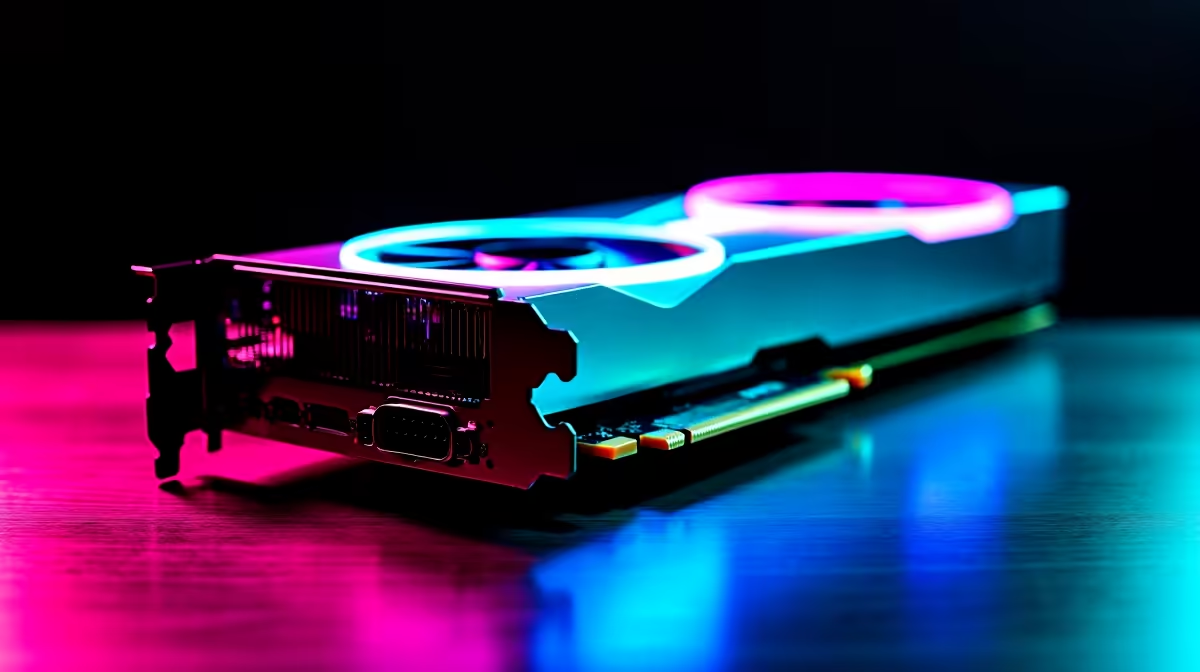
Building a gaming rig in South Africa right now is a serious investment. With ZAR prices constantly shifting, you want every component working perfectly. Lately, a very strange question has been popping up in our tech forums. People are asking... is RTX 5060 compatible with RX 7800 XT? If you are dreaming of a Frankenstein monster PC to double your frame rates... we need to talk. Let us break down how modern GPUs actually work.
The simplest answer is no. You cannot combine an Nvidia RTX 5060 and an AMD Radeon RX 7800 XT to boost your gaming performance. The days of linking two graphics cards together are completely dead. Nvidia killed off SLI, and AMD abandoned CrossFire years ago.
Modern games are optimised to run on a single powerful GPU. If you plug both of these cards into the same motherboard, they will not team up. Instead... they will likely fight for resources. When you want to upgrade your graphics card, you must pick a single lane. Choose Team Green or Team Red.
Running an Nvidia card and an AMD card in the same system is a driver nightmare. Windows gets very confused when trying to manage GeForce Experience and AMD Adrenalin simultaneously. This software clash leads to sudden crashes, annoying stuttering, and dropped frames.
If you have a budget of around R15,000 to R20,000... do not split it between two conflicting cards. You will get far better results buying one high-end GPU. Better yet, look at our best gaming PC deals to find a system that is already perfectly balanced for modern titles.
Never mix Nvidia and AMD drivers on the same Windows installation if you can avoid it. Driver conflicts can cause random blue screens... making your gaming sessions a stuttering nightmare. Stick to a single powerful card for the smoothest experience.
There is one rare exception. Is RTX 5060 compatible with RX 7800 XT for hardcore productivity? Technically... yes. If your motherboard has two PCIe slots, you can install both. A 3D animator might use the RTX 5060 for rendering tasks while using the RX 7800 XT to drive multiple monitors.
However, this is incredibly niche. It requires a massive power supply and expert configuration. For 99 percent of users, it is a massive headache. You are much safer investing in a reliable pre-built PC that has been professionally tested by our Evetech technicians.
Sometimes desktop component compatibility is just too stressful. If you are tired of worrying about PCIe lanes and power supply limits... you have other options. Modern mobile processors and GPUs are incredibly powerful.
You can easily bypass the entire compatibility headache. Simply browse our range of premium gaming laptops. You get guaranteed component synergy right out of the box... plus you can keep gaming right through loadshedding.
At the end of the day, your goal is maximum frame rates for your money. Do not waste time trying to force rival components to play nice. Pick the RTX 5060 if you want access to incredible features like DLSS 3 and superior ray tracing performance.
Alternatively... choose the RX 7800 XT if you demand raw rasterisation power and massive VRAM for 1440p gaming. Both cards are absolutely brilliant in their own right. They just do not belong in the same computer case.
Always ensure your power supply can handle whichever card you choose. The RX 7800 XT draws significantly more power than the efficient 50-series Nvidia cards. Keep an eye on our latest tech specials to grab the right card at the right price. A single, powerful GPU will always give you the best gaming experience without the troubleshooting tears.
Ready to Find Your Perfect Match? Do not waste your hard-earned ZAR on mismatched components. Whether you want the ray-tracing magic of Nvidia or the raw power of AMD... we have you covered. Explore our massive range of PC components and build your ultimate dream machine today.
Is RTX 5060 Compatible with RX 7800 XT available at Evetech.co.za with local warranty and fast delivery.
Is RTX 5060 Compatible with RX 7800 XT - check Evetech for latest stock and SA pricing.
Depends on your use case. Is RTX 5060 Compatible with RX offers good value at current Rand pricing.
Headset Stock Levels in Bloemfontein: January. Current stock data & price tracking for SA buyers. See what is available and where prices are heading.
Read more
iMac for Medical Practice: Patient Management. SA-focused analysis with local pricing data, real-world insights & actionable buying advice.
Read more
RTX 5060 Fortnite Ultra Settings at 1080p: FPS. Real-world benchmark data, FPS numbers & performance analysis. What SA gamers can actually expect.
Read more
Headset Stock Levels in Cape Town: August Report. Current stock data & price tracking for SA buyers. See what is available and where prices are heading.
Read more
Eskom Load Shedding During Video Call: Solutions. SA-focused analysis with local pricing data, real-world insights & actionable buying advice.
Read more
LoL Performance on Extreme Gaming PC. Real-world benchmark data, FPS numbers & performance analysis. What SA gamers can actually expect.
Read more
Is a Ultra Short Throw Projector Good for Gaming?. Diagnosis steps, proven fixes & when to seek professional help. SA-specific support info included.

Is a Short Throw Projector Good for Gaming? Input. Diagnosis steps, proven fixes & when to seek professional help. SA-specific support info included.

Top Mouse Settings for Competitive FPS: Sensitivity picks evaluated on performance, value & SA availability with current Rand pricing from Evetech.

Top Speakers for MacBook Desk Setup picks evaluated on performance, value & SA availability with current Rand pricing from Evetech.

Is a Ergonomic Chair Better Than a Standard Office Chair for Gaming Detailed answer with SA data, expert analysis & practical recommendations for local buyers.

Use Spotlight Search Like a Pro on macOS. Step-by-step instructions with SA-specific tips, common pitfalls to avoid & expert recommendations.

wireless keyboard Fan Noise Too Loud: Quiet. Everything you need to know with SA pricing, step-by-step instructions & expert recommendations.

Connection Timeout: Troubleshooting Guide #2. Diagnosis steps, proven fixes & when to seek professional help. SA-specific support info included.
Headset Stock Levels in Bloemfontein: January. Current stock data & price tracking for SA buyers. See what is available and where prices are heading.
iMac for Medical Practice: Patient Management. SA-focused analysis with local pricing data, real-world insights & actionable buying advice.
RTX 5060 Fortnite Ultra Settings at 1080p: FPS. Real-world benchmark data, FPS numbers & performance analysis. What SA gamers can actually expect.
Headset Stock Levels in Cape Town: August Report. Current stock data & price tracking for SA buyers. See what is available and where prices are heading.