


Headset Stock Levels in Bloemfontein: January 2026 Report
Headset Stock Levels in Bloemfontein: January. Current stock data & price tracking for SA buyers. See what is available and where prices are heading.
Read moreIs Your PC Ready for Crimson Desert? Quick Spec. SA-focused analysis with local pricing data, real-world insights & actionable buying advice.
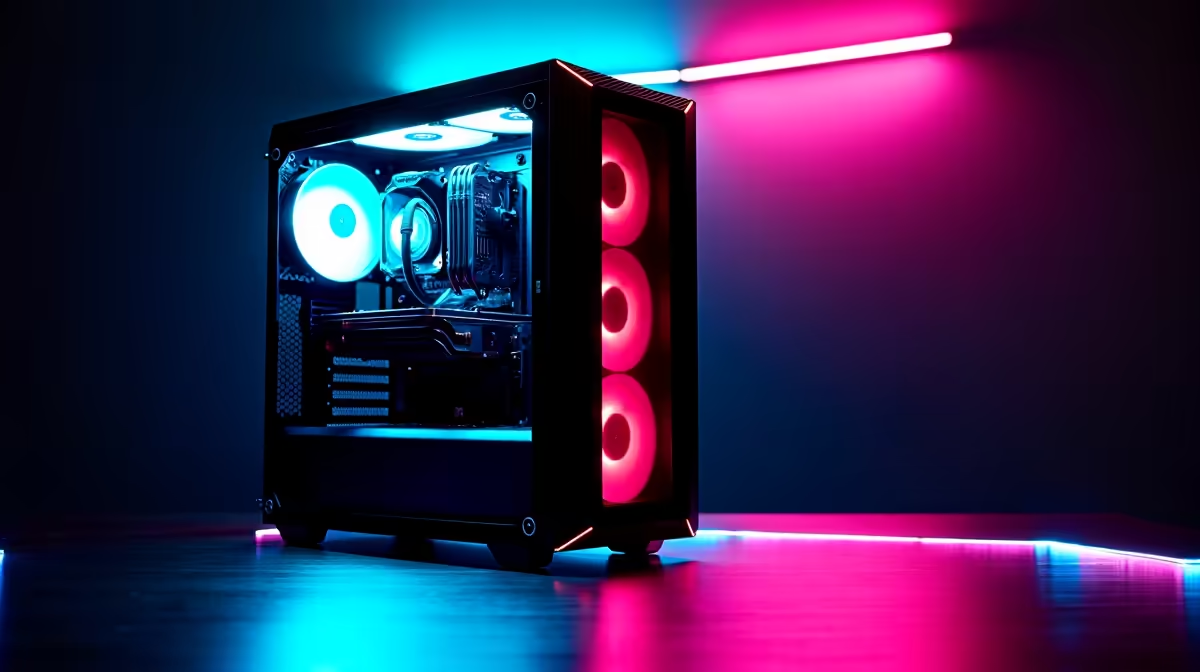
To run Crimson Desert smoothly in 2026, you need at minimum an RTX 3060 or RX 6600 with 12GB VRAM, a modern 8-core CPU, and 16GB of RAM. For high settings at 1080p, an RTX 4070 or RX 7800 XT is the sweet spot for South African gamers building or upgrading their rig.
Crimson Desert is one of the most demanding open-world RPGs released in 2026, pushing system requirements well beyond what most mid-range PCs were built to handle a few years ago. If you built your gaming PC back in 2021 or 2022 and haven't upgraded since, now is the time to run a proper spec check before you commit to a purchase that could cost you R1,000+ in SA. Here's exactly what to look for.
Pearl Abyss designed Crimson Desert with an aggressive rendering pipeline that leans heavily on VRAM and fast storage. The official minimum spec targets 1080p at 30fps with low settings and calls for an RTX 2060 or equivalent, 16GB RAM, and an NVMe SSD. The recommended spec - which targets 1080p at 60fps on high - calls for an RTX 3080 or RX 6800 XT with 10GB+ VRAM, a 12-thread CPU, and 32GB RAM.
For South African gamers, the practical budget sweet spot sits around the RTX 4070 (priced roughly R11,000 to R14,000 locally in 2026), which handles high settings at 1080p with frame rates well above 60fps and gives you breathing room for 1440p.
Open Task Manager and click the Performance tab. You want to check three things: GPU (look at dedicated GPU memory - you need at least 8GB), CPU (core count and speed), and RAM total. For storage, open Device Manager or use a free tool like CrystalDiskInfo to confirm you're on NVMe rather than a slower SATA SSD or HDD. Crimson Desert's open-world streaming system stutters badly on HDDs regardless of how powerful your GPU is.
Also check your Windows and GPU driver versions. Crimson Desert in 2026 benefits significantly from DLSS 3.5 on Nvidia cards and FSR 3 on AMD - both are enabled through current drivers and can boost your effective frame rate by 40-60% at higher resolutions.
If you're falling short, here's the priority order for upgrades: GPU first (biggest impact on frame rate), then RAM if you're below 16GB, then storage if you're on a spinning drive. CPU upgrades are rarely necessary unless you're on a pre-Ryzen 5000 or pre-10th gen Intel chip - even older 8-core CPUs handle Crimson Desert's simulation load without major bottlenecks.
For GPU upgrades specifically, the RX 7600 XT and RTX 4060 represent strong value at 1080p. If you want 1440p at high settings, budget for an RTX 4070 Super or RX 7800 XT.
Q: Can I run Crimson Desert on a laptop? A: Yes, if your laptop has a discrete GPU with at least 8GB VRAM - something like an RTX 4060 laptop GPU. Integrated graphics will not run the game. Make sure your laptop is plugged in during play, as power limits on battery significantly reduce GPU performance.
Q: Does Crimson Desert require an SSD? A: Technically it runs on HDDs but the experience is very poor due to constant open-world streaming. An NVMe SSD is strongly recommended and is listed in the official recommended spec. A SATA SSD is an acceptable middle ground.
Q: Is 16GB RAM enough for Crimson Desert in 2026? A: 16GB is the minimum and it works, but you may see occasional stutters during heavy combat or when fast-travelling between biomes. 32GB eliminates these issues entirely and is worth considering if you multitask while gaming.
Ready to Find Your Perfect Match? Find a pre-built gaming PC ready for Crimson Desert at the right price for SA.
Is Your PC Ready for Crimson Desert? Qui available at Evetech.co.za with local warranty and fast delivery.
Is Your PC Ready for Crimson Desert? Qui - check Evetech for latest stock and SA pricing.
Depends on your use case. Is Your PC Ready for Crimson D offers good value at current Rand pricing.
Headset Stock Levels in Bloemfontein: January. Current stock data & price tracking for SA buyers. See what is available and where prices are heading.
Read more
iMac for Medical Practice: Patient Management. SA-focused analysis with local pricing data, real-world insights & actionable buying advice.
Read more
RTX 5060 Fortnite Ultra Settings at 1080p: FPS. Real-world benchmark data, FPS numbers & performance analysis. What SA gamers can actually expect.
Read more
Headset Stock Levels in Cape Town: August Report. Current stock data & price tracking for SA buyers. See what is available and where prices are heading.
Read more
Eskom Load Shedding During Video Call: Solutions. SA-focused analysis with local pricing data, real-world insights & actionable buying advice.
Read more
LoL Performance on Extreme Gaming PC. Real-world benchmark data, FPS numbers & performance analysis. What SA gamers can actually expect.
Read more
Is a Ultra Short Throw Projector Good for Gaming?. Diagnosis steps, proven fixes & when to seek professional help. SA-specific support info included.

Is a Short Throw Projector Good for Gaming? Input. Diagnosis steps, proven fixes & when to seek professional help. SA-specific support info included.

Top Mouse Settings for Competitive FPS: Sensitivity picks evaluated on performance, value & SA availability with current Rand pricing from Evetech.

Top Speakers for MacBook Desk Setup picks evaluated on performance, value & SA availability with current Rand pricing from Evetech.

Is a Ergonomic Chair Better Than a Standard Office Chair for Gaming Detailed answer with SA data, expert analysis & practical recommendations for local buyers.

Use Spotlight Search Like a Pro on macOS. Step-by-step instructions with SA-specific tips, common pitfalls to avoid & expert recommendations.

wireless keyboard Fan Noise Too Loud: Quiet. Everything you need to know with SA pricing, step-by-step instructions & expert recommendations.

Connection Timeout: Troubleshooting Guide #2. Diagnosis steps, proven fixes & when to seek professional help. SA-specific support info included.
Headset Stock Levels in Bloemfontein: January. Current stock data & price tracking for SA buyers. See what is available and where prices are heading.
iMac for Medical Practice: Patient Management. SA-focused analysis with local pricing data, real-world insights & actionable buying advice.
RTX 5060 Fortnite Ultra Settings at 1080p: FPS. Real-world benchmark data, FPS numbers & performance analysis. What SA gamers can actually expect.
Headset Stock Levels in Cape Town: August Report. Current stock data & price tracking for SA buyers. See what is available and where prices are heading.