


Headset Stock Levels in Bloemfontein: January 2026 Report
Headset Stock Levels in Bloemfontein: January. Current stock data & price tracking for SA buyers. See what is available and where prices are heading.
Read moreLoad Shedding Impact Report: Q4 (Routers). SA-focused analysis with local pricing data, real-world insights & actionable buying advice.
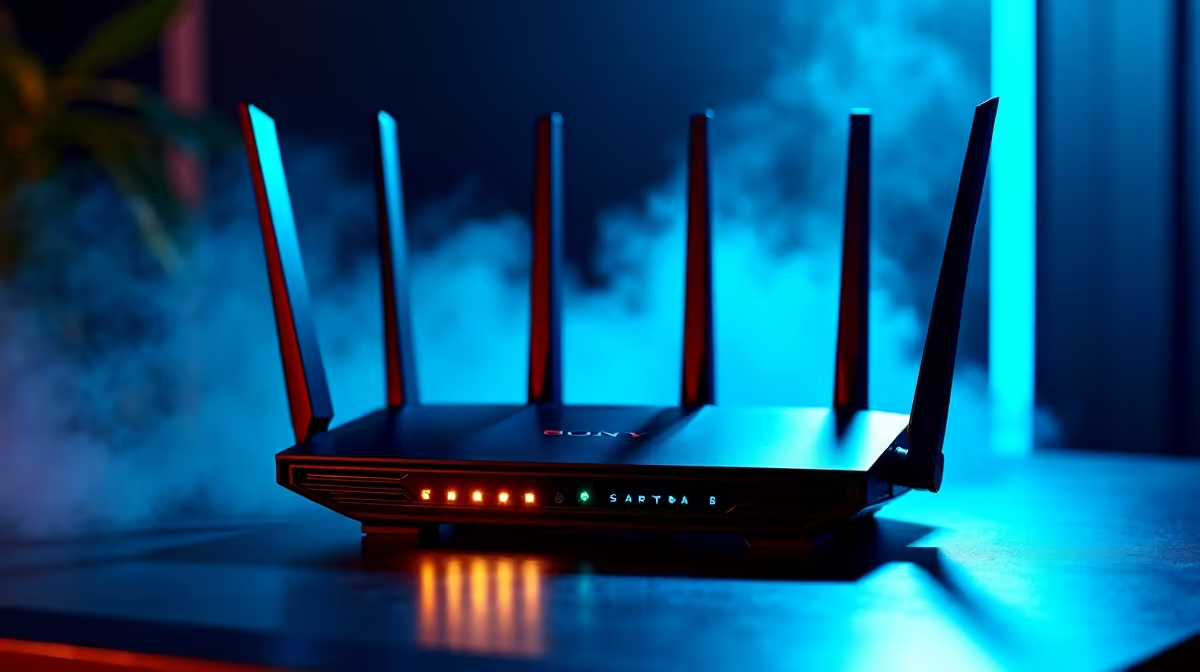
Loadshedding has a direct and measurable impact on home routers in South Africa. Repeated power cycling degrades router hardware over time, interrupts work-from-home connections, and can corrupt firmware. This report covers the key failure patterns observed with routers during Q4 loadshedding periods and what SA users can do to protect their networking equipment.
Every time a router loses power suddenly and restarts without a proper shutdown sequence, it creates stress on internal components. Flash memory used to store configuration data and firmware can experience write corruption during mid-operation power loss. Power delivery components, including capacitors and voltage regulators, degrade faster when subjected to frequent power transients at startup and shutdown.
Q4 loadshedding schedules in South Africa are historically among the heavier periods of the year, with stage 4 and above cuts resulting in multiple power interruptions per day in affected areas. A router experiencing eight to twelve uncontrolled power cycles per day during heavy loadshedding accumulates hardware stress equivalent to years of normal operation over just a few months.
The most commonly reported router issues during heavy loadshedding periods follow predictable patterns. Routers that previously held stable connections begin dropping wireless clients intermittently, often attributed to firmware table corruption from interrupted writes. WiFi channels drift from configured settings, requiring manual reconfiguration after each outage. Some routers fail to complete startup sequences properly after power restoration, requiring a factory reset to become functional again.
In cases of sustained high loadshedding frequency, capacitor failure in the router's internal power supply becomes a hardware-level issue. Signs include the router running hotter than normal, spontaneous reboots even when mains power is stable, and complete failure to power on.
The most effective single intervention is a UPS with appropriate capacity for your networking equipment. A small UPS rated for 300VA to 600VA is sufficient to power a home router, fibre ONT, and a switch through most loadshedding durations. This eliminates sudden power loss and allows the router to remain operational during the outage itself.
If a UPS is not currently in your budget, a surge-protected multi-socket with battery backup provides partial protection against voltage spikes at power restoration. The voltage spike when municipal power comes back is frequently more damaging than the outage itself, as it can exceed the router's rated input tolerance.
Enable automatic firmware backup in your router's settings if the model supports it. This stores a copy of your configuration to non-volatile memory, reducing recovery time if corruption does occur.
If your router is displaying intermittent faults, dropping connections, or running hotter than it did when new after sustained loadshedding, the cost of a firmware reload or factory reset is worth attempting before replacement. However, a router that has experienced capacitor failure, evidenced by bulging or leaking components visible through ventilation slots, requires replacement.
For SA home users on fibre or fixed wireless internet, router downtime translates directly into lost productivity. Keeping a basic spare router is a reasonable precaution for users who work from home and cannot tolerate extended outages.
Yes, this is the recommended approach. A UPS rated appropriately for your router's wattage will keep the device on clean, regulated power through the outage. Most home routers draw between 5W and 15W, so even a modest UPS provides several hours of runtime for networking equipment alone.
This usually indicates firmware or configuration memory corruption. Try a clean firmware reinstall using the manufacturer's recovery procedure. If the problem persists after a firmware reload, the internal flash memory may be damaged and the router should be replaced.
Signs include the router running noticeably hotter than before, spontaneous reboots during normal operation when on stable mains power, connections that drop at regular intervals not tied to outages, and visible physical changes to internal components if you can see through ventilation slots. Performance degradation that appeared gradually over a loadshedding-heavy period is also a strong indicator.
Ready to Find Your Perfect Match? Protect your home network with the right equipment for SA conditions. Shop networking gear at Evetech
Load Shedding Impact Report: Q4 2026 (Ro available at Evetech.co.za with local warranty and fast delivery.
Load Shedding Impact Report: Q4 2026 (Ro - check Evetech for latest stock and SA pricing.
Depends on your use case. Load Shedding Impact Report: Q offers good value at current Rand pricing.
Headset Stock Levels in Bloemfontein: January. Current stock data & price tracking for SA buyers. See what is available and where prices are heading.
Read more
iMac for Medical Practice: Patient Management. SA-focused analysis with local pricing data, real-world insights & actionable buying advice.
Read more
RTX 5060 Fortnite Ultra Settings at 1080p: FPS. Real-world benchmark data, FPS numbers & performance analysis. What SA gamers can actually expect.
Read more
Headset Stock Levels in Cape Town: August Report. Current stock data & price tracking for SA buyers. See what is available and where prices are heading.
Read more
Eskom Load Shedding During Video Call: Solutions. SA-focused analysis with local pricing data, real-world insights & actionable buying advice.
Read more
LoL Performance on Extreme Gaming PC. Real-world benchmark data, FPS numbers & performance analysis. What SA gamers can actually expect.
Read more
Is a Ultra Short Throw Projector Good for Gaming?. Diagnosis steps, proven fixes & when to seek professional help. SA-specific support info included.

Is a Short Throw Projector Good for Gaming? Input. Diagnosis steps, proven fixes & when to seek professional help. SA-specific support info included.

Top Mouse Settings for Competitive FPS: Sensitivity picks evaluated on performance, value & SA availability with current Rand pricing from Evetech.

Top Speakers for MacBook Desk Setup picks evaluated on performance, value & SA availability with current Rand pricing from Evetech.

Is a Ergonomic Chair Better Than a Standard Office Chair for Gaming Detailed answer with SA data, expert analysis & practical recommendations for local buyers.

Use Spotlight Search Like a Pro on macOS. Step-by-step instructions with SA-specific tips, common pitfalls to avoid & expert recommendations.

wireless keyboard Fan Noise Too Loud: Quiet. Everything you need to know with SA pricing, step-by-step instructions & expert recommendations.

Connection Timeout: Troubleshooting Guide #2. Diagnosis steps, proven fixes & when to seek professional help. SA-specific support info included.
Headset Stock Levels in Bloemfontein: January. Current stock data & price tracking for SA buyers. See what is available and where prices are heading.
iMac for Medical Practice: Patient Management. SA-focused analysis with local pricing data, real-world insights & actionable buying advice.
RTX 5060 Fortnite Ultra Settings at 1080p: FPS. Real-world benchmark data, FPS numbers & performance analysis. What SA gamers can actually expect.
Headset Stock Levels in Cape Town: August Report. Current stock data & price tracking for SA buyers. See what is available and where prices are heading.