


Headset Stock Levels in Bloemfontein: January 2026 Report
Headset Stock Levels in Bloemfontein: January. Current stock data & price tracking for SA buyers. See what is available and where prices are heading.
Read moreMac Mini Content Creators: YouTube, Podcast, and. Clear setup instructions with SA-specific considerations, troubleshooting tips & recommended components.
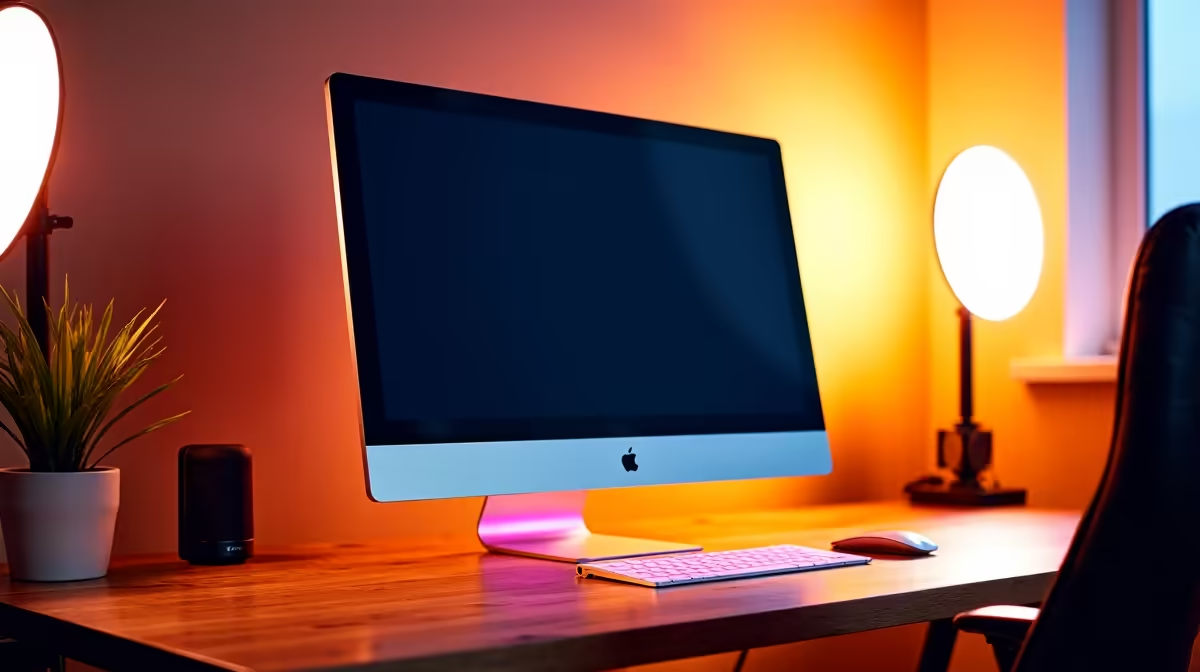
The Mac Mini is a capable content creation hub for South African YouTubers, podcasters, and streamers who want Apple Silicon performance without the iMac price tag. Its compact footprint, low power draw, and compatibility with standard monitors and peripherals make it an attractive setup for creators working from home, a digs, or a small studio. The main consideration is pairing it with the right display, audio interface, and accessories for a complete SA-ready workflow.
South African content creation has grown substantially across YouTube, podcast platforms, and Twitch. Creators working on tight desk space in Cape Town apartments, Joburg home offices, or student accommodation need hardware that performs without occupying an entire corner of a room.
The Mac Mini addresses this directly. It occupies roughly the footprint of a large paperback book and can be mounted behind a monitor or tucked onto a shelf. Apple Silicon (M-series chips) delivers strong single-core performance relevant to video export and audio processing, with efficient power consumption that matters significantly in a loadshedding environment.
This is one of the most practically relevant aspects of the Mac Mini for SA creators. The base M-series Mac Mini draws as little as 6-12W at idle and peaks around 70-100W under sustained load - considerably less than a Windows desktop with a discrete GPU performing the same tasks.
For creators running off a small UPS or inverter during Stage 4 loadshedding (2.5-hour outage windows), a Mac Mini can run for most or all of that period from a modest battery backup. A standard 600VA UPS will handle the Mac Mini plus a display through a typical loadshedding slot. A comparable Windows gaming desktop would drain the same battery in 30 to 45 minutes.
A complete SA content creator Mac Mini setup includes the Mac Mini itself, a monitor (the Mini requires a separate display), a USB audio interface or dedicated microphone, and headphones for monitoring. The Mac Mini supports two displays via Thunderbolt and one via HDMI, giving creators multi-monitor setups for timeline editing on one screen and preview on another.
For YouTube video editing, the Mac Mini handles 4K H.264 and H.265 timelines in Final Cut Pro or DaVinci Resolve efficiently. For podcasting, GarageBand and Logic Pro are native Mac tools. For streaming via OBS or Ecamm Live, the Mini performs solidly with adequate bitrate for local upload speeds on SA fibre connections.
The Mac Mini's port selection covers most creator needs: multiple Thunderbolt 4 ports, USB-A ports, HDMI, a 3.5mm headphone jack, and an SD card slot on newer models. This covers external SSD connections (important for large video project files), direct camera card imports, and audio output without a separate DAC.
SA delivery on Mac products through Evetech covers Johannesburg, Cape Town, Durban, Pretoria, and national courier destinations.
Yes. The M-series Mac Mini handles 4K editing in Final Cut Pro and DaVinci Resolve well. For heavily colour-graded 4K or RAW workflows, the higher-spec M-series configurations provide more headroom.
A 27-inch 2K or 4K display with accurate colour reproduction (sRGB or DCI-P3 coverage) is the practical choice for video editing and thumbnail design. This sits in the R3,000 to R8,000 monitor price range in SA.
The Mac Mini's low power draw makes it one of the most UPS-friendly desktop computers available. A standard 600VA UPS can power it and a display through most loadshedding slots without running out of battery.
Ready to Find Your Perfect Match? Browse Mac options available with delivery across South Africa. Shop Mac at Evetech
Mac Mini for SA Content Creators: YouTub available at Evetech.co.za with local warranty and fast delivery.
Mac Mini for SA Content Creators: YouTub - check Evetech for latest stock and SA pricing.
Depends on your use case. Mac Mini for SA Content Creato offers good value at current Rand pricing.
Headset Stock Levels in Bloemfontein: January. Current stock data & price tracking for SA buyers. See what is available and where prices are heading.
Read more
iMac for Medical Practice: Patient Management. SA-focused analysis with local pricing data, real-world insights & actionable buying advice.
Read more
RTX 5060 Fortnite Ultra Settings at 1080p: FPS. Real-world benchmark data, FPS numbers & performance analysis. What SA gamers can actually expect.
Read more
Headset Stock Levels in Cape Town: August Report. Current stock data & price tracking for SA buyers. See what is available and where prices are heading.
Read more
Eskom Load Shedding During Video Call: Solutions. SA-focused analysis with local pricing data, real-world insights & actionable buying advice.
Read more
LoL Performance on Extreme Gaming PC. Real-world benchmark data, FPS numbers & performance analysis. What SA gamers can actually expect.
Read more
Is a Ultra Short Throw Projector Good for Gaming?. Diagnosis steps, proven fixes & when to seek professional help. SA-specific support info included.

Is a Short Throw Projector Good for Gaming? Input. Diagnosis steps, proven fixes & when to seek professional help. SA-specific support info included.

Top Mouse Settings for Competitive FPS: Sensitivity picks evaluated on performance, value & SA availability with current Rand pricing from Evetech.

Top Speakers for MacBook Desk Setup picks evaluated on performance, value & SA availability with current Rand pricing from Evetech.

Is a Ergonomic Chair Better Than a Standard Office Chair for Gaming Detailed answer with SA data, expert analysis & practical recommendations for local buyers.

Use Spotlight Search Like a Pro on macOS. Step-by-step instructions with SA-specific tips, common pitfalls to avoid & expert recommendations.

wireless keyboard Fan Noise Too Loud: Quiet. Everything you need to know with SA pricing, step-by-step instructions & expert recommendations.

Connection Timeout: Troubleshooting Guide #2. Diagnosis steps, proven fixes & when to seek professional help. SA-specific support info included.
Headset Stock Levels in Bloemfontein: January. Current stock data & price tracking for SA buyers. See what is available and where prices are heading.
iMac for Medical Practice: Patient Management. SA-focused analysis with local pricing data, real-world insights & actionable buying advice.
RTX 5060 Fortnite Ultra Settings at 1080p: FPS. Real-world benchmark data, FPS numbers & performance analysis. What SA gamers can actually expect.
Headset Stock Levels in Cape Town: August Report. Current stock data & price tracking for SA buyers. See what is available and where prices are heading.