


Headset Stock Levels in Bloemfontein: January 2026 Report
Headset Stock Levels in Bloemfontein: January. Current stock data & price tracking for SA buyers. See what is available and where prices are heading.
Read moreMac Studio for Game Development: Unity and Unreal. SA-focused analysis with local pricing data, real-world insights & actionable buying advice.
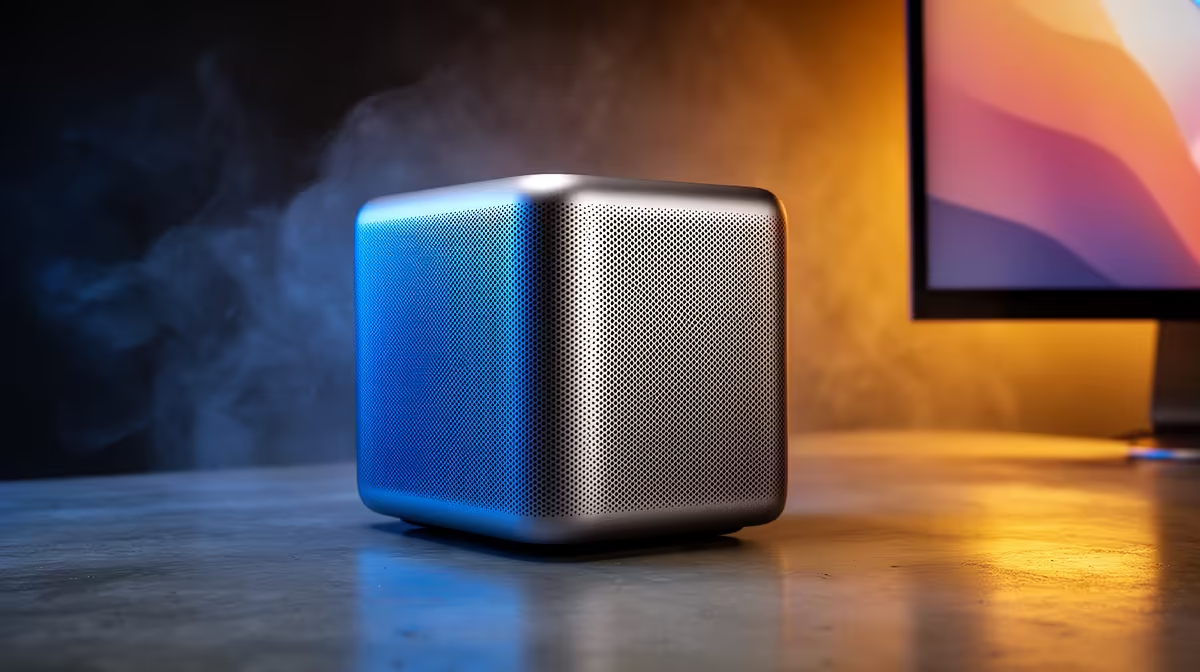
The Mac Studio is a surprisingly capable machine for game development - its Apple Silicon chips deliver excellent single-threaded performance, fast compile times, and a unified memory architecture that benefits shader compilation. The main consideration is the macOS ecosystem: Unity has strong macOS support, Unreal Engine 5 works well but with some limitations, and cross-platform testing requires additional setup.
Is the Mac Studio good for game development in Unity and Unreal Engine? Yes, for most indie and mid-scale projects. The Mac Studio M4 Max handles Unity projects excellently and runs Unreal Engine 5 competently, though UE5's highest-fidelity features like hardware Lumen and Nanite are more limited on macOS than on Windows with a dedicated GPU.
Unity has fully embraced Apple Silicon since 2022, and by 2026 the Unity Editor runs natively on M-series chips with no emulation overhead. The Mac Studio M4 Pro or M4 Max compiles C# scripts, bakes lighting, and generates lightmaps significantly faster than equivalent Intel-based Macs. The unified memory architecture means Unity's editor and your game runtime share the same memory pool - 36GB or 48GB configurations handle large open-world projects with complex asset libraries without the swapping issues that affect 16GB machines.
Build times for Unity iOS and Android targets are fast on Mac Studio - Xcode toolchain integration is native and well-optimised. Android builds require Android Studio, which runs well on macOS. For Windows builds, Unity's cross-compilation works but testing on actual Windows hardware is recommended before release.
Unreal Engine 5 on macOS has improved substantially with each engine release, but there are genuine trade-offs to understand:
What works well:
What is limited on macOS:
For most indie and mid-scale Unreal projects targeting non-ray-traced visuals, the Mac Studio is entirely capable. For projects that depend on hardware Lumen RT, a Windows PC with a dedicated Nvidia GPU is required.
The Mac Studio's advantages - silence, compact footprint, integrated display support, excellent battery-free operation - make it an appealing studio machine. For South African developers, the price premium is significant: a Mac Studio M4 Max is considerably more expensive in Rand than a comparable Windows PC with a dedicated GPU.
The decision comes down to your target platform. If you are developing for iOS, iPadOS, or macOS, the Mac Studio is the better choice - you need a Mac for App Store submissions regardless. If you are targeting PC, console, or Android primarily, a Windows workstation with a dedicated GPU gives you better access to current rendering technology, broader plugin support, and DLSS/FSR testing.
For developers who want both: a Mac Studio as the primary machine for Unity iOS development, paired with a budget Windows desktop for UE5 rendering feature testing, is a pragmatic setup many indie studios use.
Can you publish games to Steam from macOS? Yes. Both Unity and Unreal Engine support building Windows executables from macOS via cross-compilation. However, testing your game on actual Windows hardware before Steam submission is strongly recommended to catch platform-specific bugs.
How much RAM does the Mac Studio need for game development? For Unity: 16GB is functional, 24GB is comfortable for larger projects. For Unreal Engine 5 with high-poly assets and large levels, 36GB or 48GB is recommended. UE5's editor is a memory-intensive application.
Is C++ game development practical on macOS? Yes. Clang on macOS is a mature, fast compiler. UE5 C++ projects compile well on Mac Studio. The main limitation is that you cannot use Visual Studio - most Mac UE5 developers use Rider or VS Code for C++ editing.
Evetech stocks Graphics Card Deals and Evetech Best Sellers — shop online with fast delivery across South Africa.
Ready to Find Your Perfect Match? Shop at Evetech
Mac Studio for Game Development: Unity a available at Evetech.co.za with local warranty and fast delivery.
Mac Studio for Game Development: Unity a - check Evetech for latest stock and SA pricing.
Depends on your use case. Mac Studio for Game Developmen offers good value at current Rand pricing.
Headset Stock Levels in Bloemfontein: January. Current stock data & price tracking for SA buyers. See what is available and where prices are heading.
Read more
iMac for Medical Practice: Patient Management. SA-focused analysis with local pricing data, real-world insights & actionable buying advice.
Read more
RTX 5060 Fortnite Ultra Settings at 1080p: FPS. Real-world benchmark data, FPS numbers & performance analysis. What SA gamers can actually expect.
Read more
Headset Stock Levels in Cape Town: August Report. Current stock data & price tracking for SA buyers. See what is available and where prices are heading.
Read more
Eskom Load Shedding During Video Call: Solutions. SA-focused analysis with local pricing data, real-world insights & actionable buying advice.
Read more
LoL Performance on Extreme Gaming PC. Real-world benchmark data, FPS numbers & performance analysis. What SA gamers can actually expect.
Read more
Is a Ultra Short Throw Projector Good for Gaming?. Diagnosis steps, proven fixes & when to seek professional help. SA-specific support info included.

Is a Short Throw Projector Good for Gaming? Input. Diagnosis steps, proven fixes & when to seek professional help. SA-specific support info included.

Top Mouse Settings for Competitive FPS: Sensitivity picks evaluated on performance, value & SA availability with current Rand pricing from Evetech.

Top Speakers for MacBook Desk Setup picks evaluated on performance, value & SA availability with current Rand pricing from Evetech.

Is a Ergonomic Chair Better Than a Standard Office Chair for Gaming Detailed answer with SA data, expert analysis & practical recommendations for local buyers.

Use Spotlight Search Like a Pro on macOS. Step-by-step instructions with SA-specific tips, common pitfalls to avoid & expert recommendations.

wireless keyboard Fan Noise Too Loud: Quiet. Everything you need to know with SA pricing, step-by-step instructions & expert recommendations.

Connection Timeout: Troubleshooting Guide #2. Diagnosis steps, proven fixes & when to seek professional help. SA-specific support info included.
Headset Stock Levels in Bloemfontein: January. Current stock data & price tracking for SA buyers. See what is available and where prices are heading.
iMac for Medical Practice: Patient Management. SA-focused analysis with local pricing data, real-world insights & actionable buying advice.
RTX 5060 Fortnite Ultra Settings at 1080p: FPS. Real-world benchmark data, FPS numbers & performance analysis. What SA gamers can actually expect.
Headset Stock Levels in Cape Town: August Report. Current stock data & price tracking for SA buyers. See what is available and where prices are heading.