



Smart Monitor Ads and Tracking: The SA Buyer's Privacy Check
Smart monitors can add apps and convenience, but they also add privacy settings and unwanted-software risk. SA buyers should audit the operating system before paying for extras.
Read moreMost Overpriced Motherboard : Skip These. Hand-picked gift ideas at every budget tier. SA pricing & Evetech availability included.
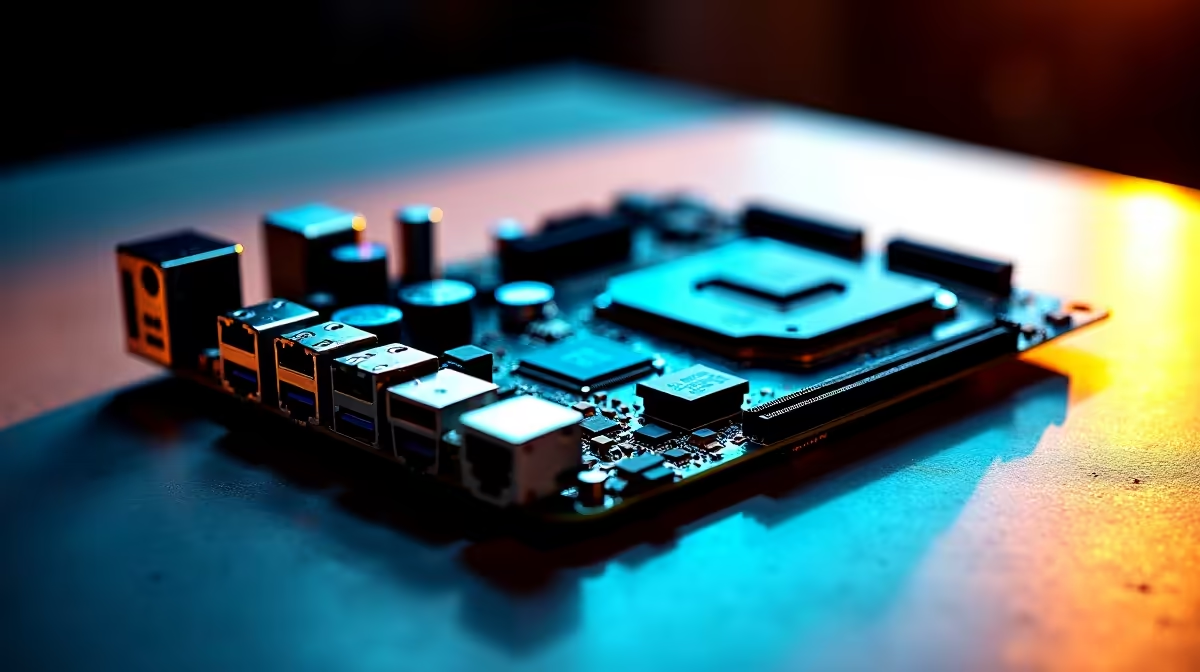
Several motherboards sold in South Africa in 2026 carry price premiums that are not justified by their real-world gaming or productivity performance gains. This list covers the segment where SA buyers consistently overpay and what to choose instead.
South African component pricing is driven by exchange rates, import duties, and limited retailer competition in certain categories. Motherboards in the premium Z790 and X670E segment carry the largest retail markup relative to mid-range alternatives. The performance gap between a R4,500 Z790 board and a R9,000 flagship Z790 board is negligible for the vast majority of gaming and general computing tasks. The flagship price buys you more BIOS options, more PCIe lanes, and RGB aesthetics rather than measurable frame rate improvements.
High-end Z790 ATX boards for non-overclocking users. If you are running a Core i5-13600K or i5-14600K at stock clocks without planned overclocking, a Z790 board priced above R5,000 is overkill. A Z790 board in the R3,000 to R4,000 range offers every feature a stock or lightly overclocked build requires, including PCIe 5.0 M.2 storage, USB 3.2 Gen 2x2, and adequate VRM quality for the processor's stock power requirements.
X670E boards for non-AM5 X3D users. The X670E platform justifies its premium for Ryzen 9 7950X and Ryzen 7 7800X3D overclocking workloads. For a Ryzen 5 7600 or Ryzen 7 7700 running at default clocks, spending more than R3,500 on a B650 board already covers your real-world needs. X670E boards in SA at R7,000+ for mid-range CPU pairings represent significant overinvestment.
WiFi 7 boards for users without WiFi 7 routers. Several current-generation boards in SA are priced R800 to R1,500 higher specifically because they include WiFi 7 chipsets. If your home network does not have a WiFi 7 router (and most SA home networks do not), you are paying for a feature you cannot use.
For Intel LGA1700: A B760 board in the R1,800 to R2,800 range paired with a non-K i5 or i7 processor delivers the same gaming performance as a Z790 system without overclocking. If you want to overclock and need Z790, cap your board spend at R4,000 and reallocate the saving to a better GPU.
For AMD AM5: A B650 board in the R2,200 to R3,200 range covers all mainstream Ryzen 7000 and Ryzen 9000 series needs. The B650 supports PCIe 5.0 for M.2 storage on most models, DDR5 at high XMP speeds, and has adequate VRM for non-extreme power processors.
In almost all cases, no. Gaming performance is determined by the CPU and GPU. Motherboards with higher-quality VRMs maintain CPU boost clocks more consistently under sustained load, which can benefit extreme overclocking scenarios, but stock and lightly overclocked gaming configurations show no measurable FPS difference between mid-range and flagship boards.
Yes. B650 and B760 boards from established brands are reliable for gaming. The VRM quality on current B-series boards easily handles stock and PBO (Precision Boost Overdrive) on Ryzen CPUs without thermal issues.
Redirect motherboard savings to a better GPU or additional RAM. A GPU upgrade from an RTX 4060 to an RTX 4060 Ti has a far larger impact on 1440p gaming than upgrading from a B650 to an X670E board.
Ready to Find Your Perfect Match? Find a well-priced motherboard that fits your actual needs. Shop Motherboards at Evetech
Most Overpriced Motherboard in South Afr available at Evetech.co.za with local warranty and fast delivery.
Most Overpriced Motherboard in South Afr - check Evetech for latest stock and SA pricing.
Depends on your use case. Most Overpriced Motherboard in offers good value at current Rand pricing.
Smart monitors can add apps and convenience, but they also add privacy settings and unwanted-software risk. SA buyers should audit the operating system before paying for extras.
Read more
Pre-Black Friday Ultrawide Monitor Buying Advice for SA in needs cautious deal planning. Set spec targets and budget limits first, then verify live pricing and availability close to purchase instead of trusting early deal claims.
Read more
Cursor 3 goes agent-first with its Agents Window, launched 2 April 2026 under codename Glass and not derived from VS Code, running multiple parallel agents on cloud models like Composer 2 so the heavy inference lives server-side. For SA developers, this means Cursor 3.
Read more
The M5 MacBook Air's Liquid Retina display does not include ProMotion, so it runs at a fixed 60 Hz refresh rate despite the M5 chip upgrade. ProMotion with adaptive 120 Hz remains exclusive to the MacBook Pro line in Apple's current laptop range.
Read more
2026 brings a wave of new 5G CPEs built on next-generation modem chipsets from Qualcomm and MediaTek, including RedCap-ready platforms designed for mass-market fixed-wireless access. For SA buyers, the features that matter most are band-locking capability, external SMA
Read more
O-Week runs largely off your phone, but registration and essays still demand a real keyboard, and 78.9% of SA students browse mobile-first. The Vivobook Go 15 at R7,999 or the IdeaPad Slim 3 at R10,499 both clear the 16GB, 512GB Windows 11 floor.
Read more
A fake 113GB GTA VI ISO reportedly used empty padding around a small malware payload. SA gamers should delete unofficial builds, keep Windows security active and wait for official channels.

Wi-Fi 6E vs Wi-Fi 6 matters for 4K video editing when files move across a network. The real-world difference between Wi-Fi 6E and Wi-Fi 6 for video editing in 4K depends on NAS access, cloud uploads, router range, and SA creator workflows.

The difference between PCIe 5.0 and PCIe 4.0 for SA gamers is mostly bandwidth headroom. Compare GPU slot needs, NVMe speed, motherboard support, and upgrade timing before paying extra for a newer platform.

Gaming PC stuck pixel checks in South Africa should confirm the monitor fault first. Use colour tests, screenshot comparison, cable swaps, display menu checks, and clear photos before deciding on support.

Shokz OpenFit Air 2 earbuds weigh 7.2g each and use a redesigned dual-driver open-ear layout. SA buyers should choose them for comfort and awareness, not maximum isolation.

AMD's current driver now lists a Radeon RX 9050 4GB, while product coverage details a narrowed memory system. SA buyers should weigh the low VRAM ceiling against current local Radeon options.

Samsung Display has demonstrated a 16-inch 2.5K OLED laptop panel running at 300Hz. SA buyers should wait for a named notebook, full panel specifications and a local price before planning an upgrade.

Microsoft says some Windows 11 game crashes after recent updates are linked to RGB-related drivers. Affected SA gamers should confirm the update and driver before using the published registry workaround.

Minisforum's M2 Pro pairs Core Ultra X7, Arc B390 graphics and 32GB onboard memory in 1.8 litres. SA buyers should weigh its fixed memory and $1,439 launch offer against local mini PCs.
Smart monitors can add apps and convenience, but they also add privacy settings and unwanted-software risk. SA buyers should audit the operating system before paying for extras.

Lenovo says Legion Go failures linked to BIOS N3CN42WW are not user error. Affected SA owners should stop retrying the update, preserve proof and open a support case.

The ROG Gjallar gaming soundbar is now listed in the US at $599.99. SA buyers should compare its 2.1.2 audio, wireless bass and built-in chat controls with simpler local options.