


Headset Stock Levels in Bloemfontein: January 2026 Report
Headset Stock Levels in Bloemfontein: January. Current stock data & price tracking for SA buyers. See what is available and where prices are heading.
Read moreMotherboard Glossary: Every Term You Need. Plain-English explanation of what it means, why it matters & how it affects your buying decisions in SA.
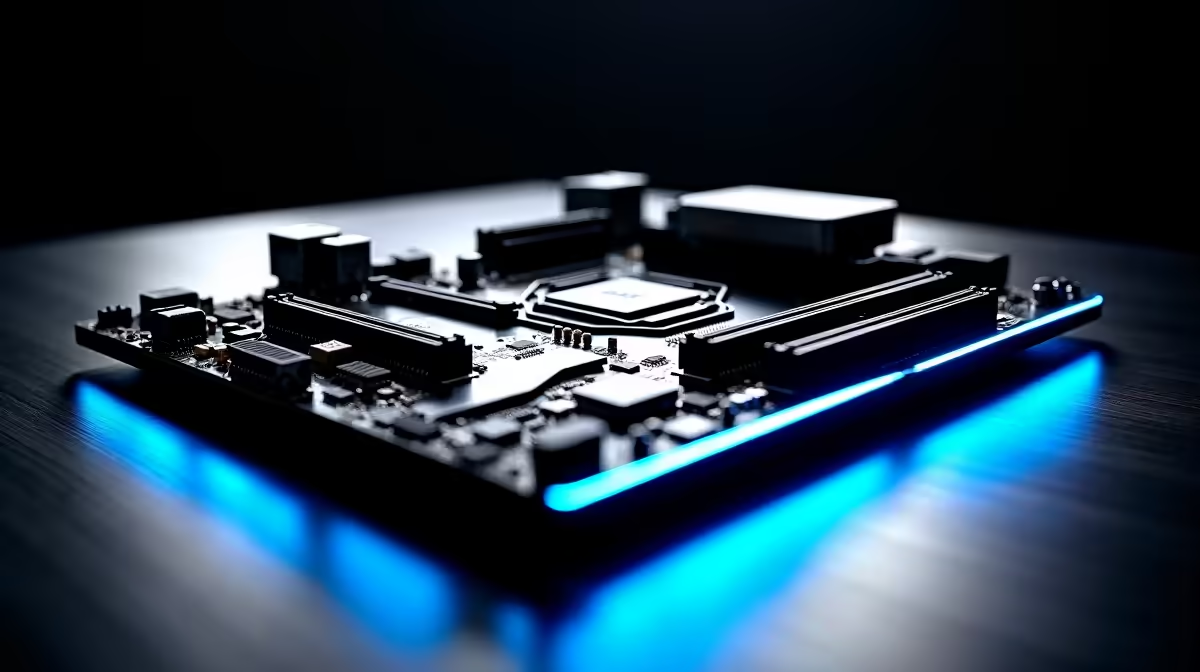
A motherboard glossary covers the essential technical terms you will encounter when choosing or upgrading a board - from chipsets and VRMs to PCIe lanes and BIOS. Understanding this terminology helps South African buyers make confident hardware decisions without getting lost in spec sheets.
Chipset: The chipset is the silicon hub on a motherboard that manages communication between the CPU, RAM, storage, and expansion slots. Higher-tier chipsets (like AMD X670E or Intel Z890) unlock overclocking and more PCIe lanes, while budget chipsets (B650, B760) cover mainstream use at lower cost. Socket: The physical CPU socket determines which processors fit your board - AM5 for AMD Ryzen 7000 and 9000 series, LGA1851 for Intel Core Ultra 200 series. Sockets are not interchangeable between brands or even generations in some cases. VRM (Voltage Regulator Module): The VRM converts and regulates power delivered to the CPU. More phases and higher-quality MOSFETs in the VRM mean better stability under load and support for higher-TDP processors. PCIe (Peripheral Component Interconnect Express): The expansion bus standard used for GPUs, NVMe SSDs, and other add-in cards. PCIe 5.0 is the current standard on 2024-2026 platforms, offering double the bandwidth of PCIe 4.0. M.2 Slot: A compact slot on the motherboard for NVMe SSDs. M.2 2280 is the most common size. Check whether M.2 slots on your board run via PCIe 4.0 or 5.0, as this affects SSD maximum speeds.
DIMM Slots: Dual Inline Memory Module slots hold your RAM sticks. Most desktop boards have 2 or 4 DIMM slots supporting DDR4 or DDR5. XMP / EXPO: Intel's XMP (Extreme Memory Profile) and AMD's EXPO (Extended Profiles for Overclocking) are one-click memory overclocking profiles embedded in RAM modules and activated in BIOS. They allow RAM to run at rated speeds above the base JEDEC standard. ATX / mATX / ITX: Motherboard form factors. ATX is the standard full-size board, mATX is a smaller variant with fewer expansion slots, and Mini-ITX is the compact format for small form factor builds. POST (Power-On Self-Test): The diagnostic process your motherboard runs at every startup to check hardware. A failed POST often indicates RAM, GPU, or CPU issues. Debugging LED indicators on modern boards show which component is failing POST. BIOS / UEFI: The firmware interface that controls hardware initialisation, boot order, overclocking, and fan curves. Modern boards use UEFI (Unified Extensible Firmware Interface), which includes a graphical interface. Updating BIOS can add CPU support for newer processors - important when pairing a new CPU with an older motherboard.
PCIe Bifurcation: Splitting a single PCIe x16 slot into multiple narrower connections, useful for M.2 expansion cards or multi-GPU setups. Q-Code / Debug LEDs: Hexadecimal or LED indicators on high-end boards that display POST codes during boot, making troubleshooting much faster. Thunderbolt / USB4: High-bandwidth port standards supporting daisy-chained peripherals, external GPUs, and displays. Found on premium boards and increasingly relevant for content creators. PWM Fan Headers: 4-pin headers that support Pulse Width Modulation fan speed control, enabling precise fan curves in BIOS or software - important for quiet builds and loadshedding-recovery thermal management in South African environments.
Q: What is the difference between a chipset and a CPU in motherboard specs? A: The CPU is the main processor that runs your software. The chipset is a separate chip on the motherboard that manages data flow between the CPU and peripherals like USB ports, SATA drives, and lower-bandwidth PCIe slots. They work together but serve different roles.
Q: Does a better VRM matter for non-overclocking builds? A: For stock-speed operation, a budget VRM is adequate. However, higher TDP processors like AMD Ryzen 9 or Intel Core Ultra 9 CPUs benefit from robust VRMs even at stock settings, as poor VRMs can throttle performance under sustained workloads.
Q: Can I use a PCIe 5.0 GPU in a PCIe 4.0 motherboard slot? A: Yes. PCIe is backward and forward compatible. A PCIe 5.0 GPU will function in a PCIe 4.0 x16 slot with no damage, though it will operate at PCIe 4.0 speeds. In practice, current GPUs do not saturate even PCIe 4.0 bandwidth, so real-world performance loss is negligible.
Ready to Find Your Perfect Match? Ready to put your motherboard knowledge to use? Browse Evetech's gaming PC deals for systems built on quality boards.
Motherboard Glossary: Every Term You Nee available at Evetech.co.za with local warranty and fast delivery.
Motherboard Glossary: Every Term You Nee - check Evetech for latest stock and SA pricing.
Depends on your use case. Motherboard Glossary: Every Te offers good value at current Rand pricing.
Headset Stock Levels in Bloemfontein: January. Current stock data & price tracking for SA buyers. See what is available and where prices are heading.
Read more
iMac for Medical Practice: Patient Management. SA-focused analysis with local pricing data, real-world insights & actionable buying advice.
Read more
RTX 5060 Fortnite Ultra Settings at 1080p: FPS. Real-world benchmark data, FPS numbers & performance analysis. What SA gamers can actually expect.
Read more
Headset Stock Levels in Cape Town: August Report. Current stock data & price tracking for SA buyers. See what is available and where prices are heading.
Read more
Eskom Load Shedding During Video Call: Solutions. SA-focused analysis with local pricing data, real-world insights & actionable buying advice.
Read more
LoL Performance on Extreme Gaming PC. Real-world benchmark data, FPS numbers & performance analysis. What SA gamers can actually expect.
Read more
Is a Ultra Short Throw Projector Good for Gaming?. Diagnosis steps, proven fixes & when to seek professional help. SA-specific support info included.

Is a Short Throw Projector Good for Gaming? Input. Diagnosis steps, proven fixes & when to seek professional help. SA-specific support info included.

Top Mouse Settings for Competitive FPS: Sensitivity picks evaluated on performance, value & SA availability with current Rand pricing from Evetech.

Top Speakers for MacBook Desk Setup picks evaluated on performance, value & SA availability with current Rand pricing from Evetech.

Is a Ergonomic Chair Better Than a Standard Office Chair for Gaming Detailed answer with SA data, expert analysis & practical recommendations for local buyers.

Use Spotlight Search Like a Pro on macOS. Step-by-step instructions with SA-specific tips, common pitfalls to avoid & expert recommendations.

wireless keyboard Fan Noise Too Loud: Quiet. Everything you need to know with SA pricing, step-by-step instructions & expert recommendations.

Connection Timeout: Troubleshooting Guide #2. Diagnosis steps, proven fixes & when to seek professional help. SA-specific support info included.
Headset Stock Levels in Bloemfontein: January. Current stock data & price tracking for SA buyers. See what is available and where prices are heading.
iMac for Medical Practice: Patient Management. SA-focused analysis with local pricing data, real-world insights & actionable buying advice.
RTX 5060 Fortnite Ultra Settings at 1080p: FPS. Real-world benchmark data, FPS numbers & performance analysis. What SA gamers can actually expect.
Headset Stock Levels in Cape Town: August Report. Current stock data & price tracking for SA buyers. See what is available and where prices are heading.