


Headset Stock Levels in Bloemfontein: January 2026 Report
Headset Stock Levels in Bloemfontein: January. Current stock data & price tracking for SA buyers. See what is available and where prices are heading.
Read moreMotherboard Q-LED Red: Diagnostic Steps. Hand-picked gift ideas at every budget tier. SA pricing & Evetech availability included.
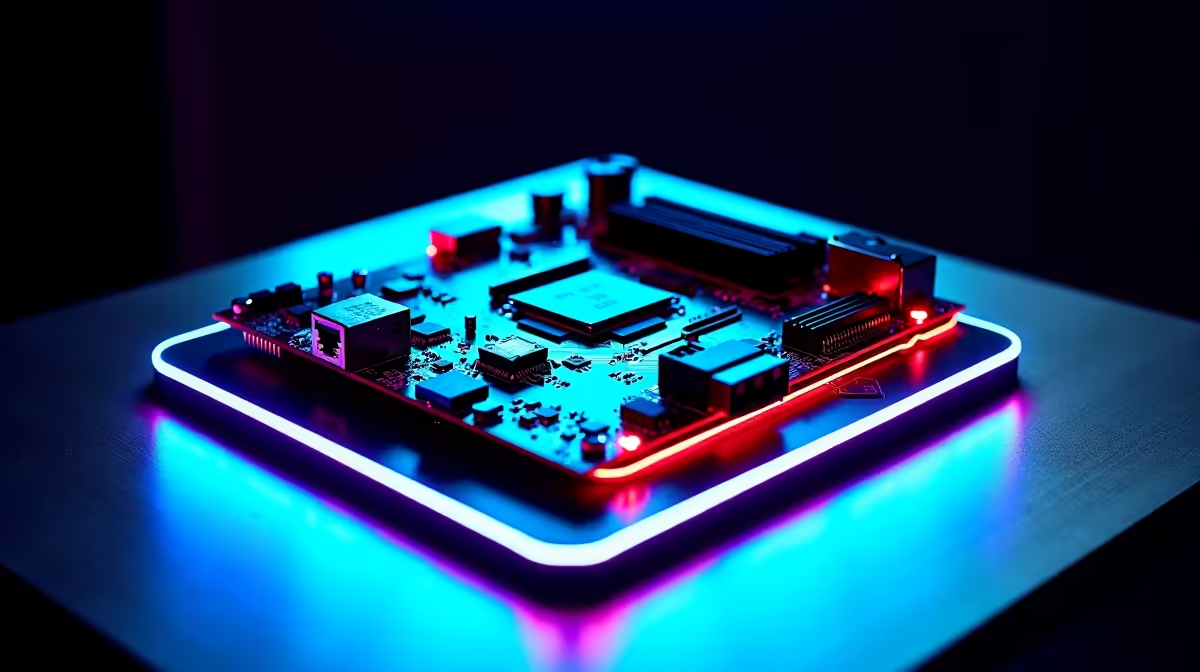
A red Q-LED on your motherboard indicates a GPU fault during POST. The system has passed CPU, DRAM, and boot device checks but is failing to initialize the graphics card. Start by reseating the GPU, checking PCIe power connectors, and testing in a different slot before concluding the card itself is faulty.
Q-LED (or Debug LED) indicators are a diagnostic feature on modern motherboards from ASUS, MSI, Gigabyte, and others. Most boards have four LEDs labeled CPU, DRAM, BOOT, and VGA. During POST, the system lights each LED in sequence as it initializes each component. The LED that stays lit when the system fails to boot indicates where the problem is. A red VGA LED (sometimes labeled GPU or just shown as the fourth indicator) means the board completed CPU initialization, passed DRAM checks, and detected storage, but failed when attempting to initialize the graphics card. This is specific enough to significantly narrow down the fault. ## Step-by-Step Diagnostic Process
Work through these steps in order before assuming the GPU itself has failed:
Step 1: Reseat the GPU Power down completely, unplug the PC from the wall, and press the power button to discharge capacitors. Remove the GPU fully, clean the PCIe slot with compressed air, and reinstall it firmly until the retention clip clicks. A partially seated GPU causes VGA Q-LED failures regularly. Step 2: Check PCIe Power Connectors Modern GPUs require 6-pin, 8-pin, or 16-pin (12VHPWR for RTX 40 series) power connectors from the PSU. Ensure all required connectors are fully seated. A GPU that boots with one connector missing sometimes passes power-on but fails POST. Check the GPU manual for exact power requirements. Step 3: Test in a Different PCIe Slot If your motherboard has a secondary PCIe x16 or x4 slot, move the GPU there. A faulty or damaged primary PCIe x16 slot causes persistent VGA Q-LED errors even with a perfectly healthy GPU. Step 4: Clear CMOS A corrupted BIOS state after an update or overclocking can cause POST failures including VGA LED errors. Locate the CMOS clear jumper or button on your motherboard (refer to the manual), short it for 10 seconds with the system unplugged, then retry POST. Step 5: Test with Integrated Graphics If your CPU has integrated graphics (Intel Core CPUs with -F suffix excluded, Ryzen with -G suffix), remove the discrete GPU entirely and connect your monitor to the motherboard's HDMI or DisplayPort output. If the system posts and boots normally, the discrete GPU is the likely fault point. Step 6: Test the GPU in Another System If possible, install the GPU in a different PC to determine whether it initializes correctly. If it boots fine in another system, your original motherboard's PCIe slot or BIOS settings are the issue. If it fails there too, the GPU itself is faulty. ## When the Q-LED Red Means the GPU Is Dead
If the GPU fails to initialize in multiple systems, shows burn marks around VRM components, smells of burnt electronics, or makes unusual coil whine under load, physical GPU failure is the diagnosis. Possible causes include:
For South African users, power surge damage from loadshedding is a genuine and documented cause of GPU and motherboard failures. A quality surge protector or UPS is not optional hardware; it is component insurance. ## Frequently Asked Questions
Can a bad PSU cause a VGA Q-LED red error? Yes. A PSU that cannot deliver adequate amperage on the 12V rail during GPU initialization will cause a VGA LED error even with a healthy GPU. Test with a known-good PSU or check your PSU's rated wattage against your system's total draw. Does Q-LED red always mean the GPU is broken? No. It means the GPU initialization step failed during POST. A loose connection, bad PCIe slot, BIOS issue, or power delivery problem can all trigger it. Eliminate these before concluding the GPU is dead. Will reseating the GPU void my warranty? Reseating a GPU (removing and reinserting it) does not void hardware warranties. Physical damage, liquid damage, or bent PCIe slot pins might affect warranty claims, so handle the card carefully.
Ready to Find Your Perfect Match? Browse Evetech's motherboard range if your diagnostic steps point to a faulty board or PCIe slot as the root cause.
Motherboard Q-LED Red: Diagnostic Steps available at Evetech.co.za with local warranty and fast delivery.
Motherboard Q-LED Red: Diagnostic Steps - check Evetech for latest stock and SA pricing.
Depends on your use case. Motherboard Q-LED Red: Diagnos offers good value at current Rand pricing.
Headset Stock Levels in Bloemfontein: January. Current stock data & price tracking for SA buyers. See what is available and where prices are heading.
Read more
iMac for Medical Practice: Patient Management. SA-focused analysis with local pricing data, real-world insights & actionable buying advice.
Read more
RTX 5060 Fortnite Ultra Settings at 1080p: FPS. Real-world benchmark data, FPS numbers & performance analysis. What SA gamers can actually expect.
Read more
Headset Stock Levels in Cape Town: August Report. Current stock data & price tracking for SA buyers. See what is available and where prices are heading.
Read more
Eskom Load Shedding During Video Call: Solutions. SA-focused analysis with local pricing data, real-world insights & actionable buying advice.
Read more
LoL Performance on Extreme Gaming PC. Real-world benchmark data, FPS numbers & performance analysis. What SA gamers can actually expect.
Read more
Is a Ultra Short Throw Projector Good for Gaming?. Diagnosis steps, proven fixes & when to seek professional help. SA-specific support info included.

Is a Short Throw Projector Good for Gaming? Input. Diagnosis steps, proven fixes & when to seek professional help. SA-specific support info included.

Top Mouse Settings for Competitive FPS: Sensitivity picks evaluated on performance, value & SA availability with current Rand pricing from Evetech.

Top Speakers for MacBook Desk Setup picks evaluated on performance, value & SA availability with current Rand pricing from Evetech.

Is a Ergonomic Chair Better Than a Standard Office Chair for Gaming Detailed answer with SA data, expert analysis & practical recommendations for local buyers.

Use Spotlight Search Like a Pro on macOS. Step-by-step instructions with SA-specific tips, common pitfalls to avoid & expert recommendations.

wireless keyboard Fan Noise Too Loud: Quiet. Everything you need to know with SA pricing, step-by-step instructions & expert recommendations.

Connection Timeout: Troubleshooting Guide #2. Diagnosis steps, proven fixes & when to seek professional help. SA-specific support info included.
Headset Stock Levels in Bloemfontein: January. Current stock data & price tracking for SA buyers. See what is available and where prices are heading.
iMac for Medical Practice: Patient Management. SA-focused analysis with local pricing data, real-world insights & actionable buying advice.
RTX 5060 Fortnite Ultra Settings at 1080p: FPS. Real-world benchmark data, FPS numbers & performance analysis. What SA gamers can actually expect.
Headset Stock Levels in Cape Town: August Report. Current stock data & price tracking for SA buyers. See what is available and where prices are heading.