


Headset Stock Levels in Bloemfontein: January 2026 Report
Headset Stock Levels in Bloemfontein: January. Current stock data & price tracking for SA buyers. See what is available and where prices are heading.
Read moreRiot Games Games: Optimal Monitor Setup. Clear setup instructions with SA-specific considerations, troubleshooting tips & recommended components.
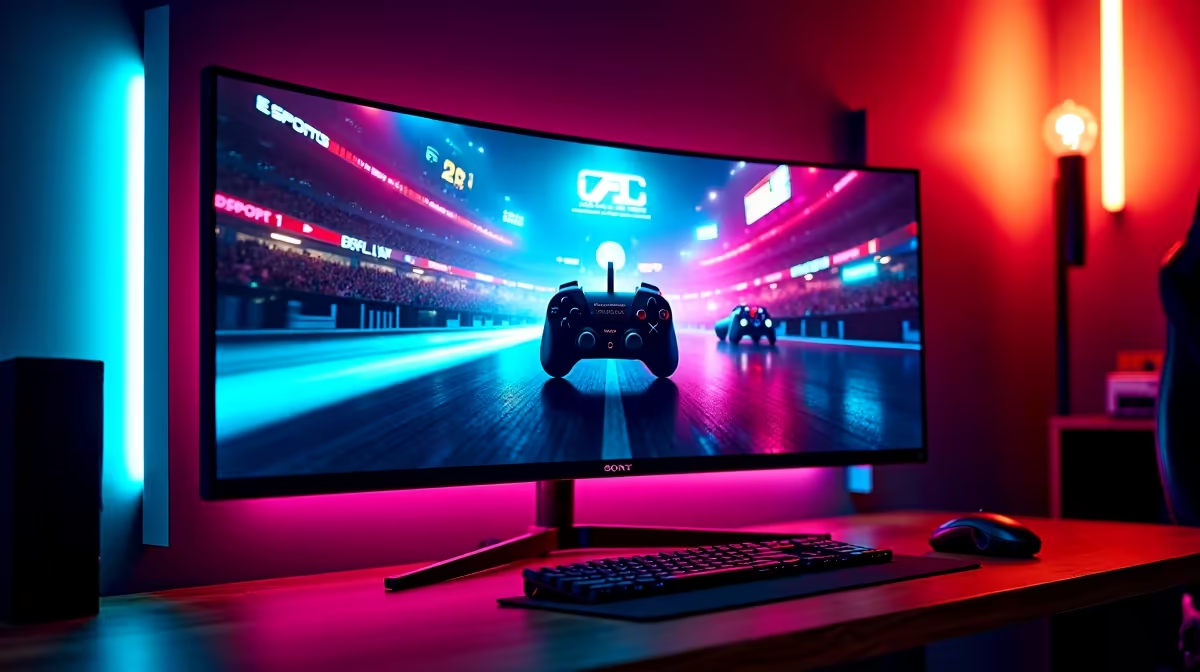
The optimal monitor setup for Riot Games titles in South Africa is a 24-inch 1080p display with a 144Hz to 240Hz refresh rate and 1ms response time. Valorant, League of Legends, and Wild Rift on PC are all designed to run at very high frame rates on accessible hardware, making refresh rate far more important than resolution for competitive play.
Riot Games has built its entire PC portfolio around competitive accessibility - games designed to run at 200-plus FPS on modest hardware so that high refresh rate monitors are not gated behind a R40,000 GPU. This design philosophy directly influences the ideal monitor choice for South African Riot players. Whether you are grinding ranked in Valorant, climbing solo queue in League of Legends, or playing Teamfight Tactics, the monitor setup that gives you the biggest competitive advantage is not the most expensive one - it is the one with the fastest refresh rate and lowest input lag at 1080p.
All of Riot's major PC titles - Valorant, League of Legends, and Legends of Runeterra - are built to run at very high frame rates even on mid-range hardware. In Valorant, 144Hz is the baseline for competitive play and 240Hz or 360Hz is where professional and aspiring competitive players aim. The benefit of 240Hz over 144Hz in Valorant is measurable: enemy movement is smoother, spray patterns are easier to control, and reaction time advantage improves because you are seeing more frames per second of in-game information. In League of Legends, 144Hz is generally considered sufficient since the top-down perspective makes frame rate advantages less pronounced than in a first-person shooter. For South African players, 144Hz IPS monitors are available from R2,000 to R3,500, and 240Hz options start around R3,500 to R5,500.
For Valorant specifically, response time matters more than for League of Legends because the first-person perspective makes ghosting visible during fast movements. Look for a monitor rated at 1ms GtG (grey to grey) response time. IPS panels have improved dramatically and many 1ms IPS options are available in 2026 that eliminate the traditional disadvantage IPS had versus TN panels in response time. TN panels remain the technical speed champions but offer poor viewing angles and colour accuracy - a trade-off many competitive players still accept for the absolute fastest response times. For a monitor used across all Riot titles plus casual gaming and general use, a 1ms IPS at 144Hz or 240Hz is the best all-round recommendation for SA players.
The professional Valorant and League of Legends scenes almost universally use 24-inch 1080p monitors, and for good reason. At 1080p on 24 inches, pixel density is high enough for sharp images and the GPU load is low enough to sustain 200-plus FPS even on mid-range cards. Higher resolutions (1440p and 4K) demand significantly more GPU performance to maintain the frame rates that make high refresh rate monitors worth using. For competitive Riot Games play in South Africa, a 24-inch 1080p 240Hz IPS monitor is the definitive choice. If you use the monitor for content creation, video editing, or general work alongside gaming, stepping to 1440p is reasonable, with the trade-off that you will need a stronger GPU to sustain maximum frame rates in Valorant.
Q: Does monitor refresh rate actually matter for League of Legends in South Africa? A: At 144Hz versus 60Hz, yes - the smoother animation and reduced input lag are noticeable and beneficial. Beyond 144Hz in League of Legends, the benefit diminishes compared to Valorant since the game's pace and camera perspective reduce the frame-rate advantage.
Q: What ping do South African Valorant players typically get on the closest servers? A: South African Valorant players on the Johannesburg servers typically experience 20 to 35ms ping on fibre connections. This is competitive for local ranked play. International servers (Dubai, Frankfurt) range from 130 to 250ms and are not viable for ranked.
Q: Is a G-Sync or FreeSync monitor worth it for Riot Games titles? A: For Valorant and League of Legends where the goal is to exceed the monitor's refresh rate constantly, adaptive sync (G-Sync or FreeSync) is less critical than for other games. These technologies matter most when frame rates fluctuate around the monitor's refresh rate. If your setup consistently runs Valorant at 200-plus FPS on a 240Hz monitor, you are unlikely to need adaptive sync.
Ready to Find Your Perfect Match? Find the right gaming monitor for Valorant and League of Legends at Evetech.
Riot Games Games: Optimal Monitor Setup available at Evetech.co.za with local warranty and fast delivery.
Riot Games Games: Optimal Monitor Setup - check Evetech for latest stock and SA pricing.
Depends on your use case. Riot Games Games: Optimal Moni offers good value at current Rand pricing.
Headset Stock Levels in Bloemfontein: January. Current stock data & price tracking for SA buyers. See what is available and where prices are heading.
Read more
iMac for Medical Practice: Patient Management. SA-focused analysis with local pricing data, real-world insights & actionable buying advice.
Read more
RTX 5060 Fortnite Ultra Settings at 1080p: FPS. Real-world benchmark data, FPS numbers & performance analysis. What SA gamers can actually expect.
Read more
Headset Stock Levels in Cape Town: August Report. Current stock data & price tracking for SA buyers. See what is available and where prices are heading.
Read more
Eskom Load Shedding During Video Call: Solutions. SA-focused analysis with local pricing data, real-world insights & actionable buying advice.
Read more
LoL Performance on Extreme Gaming PC. Real-world benchmark data, FPS numbers & performance analysis. What SA gamers can actually expect.
Read more
Is a Ultra Short Throw Projector Good for Gaming?. Diagnosis steps, proven fixes & when to seek professional help. SA-specific support info included.

Is a Short Throw Projector Good for Gaming? Input. Diagnosis steps, proven fixes & when to seek professional help. SA-specific support info included.

Top Mouse Settings for Competitive FPS: Sensitivity picks evaluated on performance, value & SA availability with current Rand pricing from Evetech.

Top Speakers for MacBook Desk Setup picks evaluated on performance, value & SA availability with current Rand pricing from Evetech.

Is a Ergonomic Chair Better Than a Standard Office Chair for Gaming Detailed answer with SA data, expert analysis & practical recommendations for local buyers.

Use Spotlight Search Like a Pro on macOS. Step-by-step instructions with SA-specific tips, common pitfalls to avoid & expert recommendations.

wireless keyboard Fan Noise Too Loud: Quiet. Everything you need to know with SA pricing, step-by-step instructions & expert recommendations.

Connection Timeout: Troubleshooting Guide #2. Diagnosis steps, proven fixes & when to seek professional help. SA-specific support info included.
Headset Stock Levels in Bloemfontein: January. Current stock data & price tracking for SA buyers. See what is available and where prices are heading.
iMac for Medical Practice: Patient Management. SA-focused analysis with local pricing data, real-world insights & actionable buying advice.
RTX 5060 Fortnite Ultra Settings at 1080p: FPS. Real-world benchmark data, FPS numbers & performance analysis. What SA gamers can actually expect.
Headset Stock Levels in Cape Town: August Report. Current stock data & price tracking for SA buyers. See what is available and where prices are heading.