


Headset Stock Levels in Bloemfontein: January 2026 Report
Headset Stock Levels in Bloemfontein: January. Current stock data & price tracking for SA buyers. See what is available and where prices are heading.
Read moreRTX 5060 Elden Ring Nightreign Medium Settings. Real-world benchmark data, FPS numbers & performance analysis. What SA gamers can actually expect.
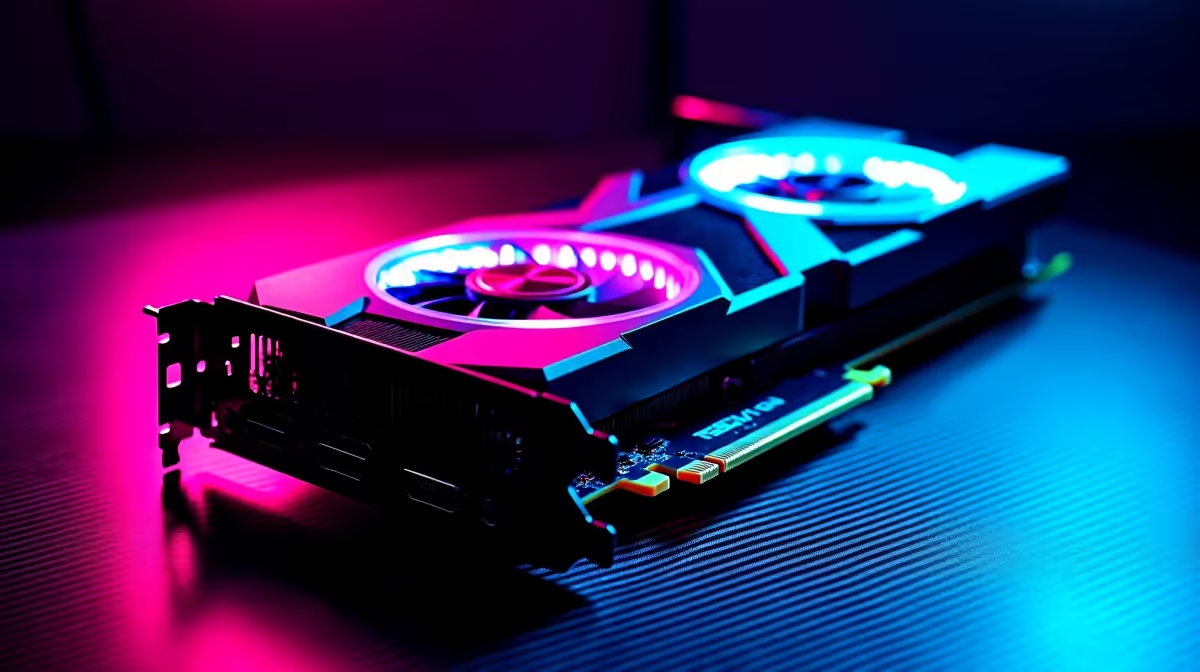
The RTX 5060 running Elden Ring Nightreign at medium settings and 1440p resolution delivers approximately 85-100 FPS in most combat and exploration scenarios. Nightreign's engine is well-optimised compared to the base game's notorious PC performance, and the 5060's hardware handles the combination of resolution and settings comfortably at frame rates well above the 60 FPS threshold.
Elden Ring Nightreign inherits a revised version of FromSoftware's engine with notable performance improvements over the original 2022 release. The co-op extraction structure means sessions are shorter, more intense, and take place across compact but visually dense maps. This plays to the RTX 5060's strengths: consistent frame delivery in tightly scoped environments rather than massive open-world streaming.
At 1440p medium settings, shadow resolution, ambient occlusion, and texture quality are stepped back from their maximum values. On the RTX 5060 with DLSS Quality enabled (rendering at roughly 960p and upscaling to 1440p), the frame rate ceiling rises substantially. With native 1440p rendering and medium settings, expect 85-100 FPS in most zones. Boss arenas with complex particle effects can see brief dips into the 70-80 FPS range. DLSS Quality mode removes these dips almost entirely for the South African gamer who wants a locked 90-100 FPS experience.
Shadow quality is the biggest performance lever in Nightreign at 1440p. Dropping from High to Medium recovers 10-15 FPS in shadow-heavy environments like forest zones or indoor throne rooms. Ray tracing is not available in Nightreign as a toggle in the way it exists in path-traced titles, so there is no ray tracing overhead to manage.
Texture quality at Medium is slightly below what the RTX 5060's VRAM comfortably holds. The card's 8GB GDDR7 buffer handles High texture quality at 1440p without overflow. If you are targeting maximum frame rate, keeping textures at Medium is fine. If you prefer visual quality with stable 60+ FPS, High textures with Medium shadows strikes the better balance.
Enabling DLSS Frame Generation on the RTX 5060 pushes displayed frame rates above 120 FPS in most Nightreign scenarios. For a 165Hz monitor, this delivers a noticeably smoother experience. South African gamers on 144Hz panels benefit directly from this feature.
For a balance of visual clarity and consistent high frame rates, yes. High settings at 1440p are also viable with DLSS enabled, pushing the card's output above 80 FPS native and well above 100 FPS with DLSS Quality. Medium settings without DLSS gives you maximum native performance.
Yes. DLSS 4 is supported, including the Multi Frame Generation feature available on RTX 50 series cards. This is a significant advantage for 5060 owners looking to push frame rates beyond what raw rasterization alone can deliver.
At a typical SA LAN running 1080p or 1440p monitors, the RTX 5060 comfortably exceeds competitive frame rate targets. Co-op boss sessions with multiple players and heavy particle effects remain above 60 FPS at 1440p medium with no DLSS assistance.
Ready to Find Your Perfect Match? Get your RTX 5060 or compare options with South African delivery. Browse Graphics Cards at Evetech
RTX 5060 Elden Ring Nightreign Medium Se available at Evetech.co.za with local warranty and fast delivery.
RTX 5060 Elden Ring Nightreign Medium Se - check Evetech for latest stock and SA pricing.
Depends on your use case. RTX 5060 Elden Ring Nightreign offers good value at current Rand pricing.
Headset Stock Levels in Bloemfontein: January. Current stock data & price tracking for SA buyers. See what is available and where prices are heading.
Read more
iMac for Medical Practice: Patient Management. SA-focused analysis with local pricing data, real-world insights & actionable buying advice.
Read more
RTX 5060 Fortnite Ultra Settings at 1080p: FPS. Real-world benchmark data, FPS numbers & performance analysis. What SA gamers can actually expect.
Read more
Headset Stock Levels in Cape Town: August Report. Current stock data & price tracking for SA buyers. See what is available and where prices are heading.
Read more
Eskom Load Shedding During Video Call: Solutions. SA-focused analysis with local pricing data, real-world insights & actionable buying advice.
Read more
LoL Performance on Extreme Gaming PC. Real-world benchmark data, FPS numbers & performance analysis. What SA gamers can actually expect.
Read more
Is a Ultra Short Throw Projector Good for Gaming?. Diagnosis steps, proven fixes & when to seek professional help. SA-specific support info included.

Is a Short Throw Projector Good for Gaming? Input. Diagnosis steps, proven fixes & when to seek professional help. SA-specific support info included.

Top Mouse Settings for Competitive FPS: Sensitivity picks evaluated on performance, value & SA availability with current Rand pricing from Evetech.

Top Speakers for MacBook Desk Setup picks evaluated on performance, value & SA availability with current Rand pricing from Evetech.

Is a Ergonomic Chair Better Than a Standard Office Chair for Gaming Detailed answer with SA data, expert analysis & practical recommendations for local buyers.

Use Spotlight Search Like a Pro on macOS. Step-by-step instructions with SA-specific tips, common pitfalls to avoid & expert recommendations.

wireless keyboard Fan Noise Too Loud: Quiet. Everything you need to know with SA pricing, step-by-step instructions & expert recommendations.

Connection Timeout: Troubleshooting Guide #2. Diagnosis steps, proven fixes & when to seek professional help. SA-specific support info included.
Headset Stock Levels in Bloemfontein: January. Current stock data & price tracking for SA buyers. See what is available and where prices are heading.
iMac for Medical Practice: Patient Management. SA-focused analysis with local pricing data, real-world insights & actionable buying advice.
RTX 5060 Fortnite Ultra Settings at 1080p: FPS. Real-world benchmark data, FPS numbers & performance analysis. What SA gamers can actually expect.
Headset Stock Levels in Cape Town: August Report. Current stock data & price tracking for SA buyers. See what is available and where prices are heading.