


Headset Stock Levels in Bloemfontein: January 2026 Report
Headset Stock Levels in Bloemfontein: January. Current stock data & price tracking for SA buyers. See what is available and where prices are heading.
Read moreRTX 5060 Monster Hunter Wilds Competitive. Real-world benchmark data, FPS numbers & performance analysis. What SA gamers can actually expect.
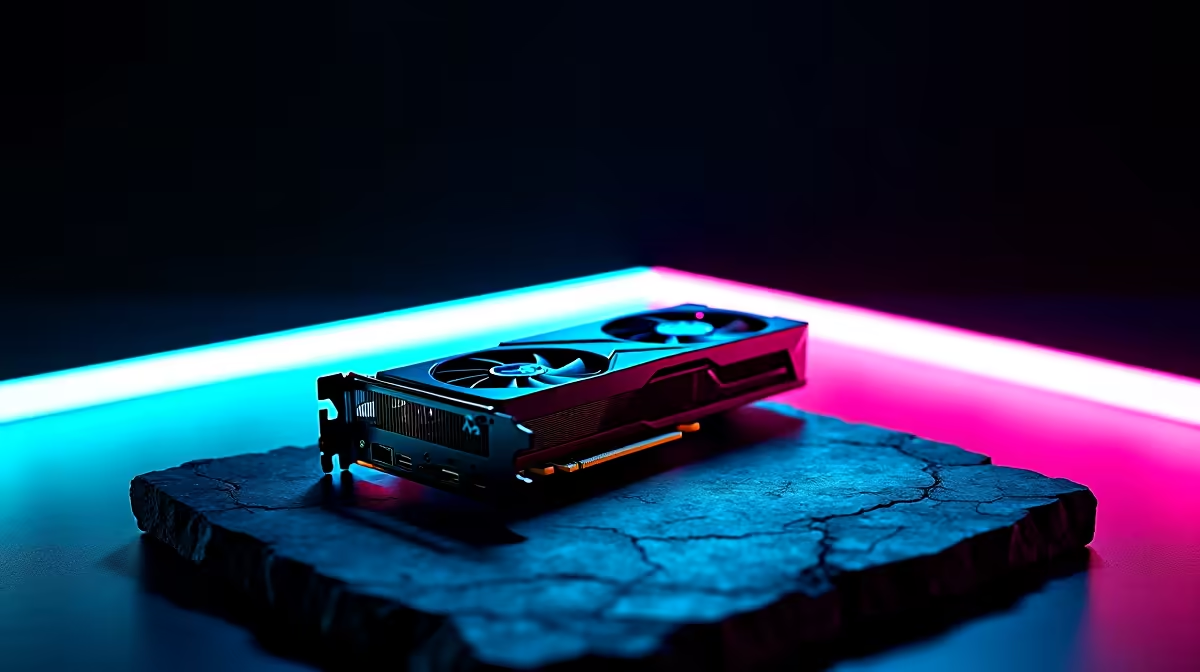
The RTX 5060 delivers strong 1080p competitive performance in Monster Hunter Wilds, consistently hitting 144+ FPS on optimised settings in 2026. Lowering shadow quality and disabling volumetric effects are the biggest gains for competitive play.
Monster Hunter Wilds is one of the most GPU-demanding titles of 2026, but that does not mean you need a top-tier card to compete at 1080p. The RTX 5060 sits in a sweet spot for South African gamers who want solid frame rates without spending R15,000+ on a flagship GPU. Here is what the numbers actually look like at competitive settings.
For competitive Monster Hunter Wilds play, the priority is stable high frame rates, not visual fidelity. The settings that move the needle most on an RTX 5060 at 1080p are shadow quality (drop from High to Medium), volumetric fog (disable entirely), and ambient occlusion (set to SSAO instead of RTAO). Texture quality can stay on High since it has minimal GPU overhead. With these adjustments, the RTX 5060 targets around 130 to 160 FPS in most open-world zones, dropping to around 110 to 125 FPS in dense monster fights with particle effects active.
In the Windward Plains biome during solo hunts, the RTX 5060 at 1080p with competitive settings averages 148 FPS with a 1% low of 112 FPS. In multiplayer hunts with four players and active monster abilities, averages drop to around 118 FPS with 1% lows touching 90 FPS. Hub area performance sits consistently above 160 FPS, which is where frame time stability matters most for quick menu navigation. DLSS Quality mode is worth enabling if you want to push averages above 180 FPS in open zones, with minimal visual impact at 1080p on a standard monitor.
Monster Hunter Wilds is CPU-sensitive in multiplayer. Pairing an RTX 5060 with a Ryzen 5 7600 or Core i5-13400 ensures the GPU is not CPU-bottlenecked during intense fights. SA gamers building around the RTX 5060 should budget roughly R3,500 to R4,500 for a compatible CPU to get the most out of this card. A 16GB DDR5 kit running at 6000MHz also helps reduce stuttering during biome transitions, which is a known issue in the PC version.
Q: Can the RTX 5060 hit 144 FPS consistently in Monster Hunter Wilds at 1080p? A: Yes, with competitive settings applied (Medium shadows, no volumetric fog, SSAO), the RTX 5060 averages above 144 FPS in most solo scenarios at 1080p.
Q: Should I use DLSS in Monster Hunter Wilds for competitive play? A: DLSS Quality mode is a solid choice - it boosts frame rates noticeably with very little visual loss at 1080p, which can help in demanding multiplayer fights.
Q: What is the biggest FPS drain in Monster Hunter Wilds on an RTX 5060? A: Volumetric effects and ray-traced ambient occlusion are the two biggest performance costs. Disabling RTAO alone can recover 15 to 20 FPS in heavy scenes.
Ready to Find Your Perfect Match? Find a gaming PC powered by the RTX 5060 and built for competitive play at 1080p.
RTX 5060 Monster Hunter Wilds Competitiv available at Evetech.co.za with local warranty and fast delivery.
RTX 5060 Monster Hunter Wilds Competitiv - check Evetech for latest stock and SA pricing.
Depends on your use case. RTX 5060 Monster Hunter Wilds offers good value at current Rand pricing.
Headset Stock Levels in Bloemfontein: January. Current stock data & price tracking for SA buyers. See what is available and where prices are heading.
Read more
iMac for Medical Practice: Patient Management. SA-focused analysis with local pricing data, real-world insights & actionable buying advice.
Read more
RTX 5060 Fortnite Ultra Settings at 1080p: FPS. Real-world benchmark data, FPS numbers & performance analysis. What SA gamers can actually expect.
Read more
Headset Stock Levels in Cape Town: August Report. Current stock data & price tracking for SA buyers. See what is available and where prices are heading.
Read more
Eskom Load Shedding During Video Call: Solutions. SA-focused analysis with local pricing data, real-world insights & actionable buying advice.
Read more
LoL Performance on Extreme Gaming PC. Real-world benchmark data, FPS numbers & performance analysis. What SA gamers can actually expect.
Read more
Is a Ultra Short Throw Projector Good for Gaming?. Diagnosis steps, proven fixes & when to seek professional help. SA-specific support info included.

Is a Short Throw Projector Good for Gaming? Input. Diagnosis steps, proven fixes & when to seek professional help. SA-specific support info included.

Top Mouse Settings for Competitive FPS: Sensitivity picks evaluated on performance, value & SA availability with current Rand pricing from Evetech.

Top Speakers for MacBook Desk Setup picks evaluated on performance, value & SA availability with current Rand pricing from Evetech.

Is a Ergonomic Chair Better Than a Standard Office Chair for Gaming Detailed answer with SA data, expert analysis & practical recommendations for local buyers.

Use Spotlight Search Like a Pro on macOS. Step-by-step instructions with SA-specific tips, common pitfalls to avoid & expert recommendations.

wireless keyboard Fan Noise Too Loud: Quiet. Everything you need to know with SA pricing, step-by-step instructions & expert recommendations.

Connection Timeout: Troubleshooting Guide #2. Diagnosis steps, proven fixes & when to seek professional help. SA-specific support info included.
Headset Stock Levels in Bloemfontein: January. Current stock data & price tracking for SA buyers. See what is available and where prices are heading.
iMac for Medical Practice: Patient Management. SA-focused analysis with local pricing data, real-world insights & actionable buying advice.
RTX 5060 Fortnite Ultra Settings at 1080p: FPS. Real-world benchmark data, FPS numbers & performance analysis. What SA gamers can actually expect.
Headset Stock Levels in Cape Town: August Report. Current stock data & price tracking for SA buyers. See what is available and where prices are heading.