


Headset Stock Levels in Bloemfontein: January 2026 Report
Headset Stock Levels in Bloemfontein: January. Current stock data & price tracking for SA buyers. See what is available and where prices are heading.
Read moreRTX 5070 Driver Rolling Back on Restart: Solution. SA-focused analysis with local pricing data, real-world insights & actionable buying advice.
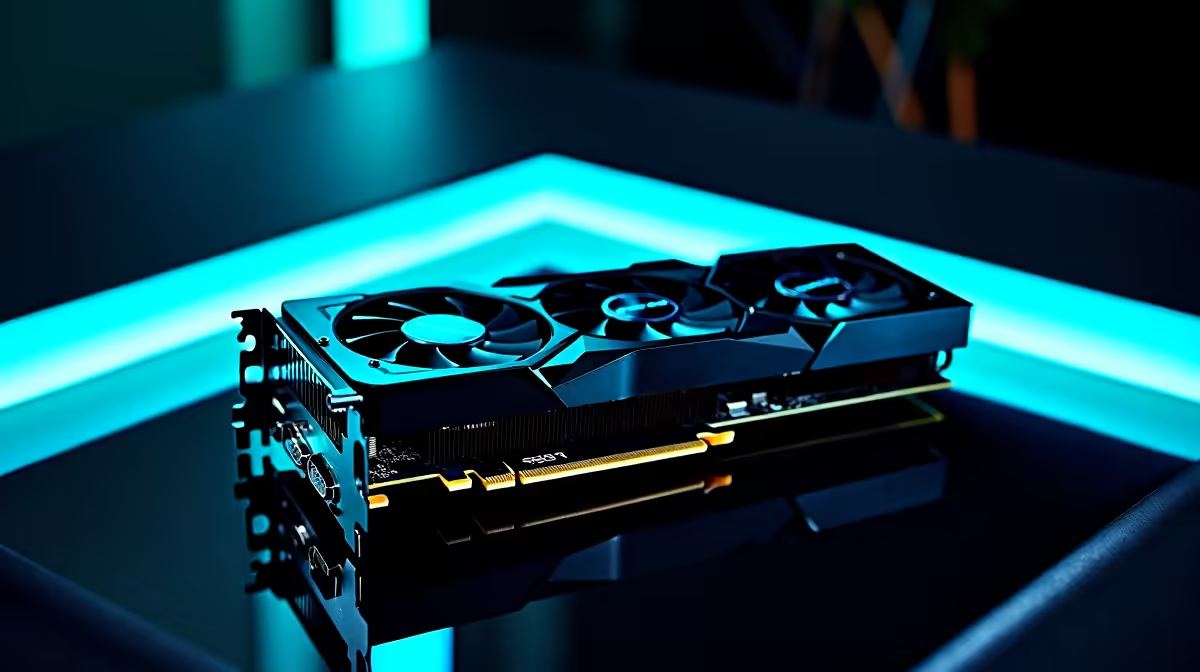
You finally secured the latest hardware... only to find your system fighting against you. If you are dealing with an RTX 5070 driver rolling back on restart, you are not alone. South African gamers are reporting this frustrating loop where Windows insists on downgrading display drivers after every reboot. Before you throw your rig out the window, let us walk through a permanent solution to fix this headache.
The root cause of the RTX 5070 driver rolling back on restart is usually Windows Update. Microsoft tries to be helpful by forcing what it believes is a stable driver. Sadly... this often overwrites the latest NVIDIA drivers you just downloaded. This conflict can cripple your frame rates and cause bizarre screen flickering. If you are shopping for new graphics cards, knowing how to manage your drivers is an essential skill.
To fix this driver loop permanently, we need to take control away from Windows. First... you must disable automatic driver downloads. Search for "Advanced System Settings" in your taskbar. Click on the Hardware tab and select Device Installation Settings. Choose "No" and save your changes. This simple tweak is standard practice when we configure our best gaming PC deals for optimal stability.
Now that Windows is blocked from interfering, you need to remove the corrupted files. Download Display Driver Uninstaller (DDU). This brilliant tool completely scrubs old NVIDIA files from your system. We always recommend this step whether you are upgrading a single component or customising one of our premium pre-built PCs.
Always run DDU in Windows Safe Mode. This ensures no background processes interrupt the scrubbing process... giving you a perfectly clean slate for your new RTX 5070 drivers.
With the old files gone, restart your computer. Head directly to the official NVIDIA website and download the latest RTX 5070 driver. Install it using the "Custom" and "Clean Install" options. This guarantees maximum stability. Whether you are gaming on a desktop or exploring high-performance laptops, a clean driver installation ensures you get every ounce of power you paid for.
Your RTX 5070 driver rolling back on restart should now be a thing of the past 🚀. You can finally enjoy those glorious ray-traced graphics without worrying about random downgrades. Tech issues are annoying... but they are usually easy to solve with the right knowledge. A stable system is crucial when pushing high frame rates in competitive matches. Load shedding reboots will no longer ruin your driver setup. If you want to avoid troubleshooting entirely and just play, keeping an eye on expertly assembled setups is a smart move. Check out our latest tech specials to find gear that is built to perform right out of the box, saving you time and thousands of ZAR.
Ready to Find Your Perfect Match? The PC building journey is complex, but for maximum power, choice, and value in South Africa, Evetech is hard to beat. Explore our massive range of PC specials and find the perfect machine to conquer your world.
RTX 5070 Driver Rolling Back on Restart: available at Evetech.co.za with local warranty and fast delivery.
RTX 5070 Driver Rolling Back on Restart: - check Evetech for latest stock and SA pricing.
Depends on your use case. RTX 5070 Driver Rolling Back o offers good value at current Rand pricing.
Headset Stock Levels in Bloemfontein: January. Current stock data & price tracking for SA buyers. See what is available and where prices are heading.
Read more
iMac for Medical Practice: Patient Management. SA-focused analysis with local pricing data, real-world insights & actionable buying advice.
Read more
RTX 5060 Fortnite Ultra Settings at 1080p: FPS. Real-world benchmark data, FPS numbers & performance analysis. What SA gamers can actually expect.
Read more
Headset Stock Levels in Cape Town: August Report. Current stock data & price tracking for SA buyers. See what is available and where prices are heading.
Read more
Eskom Load Shedding During Video Call: Solutions. SA-focused analysis with local pricing data, real-world insights & actionable buying advice.
Read more
LoL Performance on Extreme Gaming PC. Real-world benchmark data, FPS numbers & performance analysis. What SA gamers can actually expect.
Read more
Is a Ultra Short Throw Projector Good for Gaming?. Diagnosis steps, proven fixes & when to seek professional help. SA-specific support info included.

Is a Short Throw Projector Good for Gaming? Input. Diagnosis steps, proven fixes & when to seek professional help. SA-specific support info included.

Top Mouse Settings for Competitive FPS: Sensitivity picks evaluated on performance, value & SA availability with current Rand pricing from Evetech.

Top Speakers for MacBook Desk Setup picks evaluated on performance, value & SA availability with current Rand pricing from Evetech.

Is a Ergonomic Chair Better Than a Standard Office Chair for Gaming Detailed answer with SA data, expert analysis & practical recommendations for local buyers.

Use Spotlight Search Like a Pro on macOS. Step-by-step instructions with SA-specific tips, common pitfalls to avoid & expert recommendations.

wireless keyboard Fan Noise Too Loud: Quiet. Everything you need to know with SA pricing, step-by-step instructions & expert recommendations.

Connection Timeout: Troubleshooting Guide #2. Diagnosis steps, proven fixes & when to seek professional help. SA-specific support info included.
Headset Stock Levels in Bloemfontein: January. Current stock data & price tracking for SA buyers. See what is available and where prices are heading.
iMac for Medical Practice: Patient Management. SA-focused analysis with local pricing data, real-world insights & actionable buying advice.
RTX 5060 Fortnite Ultra Settings at 1080p: FPS. Real-world benchmark data, FPS numbers & performance analysis. What SA gamers can actually expect.
Headset Stock Levels in Cape Town: August Report. Current stock data & price tracking for SA buyers. See what is available and where prices are heading.