


Headset Stock Levels in Bloemfontein: January 2026 Report
Headset Stock Levels in Bloemfontein: January. Current stock data & price tracking for SA buyers. See what is available and where prices are heading.
Read moreRTX 5070 Ti + Ryzen 9 9950X Combo Compatibility. Diagnosis steps, proven fixes & when to seek professional help. SA-specific support info included.
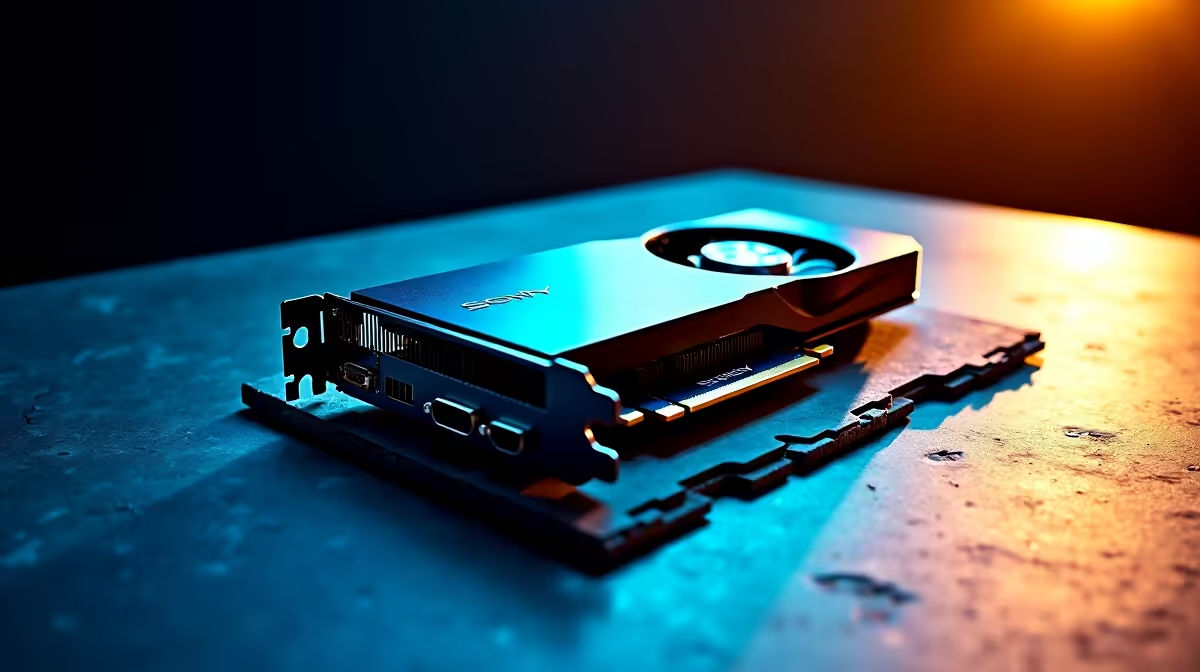
The RTX 5070 Ti and Ryzen 9 9950X are fully compatible at a hardware level, but users may encounter issues related to PCIe configuration, BIOS settings, and power delivery. Most reported problems have straightforward fixes requiring no hardware changes.
Pairing a Ryzen 9 9950X with an RTX 5070 Ti is a top-tier build combination with no fundamental incompatibility. Friction points are almost always configuration-related rather than component conflicts.
BIOS version mismatch is the most frequent culprit. AM5 motherboards required BIOS updates to support Zen 5 processors. If your board shipped before Zen 5 support was added, the system may not post. Check your board manufacturer's website for the latest BIOS and update before installing the processor where possible.
PCIe Gen 5 slot configuration causes issues on some boards. Some boards default to splitting PCIe bandwidth when M.2 Gen 5 drives are installed simultaneously. Check your motherboard manual for slot bandwidth rules and adjust BIOS settings accordingly.
Power delivery can trigger throttling or instability if your PSU is undersized. A 9950X combined with an RTX 5070 Ti can pull well over 500W. A minimum 850W PSU is strongly recommended, with 1000W providing comfortable headroom.
If the system does not post, remove the GPU first and test with CPU-only. If it posts without the GPU, the issue is PCIe-related. Clear CMOS, update BIOS, then reinstall the GPU.
If the system does not post even without the GPU, you likely have a BIOS incompatibility with the CPU. Many X870E boards support USB BIOS flashback, allowing a BIOS update without any CPU installed.
Once the system boots, perform a clean Nvidia driver installation using DDU in safe mode. Also install the latest AMD chipset driver for your AM5 board. If crashes persist during gaming, test RAM at base JEDEC speeds first to rule out XMP/EXPO instability before re-enabling your memory profile.
Yes, the RTX 5070 Ti is backwards compatible with PCIe 4.0. Gaming performance differences between 4.0 and 5.0 x16 are minimal in real-world use.
This is usually a power limit issue. Check that your PSU is adequately rated and that BIOS power limits are not artificially capped. Also confirm your CPU cooler is seated correctly, as thermal throttling suppresses clock speeds independently of power delivery.
Yes. DDR5 at high frequencies can require manual timing tuning on Zen 5 platforms. Step down to 5600MHz with EXPO enabled if crashes persist, then troubleshoot from there.
Ready to Find Your Perfect Match? Upgrade your build with the latest Nvidia graphics cards at Evetech. Shop Graphics Cards
RTX 5070 Ti + Ryzen 9 9950X Combo Compat available at Evetech.co.za with local warranty and fast delivery.
RTX 5070 Ti + Ryzen 9 9950X Combo Compat - check Evetech for latest stock and SA pricing.
Depends on your use case. RTX 5070 Ti + Ryzen 9 9950X Co offers good value at current Rand pricing.
Headset Stock Levels in Bloemfontein: January. Current stock data & price tracking for SA buyers. See what is available and where prices are heading.
Read more
iMac for Medical Practice: Patient Management. SA-focused analysis with local pricing data, real-world insights & actionable buying advice.
Read more
RTX 5060 Fortnite Ultra Settings at 1080p: FPS. Real-world benchmark data, FPS numbers & performance analysis. What SA gamers can actually expect.
Read more
Headset Stock Levels in Cape Town: August Report. Current stock data & price tracking for SA buyers. See what is available and where prices are heading.
Read more
Eskom Load Shedding During Video Call: Solutions. SA-focused analysis with local pricing data, real-world insights & actionable buying advice.
Read more
LoL Performance on Extreme Gaming PC. Real-world benchmark data, FPS numbers & performance analysis. What SA gamers can actually expect.
Read more
Is a Ultra Short Throw Projector Good for Gaming?. Diagnosis steps, proven fixes & when to seek professional help. SA-specific support info included.

Is a Short Throw Projector Good for Gaming? Input. Diagnosis steps, proven fixes & when to seek professional help. SA-specific support info included.

Top Mouse Settings for Competitive FPS: Sensitivity picks evaluated on performance, value & SA availability with current Rand pricing from Evetech.

Top Speakers for MacBook Desk Setup picks evaluated on performance, value & SA availability with current Rand pricing from Evetech.

Is a Ergonomic Chair Better Than a Standard Office Chair for Gaming Detailed answer with SA data, expert analysis & practical recommendations for local buyers.

Use Spotlight Search Like a Pro on macOS. Step-by-step instructions with SA-specific tips, common pitfalls to avoid & expert recommendations.

wireless keyboard Fan Noise Too Loud: Quiet. Everything you need to know with SA pricing, step-by-step instructions & expert recommendations.

Connection Timeout: Troubleshooting Guide #2. Diagnosis steps, proven fixes & when to seek professional help. SA-specific support info included.
Headset Stock Levels in Bloemfontein: January. Current stock data & price tracking for SA buyers. See what is available and where prices are heading.
iMac for Medical Practice: Patient Management. SA-focused analysis with local pricing data, real-world insights & actionable buying advice.
RTX 5060 Fortnite Ultra Settings at 1080p: FPS. Real-world benchmark data, FPS numbers & performance analysis. What SA gamers can actually expect.
Headset Stock Levels in Cape Town: August Report. Current stock data & price tracking for SA buyers. See what is available and where prices are heading.