


Headset Stock Levels in Bloemfontein: January 2026 Report
Headset Stock Levels in Bloemfontein: January. Current stock data & price tracking for SA buyers. See what is available and where prices are heading.
Read moreRTX 5080 Driver Rolling Back on Restart: Solution. SA-focused analysis with local pricing data, real-world insights & actionable buying advice.
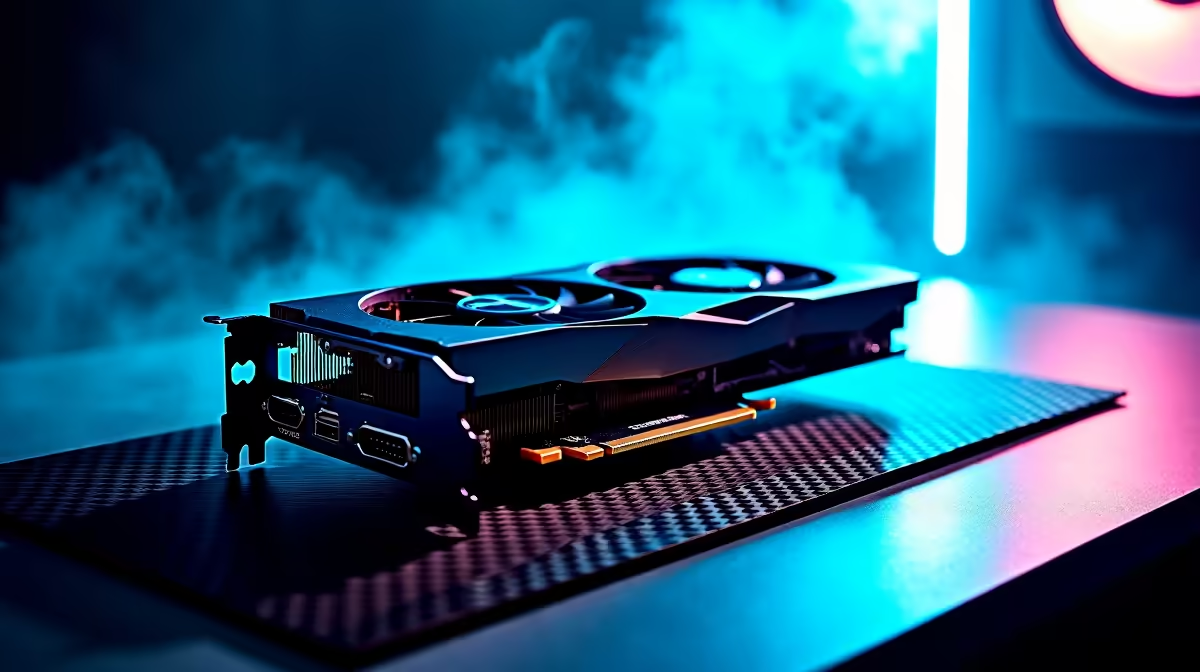
If your RTX 5080 driver keeps rolling back to an older version on restart, the cause is almost always a leftover Windows Update GPU driver, a corrupt NVIDIA install, or a forced rollback policy. Use DDU in Safe Mode to wipe all NVIDIA drivers, block Windows Update from reinstalling them, then install the latest WHQL driver fresh.
Windows Update silently maintains its own NVIDIA driver package, and on every restart it can shove an older "stable" version back over a newer one you just installed. Add a half-installed driver from a previous session and you get a feedback loop where the system keeps reverting. RTX 5080 owners often see this after a Windows feature update, after switching between Game Ready and Studio drivers, or after using GeForce Experience and the standalone installer back-to-back.
Download the latest NVIDIA WHQL driver for the RTX 5080 to your desktop first. Boot into Safe Mode (Shift + Restart, Troubleshoot, Advanced, Startup Settings). Run Display Driver Uninstaller (DDU), choose "Clean and do NOT restart." Reboot normally with internet temporarily disconnected. Run the NVIDIA installer, choose Custom, tick "Perform a clean installation," and let it complete. Reboot, reconnect, and the rollback should stop.
Open Group Policy (gpedit.msc) on Pro/Enterprise: Computer Configuration, Administrative Templates, Windows Components, Windows Update, Manage updates from Windows Update, set "Do not include drivers with Windows Updates" to Enabled. On Home, use the "Show or hide updates" troubleshooter to hide the offending NVIDIA driver. Pair this with a UPS for loadshedding so an install never gets cut mid-write. ZAR pricing on RTX 5080 cards starts in the mid-R30,000s locally.
No. DDU just removes them cleanly. Windows will install a basic display driver on next boot so you can install NVIDIA's official package fresh.
Don't. You still need security patches. Use the policy or troubleshooter to block driver-only updates while keeping OS updates active.
GeForce Experience and the standalone installer can clash if both try to manage drivers. Pick one and stick with it; the standalone installer with "clean install" is most reliable.
Ready to Find Your Perfect Match? Upgrade to a stable RTX 5080 build with proper driver support. Browse Graphics Cards
RTX 5080 Driver Rolling Back on Restart: available at Evetech.co.za with local warranty and fast delivery.
RTX 5080 Driver Rolling Back on Restart: - check Evetech for latest stock and SA pricing.
Depends on your use case. RTX 5080 Driver Rolling Back o offers good value at current Rand pricing.
Headset Stock Levels in Bloemfontein: January. Current stock data & price tracking for SA buyers. See what is available and where prices are heading.
Read more
iMac for Medical Practice: Patient Management. SA-focused analysis with local pricing data, real-world insights & actionable buying advice.
Read more
RTX 5060 Fortnite Ultra Settings at 1080p: FPS. Real-world benchmark data, FPS numbers & performance analysis. What SA gamers can actually expect.
Read more
Headset Stock Levels in Cape Town: August Report. Current stock data & price tracking for SA buyers. See what is available and where prices are heading.
Read more
Eskom Load Shedding During Video Call: Solutions. SA-focused analysis with local pricing data, real-world insights & actionable buying advice.
Read more
LoL Performance on Extreme Gaming PC. Real-world benchmark data, FPS numbers & performance analysis. What SA gamers can actually expect.
Read more
Is a Ultra Short Throw Projector Good for Gaming?. Diagnosis steps, proven fixes & when to seek professional help. SA-specific support info included.

Is a Short Throw Projector Good for Gaming? Input. Diagnosis steps, proven fixes & when to seek professional help. SA-specific support info included.

Top Mouse Settings for Competitive FPS: Sensitivity picks evaluated on performance, value & SA availability with current Rand pricing from Evetech.

Top Speakers for MacBook Desk Setup picks evaluated on performance, value & SA availability with current Rand pricing from Evetech.

Is a Ergonomic Chair Better Than a Standard Office Chair for Gaming Detailed answer with SA data, expert analysis & practical recommendations for local buyers.

Use Spotlight Search Like a Pro on macOS. Step-by-step instructions with SA-specific tips, common pitfalls to avoid & expert recommendations.

wireless keyboard Fan Noise Too Loud: Quiet. Everything you need to know with SA pricing, step-by-step instructions & expert recommendations.

Connection Timeout: Troubleshooting Guide #2. Diagnosis steps, proven fixes & when to seek professional help. SA-specific support info included.
Headset Stock Levels in Bloemfontein: January. Current stock data & price tracking for SA buyers. See what is available and where prices are heading.
iMac for Medical Practice: Patient Management. SA-focused analysis with local pricing data, real-world insights & actionable buying advice.
RTX 5060 Fortnite Ultra Settings at 1080p: FPS. Real-world benchmark data, FPS numbers & performance analysis. What SA gamers can actually expect.
Headset Stock Levels in Cape Town: August Report. Current stock data & price tracking for SA buyers. See what is available and where prices are heading.