


Headset Stock Levels in Bloemfontein: January 2026 Report
Headset Stock Levels in Bloemfontein: January. Current stock data & price tracking for SA buyers. See what is available and where prices are heading.
Read moreRTX 5080 Not Showing in Device Manager: Fix. SA-focused analysis with local pricing data, real-world insights & actionable buying advice.
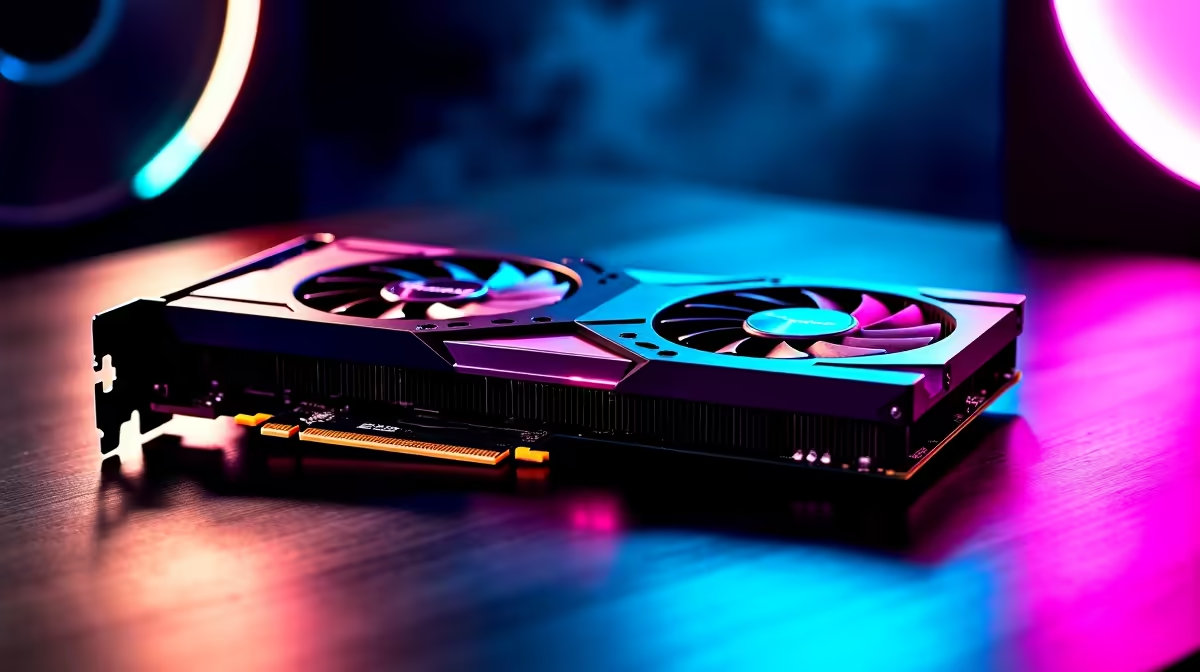
If your RTX 5080 isn't showing in Device Manager, the cause is almost always a loose PCIe seating, missing 12V-2x6 power, a stale BIOS, or a corrupted driver install. Reseat the card, confirm both auxiliary power cables are fully clicked in, update BIOS, then do a clean DDU driver reinstall.
Power the rig down, unplug the PSU and remove the side panel. Lift the PCIe x16 latch, pull the card, and reseat it firmly until you hear the clip lock. Confirm the 12V-2x6 connector is fully home on both ends, since a partial seat is the number-one cause of a 5080 going invisible. Also try a different PCIe slot if your motherboard has a secondary x16 wired to the chipset.
The RTX 5080 expects UEFI mode with CSM disabled and Resizable BAR enabled. Drop into BIOS, update to the latest stable release for your board, then verify Above 4G Decoding is on and Re-Size BAR Support is set to Auto or Enabled. On older AM4 and LGA 1700 boards, a BIOS that predates Blackwell can refuse to POST the card properly, leaving Windows blind to it.
Boot into Safe Mode, run Display Driver Uninstaller and choose Clean and Restart. Once back in Windows, install the latest NVIDIA Game Ready or Studio driver fresh from NVIDIA. Avoid letting Windows Update push a generic driver in the meantime, as that's a common cause of a phantom Microsoft Basic Display Adapter sticking around instead of the 5080.
A flagship Blackwell card needs a quality 850W+ ATX 3.1 PSU with a native 12V-2x6 cable. Daisy-chained 8-pin to 16-pin adapters from older PSUs can cause intermittent detection. If you've recently had loadshedding switch-overs without a UPS, surge damage on the PCIe rail is a real possibility, and a bench test in a second machine is the quickest way to confirm.
Code 43 usually means the driver loaded but the GPU reports a fault. Reinstall with DDU first, then check power delivery and that the card is seated in a CPU-direct PCIe slot, not a chipset one running at x4.
Yes. PCIe 5.0 is fussy about riser quality. Swap to a known-good Gen 5 riser or test the card mounted directly to the motherboard before assuming the card itself is faulty.
Much quicker. A 5080 bought from Evetech ships with full SA warranty and local RMA, so a faulty card gets swapped without international shipping fees or customs delays.
Ready to Find Your Perfect Match? Replace a faulty card or upgrade with confidence. Browse RTX graphics cards at Evetech
RTX 5080 Not Showing in Device Manager: available at Evetech.co.za with local warranty and fast delivery.
RTX 5080 Not Showing in Device Manager: - check Evetech for latest stock and SA pricing.
Depends on your use case. RTX 5080 Not Showing in Device offers good value at current Rand pricing.
Headset Stock Levels in Bloemfontein: January. Current stock data & price tracking for SA buyers. See what is available and where prices are heading.
Read more
iMac for Medical Practice: Patient Management. SA-focused analysis with local pricing data, real-world insights & actionable buying advice.
Read more
RTX 5060 Fortnite Ultra Settings at 1080p: FPS. Real-world benchmark data, FPS numbers & performance analysis. What SA gamers can actually expect.
Read more
Headset Stock Levels in Cape Town: August Report. Current stock data & price tracking for SA buyers. See what is available and where prices are heading.
Read more
Eskom Load Shedding During Video Call: Solutions. SA-focused analysis with local pricing data, real-world insights & actionable buying advice.
Read more
LoL Performance on Extreme Gaming PC. Real-world benchmark data, FPS numbers & performance analysis. What SA gamers can actually expect.
Read more
Is a Ultra Short Throw Projector Good for Gaming?. Diagnosis steps, proven fixes & when to seek professional help. SA-specific support info included.

Is a Short Throw Projector Good for Gaming? Input. Diagnosis steps, proven fixes & when to seek professional help. SA-specific support info included.

Top Mouse Settings for Competitive FPS: Sensitivity picks evaluated on performance, value & SA availability with current Rand pricing from Evetech.

Top Speakers for MacBook Desk Setup picks evaluated on performance, value & SA availability with current Rand pricing from Evetech.

Is a Ergonomic Chair Better Than a Standard Office Chair for Gaming Detailed answer with SA data, expert analysis & practical recommendations for local buyers.

Use Spotlight Search Like a Pro on macOS. Step-by-step instructions with SA-specific tips, common pitfalls to avoid & expert recommendations.

wireless keyboard Fan Noise Too Loud: Quiet. Everything you need to know with SA pricing, step-by-step instructions & expert recommendations.

Connection Timeout: Troubleshooting Guide #2. Diagnosis steps, proven fixes & when to seek professional help. SA-specific support info included.
Headset Stock Levels in Bloemfontein: January. Current stock data & price tracking for SA buyers. See what is available and where prices are heading.
iMac for Medical Practice: Patient Management. SA-focused analysis with local pricing data, real-world insights & actionable buying advice.
RTX 5060 Fortnite Ultra Settings at 1080p: FPS. Real-world benchmark data, FPS numbers & performance analysis. What SA gamers can actually expect.
Headset Stock Levels in Cape Town: August Report. Current stock data & price tracking for SA buyers. See what is available and where prices are heading.