


Headset Stock Levels in Bloemfontein: January 2026 Report
Headset Stock Levels in Bloemfontein: January. Current stock data & price tracking for SA buyers. See what is available and where prices are heading.
Read moreRTX 5080 Thermal Performance: Temperature Under. Real-world benchmark data, FPS numbers & performance analysis. What SA gamers can actually expect.
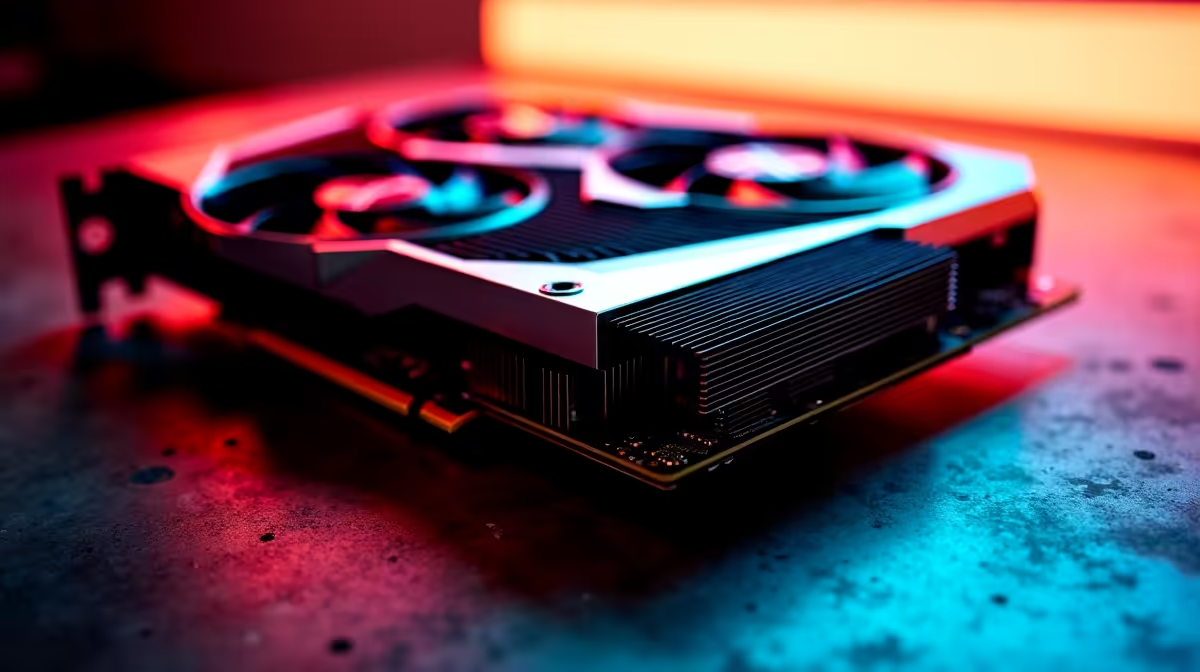
The RTX 5080 is NVIDIA's second-tier flagship in the 50-series lineup, and its thermal performance is one of the most discussed aspects among builders upgrading to this generation. Understanding what temperatures to expect - both at idle and under full gaming or rendering load - helps you choose the right cooling solution and determine whether your case airflow is adequate.
RTX 5080 Thermal Performance: The RTX 5080 typically idles between 30–45°C and reaches 75–85°C under sustained gaming or rendering load with adequate airflow. Hot spot temperatures (individual tile sensors) may read 10–20°C higher than average GPU temp. Proper case airflow and quality CPU coolers keep thermals well within safe limits.
The RTX 5080 uses NVIDIA's GB203 die, a large chip with significant thermal output. NVIDIA rates the card's maximum junction temperature at 90°C - this is the thermal throttle threshold. In practice, well-cooled systems stay comfortably below this.
Idle temperatures: With a modern triple-fan AIB cooler, expect 30–42°C at desktop idle. Many RTX 5080 cards feature zero RPM fan modes that stop fans entirely below ~50°C, meaning fan noise is zero at idle - but GPU temp rises slightly as a tradeoff.
Gaming load: At 1440p or 4K gaming, sustained GPU temperatures of 72–82°C are typical with good airflow. This is within NVIDIA's intended operating range and does not indicate a problem.
Heavy workload (rendering/AI): Under sustained Blender, Stable Diffusion, or DaVinci Resolve GPU rendering, the RTX 5080 can approach 83–87°C. This is normal for sustained 100% GPU utilisation.
Modern NVIDIA GPUs report both an average GPU temperature and a "hot spot" or "junction" temperature. These are different sensors:
A hot spot reading 15–20°C above average GPU temp is completely normal. So if your GPU Temp reads 78°C, a hot spot of 92–96°C is expected and within safe limits for the RTX 5080's 110°C junction limit on the GB203 die.
Applications like MSI Afterburner, GPU-Z, or HWiNFO64 report both sensors. New users often alarm themselves by reading only the hot spot and assuming the card is overheating - check both.
Case airflow: This is the single biggest factor after the card's cooler itself. A mid-tower case with 3 front intake fans and 1–2 rear/top exhaust fans creates positive pressure airflow that keeps GPU temperatures lower. Spaghetti cable management blocking front intakes is a common culprit for elevated temps.
Fan curve tuning: Use MSI Afterburner to set a more aggressive fan curve. Running fans at 70–80% above 75°C GPU temp adds less than 5dB of noise but can drop load temps by 5–8°C.
Thermal pad replacement: On some AIB RTX 5080 designs, VRAM and VRM thermal pads are undersized from the factory. Replacing these with quality pads is an advanced upgrade that drops hot spot temps meaningfully on affected models.
Ambient temperature: In South African summers, ambient room temps can reach 28–32°C. This directly raises GPU idle and load temps by a similar margin. Air conditioning or a well-ventilated room makes a genuine difference.
Is 85°C too hot for an RTX 5080? No. NVIDIA's thermal limit for the RTX 5080 is 90°C average GPU temp before throttling engages. 85°C under heavy load is within normal operating range for a properly cooled system.
Why does my RTX 5080 show 100°C hot spot at idle? A hot spot reading of 100°C at idle is abnormal and suggests poor airflow, a faulty card, or a misreading. Verify with multiple monitoring tools and check that the card's fans are spinning correctly.
Does undervolting help RTX 5080 thermals? Yes. Undervolting the RTX 5080 through MSI Afterburner's voltage/frequency curve can reduce power consumption by 10–15% with minimal performance loss, dropping temperatures by 5–10°C under load.
Evetech stocks RTX 5080 Gaming PCs and RTX 5080 Graphics Cards — browse current SA pricing and availability online.
Ready to Find Your Perfect Match? Shop at Evetech
RTX 5080 Thermal Performance: Temperatur available at Evetech.co.za with local warranty and fast delivery.
RTX 5080 Thermal Performance: Temperatur - check Evetech for latest stock and SA pricing.
Depends on your use case. RTX 5080 Thermal Performance: offers good value at current Rand pricing.
Headset Stock Levels in Bloemfontein: January. Current stock data & price tracking for SA buyers. See what is available and where prices are heading.
Read more
iMac for Medical Practice: Patient Management. SA-focused analysis with local pricing data, real-world insights & actionable buying advice.
Read more
RTX 5060 Fortnite Ultra Settings at 1080p: FPS. Real-world benchmark data, FPS numbers & performance analysis. What SA gamers can actually expect.
Read more
Headset Stock Levels in Cape Town: August Report. Current stock data & price tracking for SA buyers. See what is available and where prices are heading.
Read more
Eskom Load Shedding During Video Call: Solutions. SA-focused analysis with local pricing data, real-world insights & actionable buying advice.
Read more
LoL Performance on Extreme Gaming PC. Real-world benchmark data, FPS numbers & performance analysis. What SA gamers can actually expect.
Read more
Is a Ultra Short Throw Projector Good for Gaming?. Diagnosis steps, proven fixes & when to seek professional help. SA-specific support info included.

Is a Short Throw Projector Good for Gaming? Input. Diagnosis steps, proven fixes & when to seek professional help. SA-specific support info included.

Top Mouse Settings for Competitive FPS: Sensitivity picks evaluated on performance, value & SA availability with current Rand pricing from Evetech.

Top Speakers for MacBook Desk Setup picks evaluated on performance, value & SA availability with current Rand pricing from Evetech.

Is a Ergonomic Chair Better Than a Standard Office Chair for Gaming Detailed answer with SA data, expert analysis & practical recommendations for local buyers.

Use Spotlight Search Like a Pro on macOS. Step-by-step instructions with SA-specific tips, common pitfalls to avoid & expert recommendations.

wireless keyboard Fan Noise Too Loud: Quiet. Everything you need to know with SA pricing, step-by-step instructions & expert recommendations.

Connection Timeout: Troubleshooting Guide #2. Diagnosis steps, proven fixes & when to seek professional help. SA-specific support info included.
Headset Stock Levels in Bloemfontein: January. Current stock data & price tracking for SA buyers. See what is available and where prices are heading.
iMac for Medical Practice: Patient Management. SA-focused analysis with local pricing data, real-world insights & actionable buying advice.
RTX 5060 Fortnite Ultra Settings at 1080p: FPS. Real-world benchmark data, FPS numbers & performance analysis. What SA gamers can actually expect.
Headset Stock Levels in Cape Town: August Report. Current stock data & price tracking for SA buyers. See what is available and where prices are heading.