


Headset Stock Levels in Bloemfontein: January 2026 Report
Headset Stock Levels in Bloemfontein: January. Current stock data & price tracking for SA buyers. See what is available and where prices are heading.
Read moreRX 7600 Elden Ring Nightreign Ultra Settings. Real-world benchmark data, FPS numbers & performance analysis. What SA gamers can actually expect.
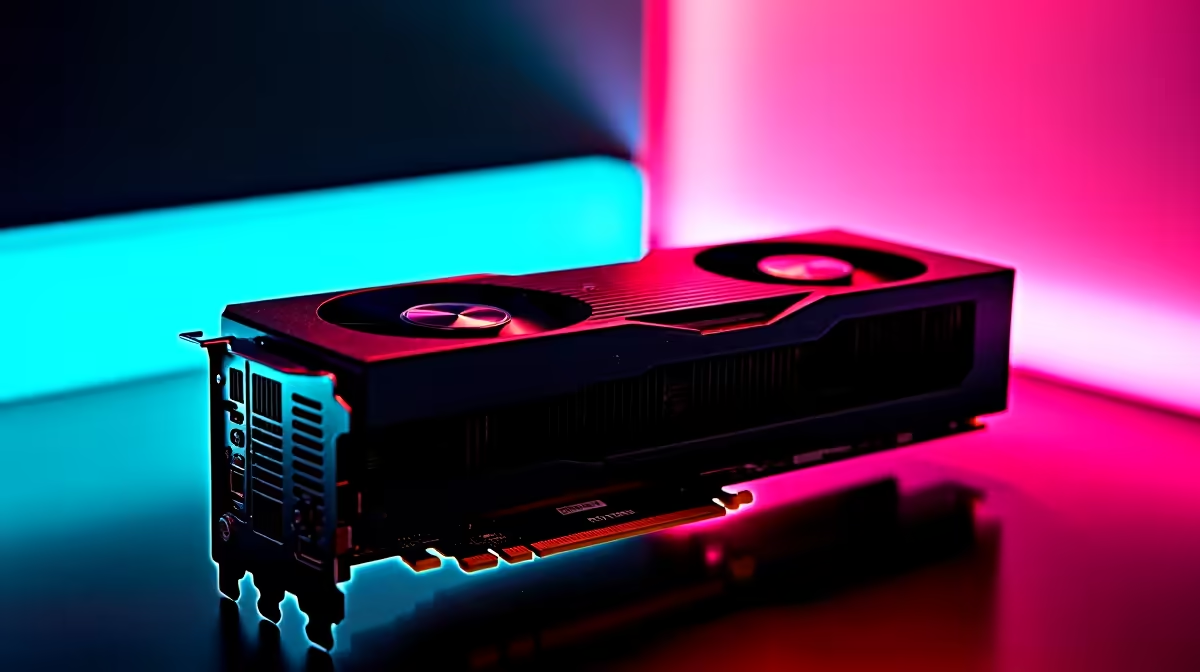
The RX 7600 is a 1080p-focused GPU, so running Elden Ring Nightreign at 1440p Ultra settings is genuinely pushing it beyond its comfort zone. That said, with the right settings tweaks, you can extract playable performance at 1440p without dropping all the way to Low presets.
Can the RX 7600 run Elden Ring Nightreign at 1440p Ultra? At full 1440p Ultra, the RX 7600 will struggle - expect 35–45 FPS averages in demanding areas. Dropping select settings like Shadow Quality and Ambient Occlusion while keeping texture quality high gets you into the 55–65 FPS range, which is much more playable for this style of game.
Elden Ring Nightreign inherits the same engine as Elden Ring proper - FromSoftware’s Nightreign build, with multiplayer-focused co-op additions and expanded area density. Like the base game, it is GPU-dependent with moderate CPU demands.
RX 7600 at 1440p Ultra Settings (estimated):
This is below the 60 FPS target most players want, particularly for a game where frame pacing and input response matter for combat.
The goal is to maintain 55–65 FPS average while keeping the visual quality high where it matters most (textures, draw distance) and reducing cost where it’s less noticeable (shadows, effects).
| Setting | Recommendation | Reason |
|---|---|---|
| Resolution | 1440p | Keep native |
| Texture Quality | High | Low VRAM impact, big visual difference |
| Shadow Quality | Medium | High cost, medium visual payoff |
| Ambient Occlusion | Medium | Performance recovery with minimal visual loss |
| Anti-Aliasing | TAA | MSAA is too expensive; TAA is default |
| Volumetric Fog | Medium | High FPS cost at Ultra |
| Draw Distance | High | Minimal performance impact |
| Motion Blur | Off | Personal preference, saves a few FPS |
With these adjustments: Expect 55–65 FPS averages, 1% lows of 42–50 FPS. Much more playable for Nightreign’s co-op sessions.
Elden Ring Nightreign supports AMD’s FidelityFX Super Resolution (FSR). The RX 7600 is an AMD card, so FSR runs well here.
FSR 3 is the recommended path for 1440p 60+ FPS gameplay on the RX 7600 without dropping to native Low settings.
Is the RX 7600 powerful enough for 1440p gaming in general? The RX 7600 is primarily a 1080p card, but it handles 1440p at Medium-High settings in most titles, especially when combined with FSR upscaling. For a dedicated 1440p 60+ FPS experience at Ultra settings, you’d want an RX 7700 XT or higher.
Does the RX 7600 have enough VRAM for Elden Ring Nightreign at 1440p? The RX 7600 has 8GB GDDR6. Elden Ring Nightreign at 1440p High/Ultra settings sits around 6–7GB VRAM usage. You’re close to the limit at Ultra; dropping Texture Quality to High frees enough headroom to avoid VRAM-related stutters.
What CPU pairs best with the RX 7600 for Elden Ring Nightreign? Elden Ring isn’t extremely CPU-demanding. A Ryzen 5 5600 or Intel i5-12400 is more than enough to keep the RX 7600 from being CPU-bottlenecked. The GPU will be your limiting factor at 1440p.
Evetech stocks All Graphics Cards and Graphics Card Deals — browse current SA pricing and availability online.
Ready to Find Your Perfect Match? Shop at Evetech
RX 7600 Elden Ring Nightreign Ultra Sett available at Evetech.co.za with local warranty and fast delivery.
RX 7600 Elden Ring Nightreign Ultra Sett - check Evetech for latest stock and SA pricing.
Depends on your use case. RX 7600 Elden Ring Nightreign offers good value at current Rand pricing.
Headset Stock Levels in Bloemfontein: January. Current stock data & price tracking for SA buyers. See what is available and where prices are heading.
Read more
iMac for Medical Practice: Patient Management. SA-focused analysis with local pricing data, real-world insights & actionable buying advice.
Read more
RTX 5060 Fortnite Ultra Settings at 1080p: FPS. Real-world benchmark data, FPS numbers & performance analysis. What SA gamers can actually expect.
Read more
Headset Stock Levels in Cape Town: August Report. Current stock data & price tracking for SA buyers. See what is available and where prices are heading.
Read more
Eskom Load Shedding During Video Call: Solutions. SA-focused analysis with local pricing data, real-world insights & actionable buying advice.
Read more
LoL Performance on Extreme Gaming PC. Real-world benchmark data, FPS numbers & performance analysis. What SA gamers can actually expect.
Read more
Is a Ultra Short Throw Projector Good for Gaming?. Diagnosis steps, proven fixes & when to seek professional help. SA-specific support info included.

Is a Short Throw Projector Good for Gaming? Input. Diagnosis steps, proven fixes & when to seek professional help. SA-specific support info included.

Top Mouse Settings for Competitive FPS: Sensitivity picks evaluated on performance, value & SA availability with current Rand pricing from Evetech.

Top Speakers for MacBook Desk Setup picks evaluated on performance, value & SA availability with current Rand pricing from Evetech.

Is a Ergonomic Chair Better Than a Standard Office Chair for Gaming Detailed answer with SA data, expert analysis & practical recommendations for local buyers.

Use Spotlight Search Like a Pro on macOS. Step-by-step instructions with SA-specific tips, common pitfalls to avoid & expert recommendations.

wireless keyboard Fan Noise Too Loud: Quiet. Everything you need to know with SA pricing, step-by-step instructions & expert recommendations.

Connection Timeout: Troubleshooting Guide #2. Diagnosis steps, proven fixes & when to seek professional help. SA-specific support info included.
Headset Stock Levels in Bloemfontein: January. Current stock data & price tracking for SA buyers. See what is available and where prices are heading.
iMac for Medical Practice: Patient Management. SA-focused analysis with local pricing data, real-world insights & actionable buying advice.
RTX 5060 Fortnite Ultra Settings at 1080p: FPS. Real-world benchmark data, FPS numbers & performance analysis. What SA gamers can actually expect.
Headset Stock Levels in Cape Town: August Report. Current stock data & price tracking for SA buyers. See what is available and where prices are heading.