


Headset Stock Levels in Bloemfontein: January 2026 Report
Headset Stock Levels in Bloemfontein: January. Current stock data & price tracking for SA buyers. See what is available and where prices are heading.
Read moreVCCIO Voltage Wrong: BIOS Adjustment. SA-focused analysis with local pricing data, real-world insights & actionable buying advice.
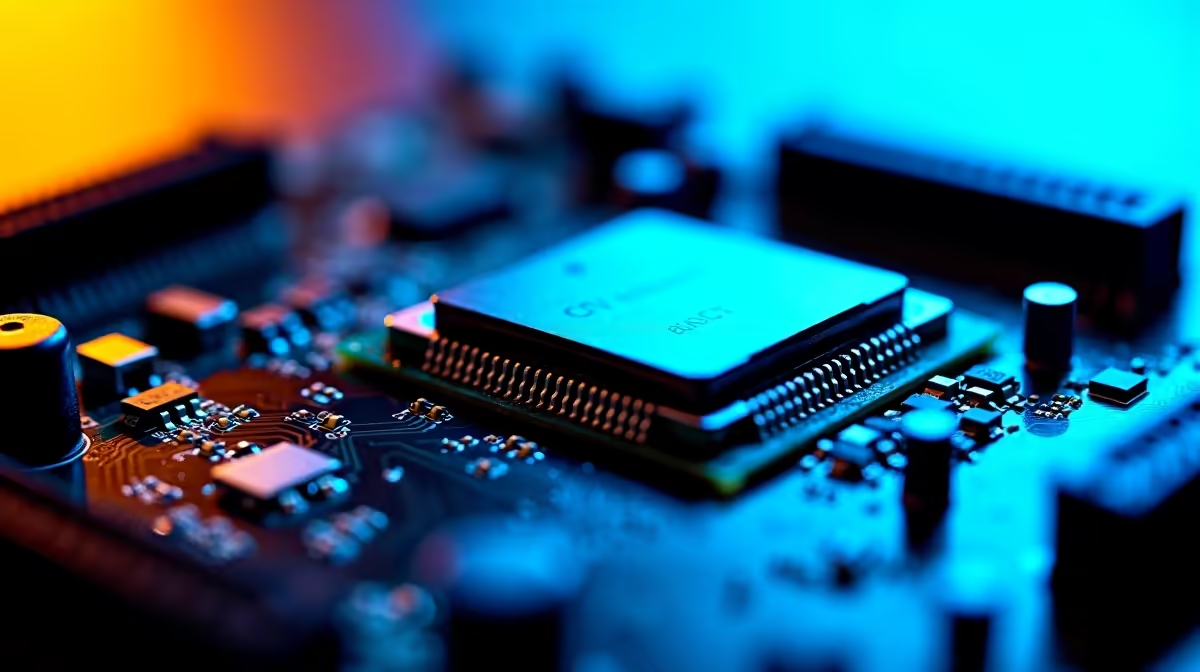
If your VCCIO voltage reads wrong in BIOS, set it manually to the recommended 1.05V–1.20V range for Intel platforms, or leave it on Auto with XMP enabled if you're running stock RAM. Mismatched VCCIO causes memory training failures, random reboots, and Q-Code 55 errors on most boards.
VCCIO (Voltage Common Core IO) powers the integrated memory controller on Intel CPUs, sitting between your DRAM and the cores themselves. When you push high-frequency memory, like DDR5-7200 or DDR4-3600 with tight timings, VCCIO needs to scale up to maintain stability. Boards from ASUS, Gigabyte, MSI, and ASRock all expose this voltage in BIOS, but default Auto values vary wildly between vendors.
A Ryzen rig won't have VCCIO in this exact form, the AMD equivalents are SOC and VDDG voltages. This guide focuses on Intel 12th, 13th, and 14th gen platforms most commonly built locally.
Boot into BIOS by tapping Delete or F2 during POST. Head to the OC or Tweaker section depending on your board brand. Look for one of these labels:
Set VCCIO to 1.10V as a safe baseline for DDR4-3600 or DDR5-6000. For DDR5-7200 and above, try 1.20V. Save with F10 and reboot. If the system POSTs cleanly, run MemTest86 for at least one full pass to confirm stability.
Don't touch VCCIO unless you're seeing memory errors, reboots during gaming, or BSODs with WHEA_UNCORRECTABLE_ERROR. Modern boards handle this voltage automatically, and over-volting past 1.30V degrades silicon over time. If your XMP profile won't post, lower the multiplier first before raising VCCIO.
Stay under 1.25V on 12th and 13th gen Intel chips for long-term safety. Brief tuning runs above that are fine, but daily 24/7 voltages above 1.30V accelerate degradation.
LLC (Load Line Calibration) and vdroop cause voltage to sag under load. Set LLC to Medium or High and check actual voltage in HWiNFO64 rather than trusting BIOS readings alone.
Indirectly, yes. Stable memory means no frame-time hitches caused by ECC retries or cache misses. You won't see big average FPS gains, but 1% lows tighten up noticeably.
Ready to Find Your Perfect Match? Build a stable, BIOS-tuned gaming rig with the right components. Browse gaming PC deals
VCCIO Voltage Wrong: BIOS Adjustment available at Evetech.co.za with local warranty and fast delivery.
VCCIO Voltage Wrong: BIOS Adjustment - check Evetech for latest stock and SA pricing.
Depends on your use case. VCCIO Voltage Wrong: BIOS Adju offers good value at current Rand pricing.
Headset Stock Levels in Bloemfontein: January. Current stock data & price tracking for SA buyers. See what is available and where prices are heading.
Read more
iMac for Medical Practice: Patient Management. SA-focused analysis with local pricing data, real-world insights & actionable buying advice.
Read more
RTX 5060 Fortnite Ultra Settings at 1080p: FPS. Real-world benchmark data, FPS numbers & performance analysis. What SA gamers can actually expect.
Read more
Headset Stock Levels in Cape Town: August Report. Current stock data & price tracking for SA buyers. See what is available and where prices are heading.
Read more
Eskom Load Shedding During Video Call: Solutions. SA-focused analysis with local pricing data, real-world insights & actionable buying advice.
Read more
LoL Performance on Extreme Gaming PC. Real-world benchmark data, FPS numbers & performance analysis. What SA gamers can actually expect.
Read more
Is a Ultra Short Throw Projector Good for Gaming?. Diagnosis steps, proven fixes & when to seek professional help. SA-specific support info included.

Is a Short Throw Projector Good for Gaming? Input. Diagnosis steps, proven fixes & when to seek professional help. SA-specific support info included.

Top Mouse Settings for Competitive FPS: Sensitivity picks evaluated on performance, value & SA availability with current Rand pricing from Evetech.

Top Speakers for MacBook Desk Setup picks evaluated on performance, value & SA availability with current Rand pricing from Evetech.

Is a Ergonomic Chair Better Than a Standard Office Chair for Gaming Detailed answer with SA data, expert analysis & practical recommendations for local buyers.

Use Spotlight Search Like a Pro on macOS. Step-by-step instructions with SA-specific tips, common pitfalls to avoid & expert recommendations.

wireless keyboard Fan Noise Too Loud: Quiet. Everything you need to know with SA pricing, step-by-step instructions & expert recommendations.

Connection Timeout: Troubleshooting Guide #2. Diagnosis steps, proven fixes & when to seek professional help. SA-specific support info included.
Headset Stock Levels in Bloemfontein: January. Current stock data & price tracking for SA buyers. See what is available and where prices are heading.
iMac for Medical Practice: Patient Management. SA-focused analysis with local pricing data, real-world insights & actionable buying advice.
RTX 5060 Fortnite Ultra Settings at 1080p: FPS. Real-world benchmark data, FPS numbers & performance analysis. What SA gamers can actually expect.
Headset Stock Levels in Cape Town: August Report. Current stock data & price tracking for SA buyers. See what is available and where prices are heading.