


Headset Stock Levels in Bloemfontein: January 2026 Report
Headset Stock Levels in Bloemfontein: January. Current stock data & price tracking for SA buyers. See what is available and where prices are heading.
Read moreWinter Ergonomic Setup: Cases. Clear setup instructions with SA-specific considerations, troubleshooting tips & recommended components.
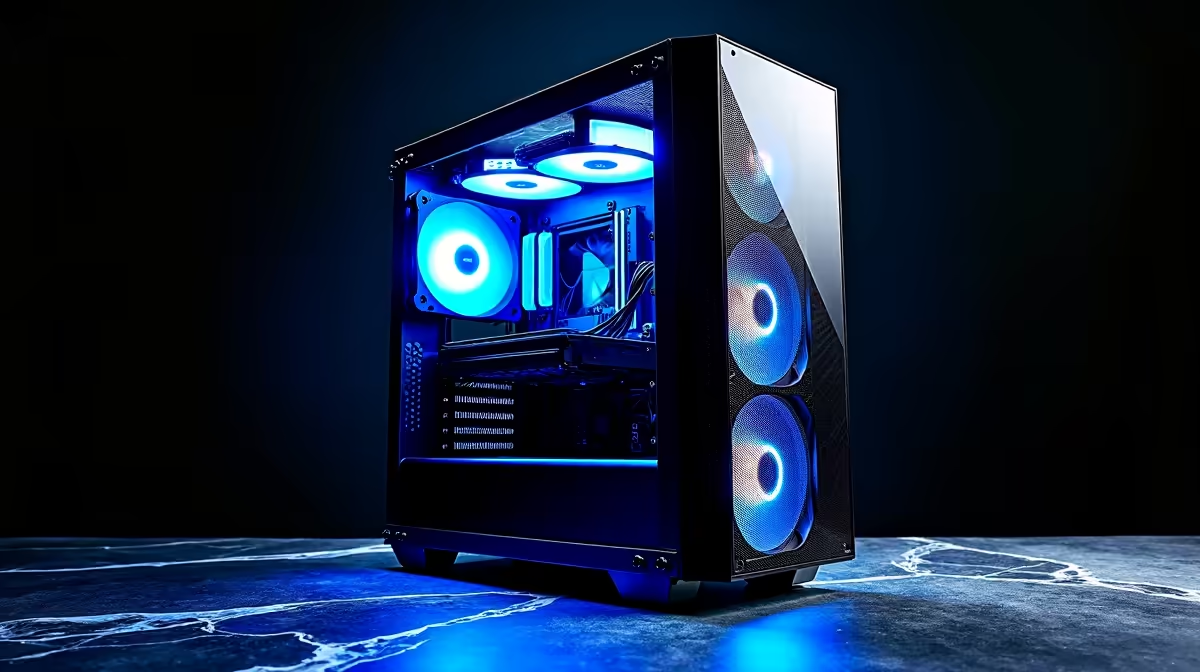
Setting up an ergonomic winter gaming space in South Africa means choosing a PC case with good airflow for rooms that may have reduced ventilation due to closed windows, pairing it with a supportive gaming chair that handles long cold-weather sessions, and managing cable organisation to keep the setup tidy and warm-weather-ready when summer returns.
Winter in South Africa brings cooler ambient temperatures in Gauteng, the Free State, and the Western Cape, which naturally improves CPU and GPU thermal headroom. However, closing windows to stay warm can reduce fresh air circulation in your room, making a case with strong internal airflow more important than it might seem. Mesh-front cases with three 120mm or 140mm intake fans move more air through the system than solid-panel designs and compensate for reduced room ventilation. A tempered glass side panel is a popular aesthetic choice but does not affect airflow significantly if the front panel is mesh. Mid-tower cases in the ATX form factor offer the best balance of component compatibility, airflow potential, and desk or floor footprint for most South African home setups.
Longer gaming sessions during winter evenings put more demand on your chair and desk setup. A gaming chair with adjustable lumbar support and recline helps prevent lower back stiffness that becomes more pronounced in cold weather when muscles tighten. Look for chairs with dense cold-foam padding rather than memory foam, which can become firmer in low temperatures and less comfortable over multi-hour sessions. Armrests that adjust in height and angle allow you to position your arms comfortably whether you are gaming in a jacket or lighter clothing. Monitor height should keep your neck in a neutral position - a stack of books or a dedicated monitor arm achieves this if your monitor's stand does not adjust high enough.
Cable management is easier to address during a winter setup refresh because the cooler temperatures make handling cables and crouching behind your desk more comfortable. Velcro cable ties, cable raceways along the desk edge, and a cable box beneath the desk for power strip management keep the floor clear and reduce dust accumulation around the case. Good cable management also makes it easier to clean the area during seasonal changeovers, removing the winter dust build-up before summer heat arrives and thermal performance matters more again.
Q: Does cold weather in SA improve PC performance? A: Yes, lower ambient temperatures reduce CPU and GPU operating temperatures, which can allow sustained boost clocks for longer periods. This is a natural benefit of winter gaming in high-altitude cities like Johannesburg.
Q: What is the best case size for a compact winter gaming setup in a small room? A: A Micro-ATX or Mini-ITX case saves desk or floor space in smaller rooms. Ensure it has at least two fan mounts and a mesh front panel for adequate airflow even with reduced room ventilation.
Q: Are leather gaming chairs comfortable in South African winters? A: Leather and PU leather chairs feel cold to the touch initially in winter mornings but warm up within a few minutes of sitting. Fabric gaming chairs warm up faster and may feel more comfortable during cold weather if you game early in the day.
Also at Evetech: All PC Cases | Graphics Card Deals
Ready to Find Your Perfect Match? Shop Gaming Chairs at Evetech
Winter Ergonomic Setup: Cases in SA available at Evetech.co.za with local warranty and fast delivery.
Winter Ergonomic Setup: Cases in SA - check Evetech for latest stock and SA pricing.
Depends on your use case. Winter Ergonomic Setup: Cases offers good value at current Rand pricing.
Headset Stock Levels in Bloemfontein: January. Current stock data & price tracking for SA buyers. See what is available and where prices are heading.
Read more
iMac for Medical Practice: Patient Management. SA-focused analysis with local pricing data, real-world insights & actionable buying advice.
Read more
RTX 5060 Fortnite Ultra Settings at 1080p: FPS. Real-world benchmark data, FPS numbers & performance analysis. What SA gamers can actually expect.
Read more
Headset Stock Levels in Cape Town: August Report. Current stock data & price tracking for SA buyers. See what is available and where prices are heading.
Read more
Eskom Load Shedding During Video Call: Solutions. SA-focused analysis with local pricing data, real-world insights & actionable buying advice.
Read more
LoL Performance on Extreme Gaming PC. Real-world benchmark data, FPS numbers & performance analysis. What SA gamers can actually expect.
Read more
Is a Ultra Short Throw Projector Good for Gaming?. Diagnosis steps, proven fixes & when to seek professional help. SA-specific support info included.

Is a Short Throw Projector Good for Gaming? Input. Diagnosis steps, proven fixes & when to seek professional help. SA-specific support info included.

Top Mouse Settings for Competitive FPS: Sensitivity picks evaluated on performance, value & SA availability with current Rand pricing from Evetech.

Top Speakers for MacBook Desk Setup picks evaluated on performance, value & SA availability with current Rand pricing from Evetech.

Is a Ergonomic Chair Better Than a Standard Office Chair for Gaming Detailed answer with SA data, expert analysis & practical recommendations for local buyers.

Use Spotlight Search Like a Pro on macOS. Step-by-step instructions with SA-specific tips, common pitfalls to avoid & expert recommendations.

wireless keyboard Fan Noise Too Loud: Quiet. Everything you need to know with SA pricing, step-by-step instructions & expert recommendations.

Connection Timeout: Troubleshooting Guide #2. Diagnosis steps, proven fixes & when to seek professional help. SA-specific support info included.
Headset Stock Levels in Bloemfontein: January. Current stock data & price tracking for SA buyers. See what is available and where prices are heading.
iMac for Medical Practice: Patient Management. SA-focused analysis with local pricing data, real-world insights & actionable buying advice.
RTX 5060 Fortnite Ultra Settings at 1080p: FPS. Real-world benchmark data, FPS numbers & performance analysis. What SA gamers can actually expect.
Headset Stock Levels in Cape Town: August Report. Current stock data & price tracking for SA buyers. See what is available and where prices are heading.