

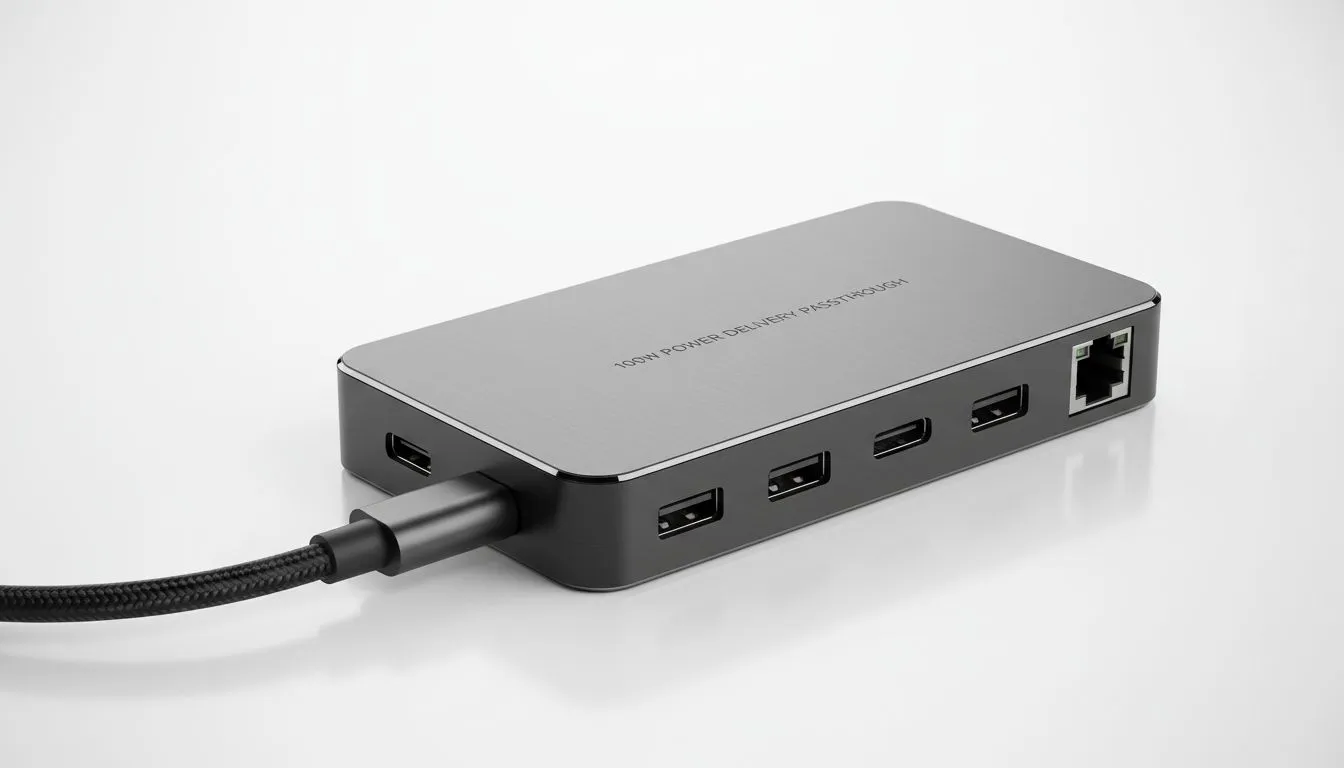
Why 100W PD Passthrough is Your Laptop's Best Friend: Avoid Slow Charging Explained
Picture this: You’re deep into a gaming session, or maybe just minutes from finishing that crucial presentation, and your laptop battery icon flashes red. You plug in your sleek new docking station, expecting a rapid power boost, but instead, you get that dreaded 'slow charging' message. Frustrating, isn't it? In South Africa, where reliable power is gold, understanding how to truly fast-charge your devices is non-negotiable. Let’s unravel the mystery of 100W PD passthrough and ensure you avoid slow charging for good.
The Frustration of Slow Charging: A Common Scenario
We’ve all been there. You invest in a powerful laptop, a fancy new monitor, and a multi-port docking station to streamline your setup. Everything connects beautifully – extra screens, external drives, your gaming peripherals. Then, you notice your laptop isn't charging as quickly as it should, or worse, it's slowly draining even while plugged in. This often happens when your docking station, despite its many features, doesn't provide sufficient power via its Power Delivery (PD) passthrough.
What is 100W PD Passthrough, and Why Does it Matter?
At its core, 100W PD passthrough refers to a docking station's ability to receive up to 100 Watts of power from an external charger and then pass that power through to your connected laptop. Think of your docking station as a smart power distributor. It takes the juice from your wall adapter, uses some for its own operations (like powering its USB ports, Ethernet, and display outputs), and then sends the rest to your laptop for charging.
If your laptop requires, say, 65W to charge efficiently, and your docking station only supports 45W PD passthrough, you’re instantly in a slow charging situation. For high-performance gaming laptops or powerful workstations, which often demand 90W or even 100W+, anything less than a full 100W PD passthrough will lead to a frustratingly sluggish charge, or even a net discharge under heavy load. This is why understanding this spec is crucial to avoid slow charging and keep your setup running optimally.
The Power Equation: Decoding Your Device's Needs
Before you commit to a docking station, do a quick check:
- Check your laptop's original charger: What's its wattage output? Most modern USB-C laptops will clearly state this.
- Consider your peripherals: USB-powered external drives, RGB keyboards, and even some webcams draw power from your docking station.
A good rule of thumb is to aim for a docking station with a PD passthrough rating that matches or exceeds your laptop's original charger wattage. If your laptop needs 90W, a 100W PD passthrough dock gives you a comfortable margin. This ensures that even after the dock uses some power for its own functions, enough is left to provide robust, fast charging to your laptop.
Powering Peripherals Smartly ⚡
When choosing a docking station, remember that "100W PD passthrough" means 100W into the dock. The actual power to your laptop will be slightly less, as the dock itself consumes power. Some docks clearly state "85W to host" or similar. Always check for this detail to ensure your laptop gets the juice it needs.
Beyond the Watts: Quality Matters
It’s not just about the numbers. The quality of the docking station itself plays a massive role. Reputable brands often invest in better components and more efficient power management. A cheap, unbranded dock might claim 100W PD, but could suffer from voltage drops or poor thermal management, leading to inconsistent charging or even damage to your devices.
When exploring options, consider trusted names. For instance, Promate docking stations are known for their reliability and performance, often offering robust PD capabilities perfect for demanding users. Investing a bit more upfront can save you a lot of hassle and potential hardware issues down the line.
Finding Your Perfect Docking Station
Whether you're a gamer needing every bit of power for your high-end rig, a content creator juggling multiple displays and external storage, or a professional seeking a seamless work-from-home setup, a docking station with adequate PD passthrough is a game-changer. It’s the difference between a fully charged, responsive machine and one constantly battling battery drain.
Don't let budget constraints force you into slow charging. You can find excellent options that balance cost and performance. Explore docking stations under R2000 that offer decent PD capabilities, or for those with tighter budgets, there are still great value picks if you shop docking stations under R1000. Just be sure to double-check the wattage.
Ultimately, understanding 100W PD passthrough: avoid slow charging explained is about empowering you to make smarter tech choices. It means less time waiting for your device to charge and more time doing what you love – whether that’s conquering virtual worlds or crushing deadlines. Don't settle for anything less than optimal performance. ✨
Ready to Power Up Your Setup? Tired of slow charging and tangled cables? Upgrade your workspace with a high-performance docking station that delivers the power your devices truly need. Browse Evetech's full range of docking stations and find the perfect hub to keep you charged, connected, and productive.











