


MacBook Pro 16-Inch M5 Max: Complete Specs, Features and SA Pricing Guide
MacBook Pro 16-Inch M5 Max: Complete Specs,. Everything you need to know with SA pricing, step-by-step instructions & expert recommendations.
Read moreWondering if a 220W thermal capacity air cooler can handle Intel Gen 13 and AMD Ryzen? Here’s what to check for safe, stable cooling—RPM, socket support, and real TDP headroom. ❄️⚙️
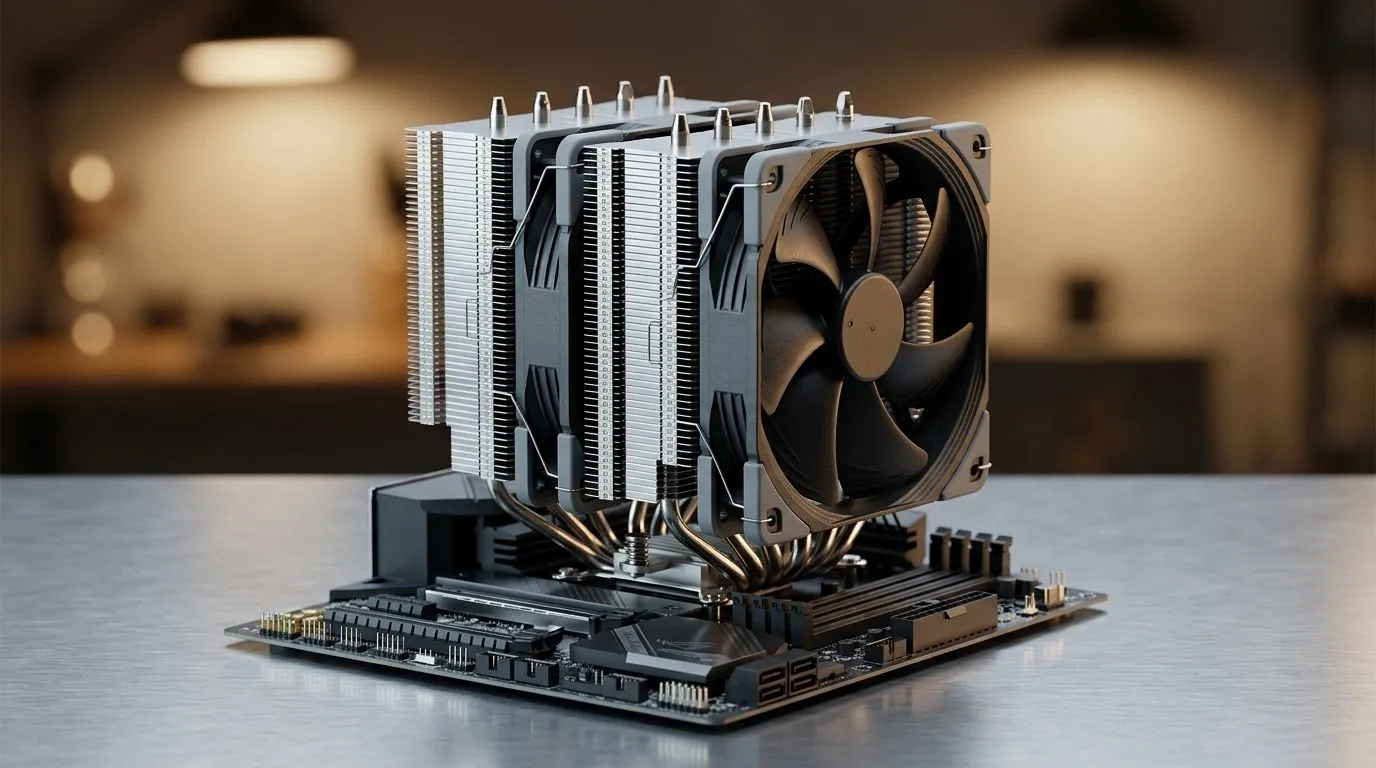
If your PC sounds like a hairdryer after 30 minutes, you’re not alone. In South Africa’s warmer rooms and load-shedding chaos, CPU temps can creep up fast… especially when you’re running demanding games or compiling shaders. A 220W Thermal Capacity Air Cooler: Intel Gen 13 & Ryzen Support can be the difference between smooth frame pacing and annoying thermal throttling.
The key is matching cooler capacity, fan size, and socket compatibility. Not just “will it fit”… but “will it stay quiet under pressure?”. Let’s break down what to look for, and how to build a cooler-first setup. ⚡
Modern Intel Gen 13 and AMD Ryzen CPUs can boost aggressively. That means power draw and heat spikes, even if your gaming sessions feel “normal”.
When a cooler is rated for high thermal capacity (like 220W class models), it gives you headroom for those boosts. Still, don’t treat the number as magic. You should also check:
For browsing and comparing options, start with Evetech’s air cooler category: Shop air coolers on Evetech
If you want to narrow it to air coolers only: Browse Evetech’s Air Coolers filter
Prefer 120mm fans? That’s a popular sweet spot for airflow and noise: Compare 120mm fan air coolers
Also, if you already have your eye on a brand: Deepcool air coolers on Evetech
Or if EINAREX is more your style: EINAREX air coolers on Evetech
Here’s the part most people skip… and then blame the cooler when temps stay high.
A high-capacity cooler can’t compensate for poor case airflow. Aim for:
You’re aiming for stable boosts during gaming, not necessarily the lowest number on the internet. If your CPU is consistently throttling, the fix is usually airflow, mounting, or cooler performance mismatch.
On Windows, use the HWiNFO64 or Ryzen Master (AMD) Intel XTU (Intel) to monitor peak CPU power and temperature while you run a real game benchmark. If temps spike immediately and performance drops, your cooler mounting or airflow is likely the issue, not your GPU. This helps you troubleshoot without guessing. "
A 220W thermal capacity air cooler is ideal if you:
It may be overkill if you’re running a low-watt office CPU or you have severe case clearance limits. But for Intel Gen 13 and Ryzen builds chasing consistent performance, it’s a sensible target… especially for South African summers.
If you’re building right now, treat this as a checklist:
Ready to Find Your Perfect Match? The Mac vs Windows debate is complex, but for maximum power, choice, and value in South Africa, Windows is hard to beat. Explore our massive range of laptop specials and find the perfect machine to conquer your world.
Often yes, if the cooler supports your exact socket and you have real TDP headroom. Verify the cooler's rated CPU compatibility and mounting kit.
It can, especially for many Ryzen chips that run within the cooler’s effective headroom. Confirm socket support and cooling performance for your exact wattage.
Mounting compatibility, fan configuration, heatpipe design, and your CPU’s sustained power (not just boost). Airflow and case restriction also affect results.
Look up the cooler’s supported sockets for Intel Gen 13 and your Ryzen socket, then confirm you have the correct mounting hardware before buying.
Maybe. Some coolers include multiple brackets; others require specific hardware. Check the package contents and ensure the correct backplate/mount is provided.
Not always. Verify cooler height, motherboard clearance, and whether your RAM can clear the heatsink fins. Use your case and cooler specs together.
Expect strong stability when airflow is good and mounting is correct. Monitor CPU package temps under load and adjust fan curves if needed.
Generally, yes for many systems. The key is sustained power draw and case airflow. For heavy all-core workloads, ensure your sustained temps remain safe.
MacBook Pro 16-Inch M5 Max: Complete Specs,. Everything you need to know with SA pricing, step-by-step instructions & expert recommendations.
Read more
Travelling With a MacBook: Travellers. Everything you need to know with SA pricing, step-by-step instructions & expert recommendations.
Read more
Back-to-School Parent Guide: Laptops. Everything you need to know with SA pricing, step-by-step instructions & expert recommendations.
Read more
MacBook Air 13-Inch M5: Complete Specs, Features. Everything you need to know with SA pricing, step-by-step instructions & expert recommendations.
Read more
MacBook Neo Unboxing and First Setup Guide for. Clear setup instructions with SA-specific considerations, troubleshooting tips & recommended components.
Read more
MacBook Pro 16-Inch M5 Pro: Complete Specs,. Everything you need to know with SA pricing, step-by-step instructions & expert recommendations.
Read more
CS2 Low FPS: Monitor Bottleneck. Real-world benchmark data, FPS numbers & performance analysis. What SA gamers can actually expect.

Is AOC a Good Monitor Brand for Gaming in South Africa Detailed answer with SA data, expert analysis & practical recommendations for local buyers.

What Gaming Monitor Can You Get for R20,000. Full parts list, Rand pricing & expected performance. Build confidently with SA-available components.

What Gamers Actually Bought: November Report. Real purchase data from SA retailers revealing what local buyers are actually choosing and why.

Can the RX 7700 XT Handle 1440p 144Hz Gaming. Performance testing verdict with real data & practical recommendations for SA buyers.

Top Laptop with Core i7 + RX 7700S: Picks picks evaluated on performance, value & SA availability with current Rand pricing from Evetech.

RX 7700 XT Black Myth Wukong 2 FPS: Performance. Real-world benchmark data, FPS numbers & performance analysis. What SA gamers can actually expect.

RTX 6080 Gran Turismo 7 PC Performance: FPS Test. Real-world benchmark data, FPS numbers & performance analysis. What SA gamers can actually expect.

Eliminate background noise in gaming voice chat using cardioid microphones to focus on your voice and reject room sounds. Get cleaner comms fast with smart placement and settings—🎮🎧

Wondering how much to spend on a high-end gaming headset in South Africa? We break down budget vs performance, what you actually get, and smart upgrade steps 🎧⚡

Wondering about THX Spatial Audio vs 7.1 surround for positional awareness? We compare imaging, depth, and cueing so you can pick the best option for gaming. 🎧👣

50mm bio-cellulose drivers vs standard drivers: does material affect audio precision? Compare clarity, bass control, and imaging so you can choose the right headphones. 🎧🔍