

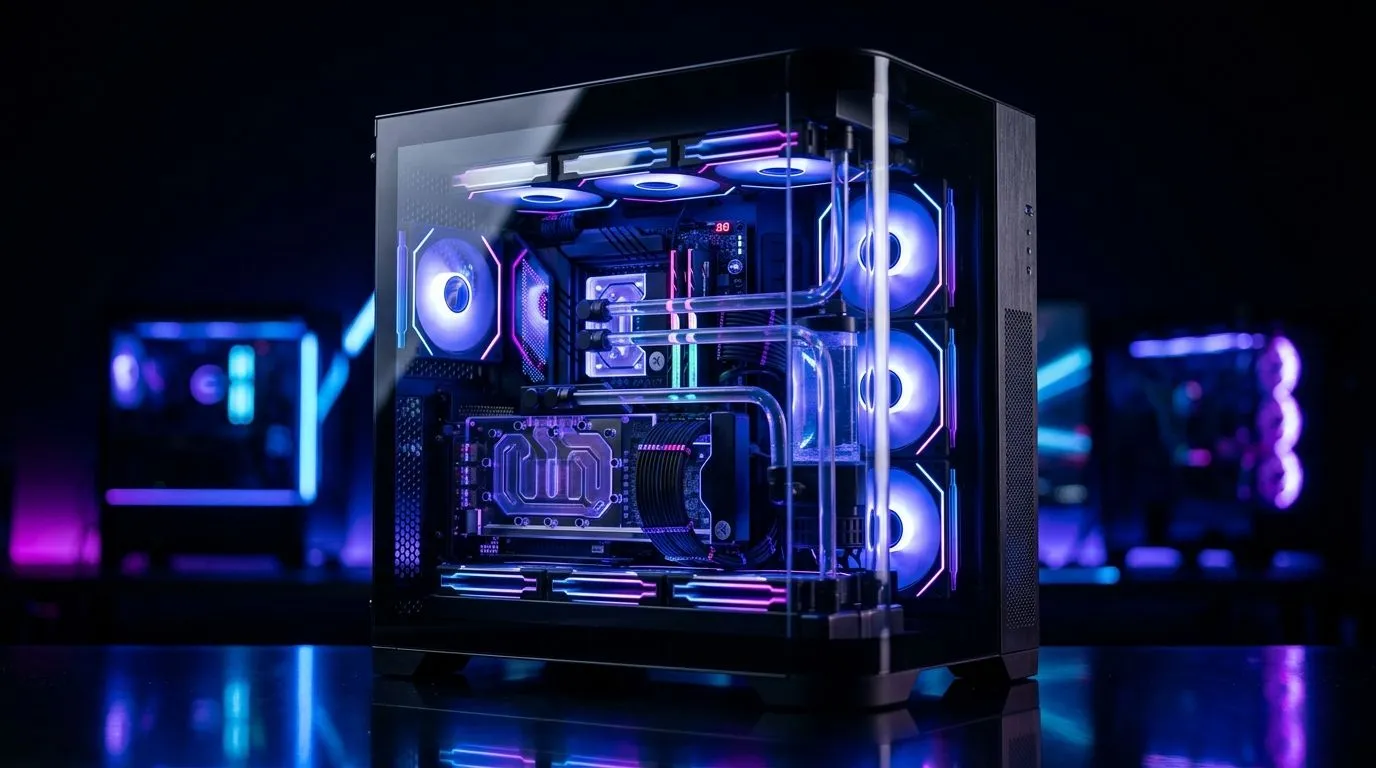
270° Glass Gaming Case Airflow: Can High-End PCs Stay Cool?
A 270° glass gaming case looks stunning on a desk. It also raises a fair question for South African gamers... can a hot, high-end PC breathe properly inside all that glass? If you’re running a powerful GPU, an overclocked CPU, and maybe a few RGB fans for good measure, airflow matters more than looks. The good news? You can have both... if you choose and configure the case wisely. 🔧
270° Glass Gaming Case Airflow and Why It Matters
A 270° glass gaming case gives you a wide, showroom-style view of your build. That makes it popular with PC enthusiasts. But glass is not the problem by itself. The real issue is how air enters, moves through, and exits the chassis.
A system stays cool when cool air can reach the components and warm air can escape. That sounds simple, but it becomes trickier when front, side, and corner panels are glass-heavy. In those designs, intake often depends on side vents, bottom fans, or a carefully planned rear exhaust.
For buyers comparing options, Evetech’s computer case selection is a good place to start. It helps you weigh airflow-first cases against display-focused models before you commit.
270° Glass Gaming Case Airflow Depends on the Whole Build
A case does not cool a PC on its own. It works with the fans, cooler, and hardware layout. That means the best-looking chassis can still underperform if the fan plan is weak.
What to check first
- Front, side, or bottom intake paths
- Room for at least two or three intake fans
- Mesh sections near the base or sides
- Clearance for large GPUs
- Support for top exhaust fans or a 240 mm or 360 mm radiator
If you are building around a premium aesthetic, there are options like Fractal Design PC cases that often focus on cleaner airflow design. They are worth a look if you want a quieter, more practical setup.
A quick reality check
A well-ventilated glass case can keep high-end parts perfectly manageable. A poorly planned one can trap heat, especially during long gaming sessions in warmer parts of South Africa. That does not mean glass is bad. It means airflow must be intentional.
270° Glass Gaming Case Airflow Tips for Better Temps
Start with fan direction. Front and side intake fans should feed cool air in. Rear and top fans should push hot air out. If your GPU runs hot, make sure the lower front area has enough fresh air.
Cable management helps too. Messy cables can block airflow and make temperatures worse. Keep the main chamber neat, especially around the GPU and front intake path.
Also, think about dust. South African homes can get dusty quickly, so a case with filters is a practical win. Cleaning filters every few weeks is easier than dealing with rising thermals later. ✨
Cooling Pro Tip ⚡
If your case has side glass and limited front intake, prioritise strong bottom and rear airflow. Two intake fans plus one exhaust fan is a solid starting point for many mid-to-high-end gaming builds.
For shoppers on a tighter budget, Gamdias gaming cases can offer striking visuals without forcing you into the highest price brackets. If you want to stay near a lower spend, this filtered Gamdias case range under R1,500 is a useful way to compare value and features quickly.
270° Glass Gaming Case Airflow: Who Should Buy One?
Choose this style if you want a showcase build, enjoy RGB, and are willing to tune fan placement properly. Skip it if you want the simplest possible cooling solution and zero fuss.
If you are building a new PC in 2026, the best approach is balance. Pick the look you love, then verify the airflow path before checkout. That way, your rig can stay cool, quiet, and ready for long sessions... whether you are grinding ranked matches or editing after work.
Ready to Find Your Perfect Match? The Mac vs Windows debate is complex, but for maximum power, choice, and value in South Africa, Windows is hard to beat. Explore our massive range of laptop specials and find the perfect machine to conquer your world.











