


MacBook Pro 16-Inch M5 Max: Complete Specs, Features and SA Pricing Guide
MacBook Pro 16-Inch M5 Max: Complete Specs,. Everything you need to know with SA pricing, step-by-step instructions & expert recommendations.
Read moreAdjustable 3D armrests for gamers and remote workers can improve comfort, posture, and reach. Are they worth upgrading from fixed armrests? 🎮💼 Find out.
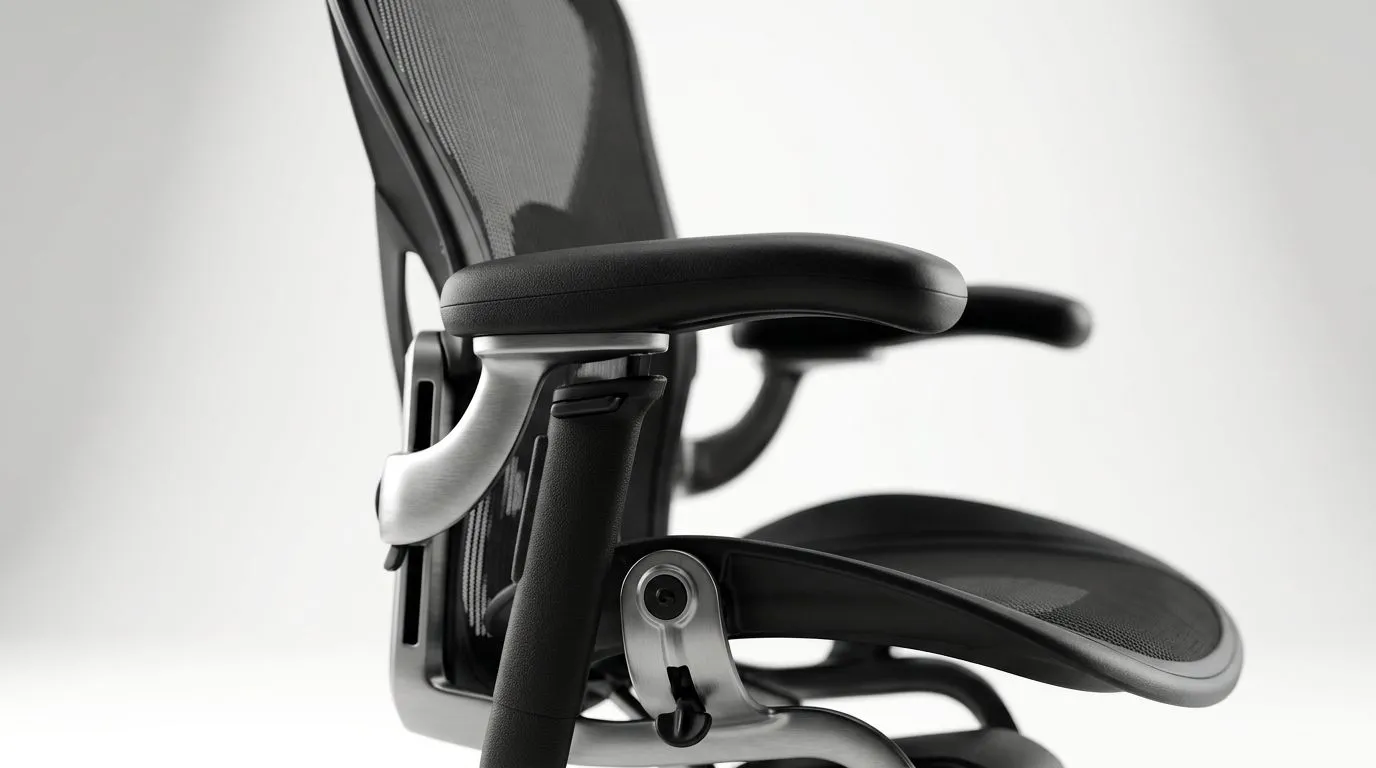
South African gamers know the feeling... you start the day at your desk for work, then roll straight into a night raid, a ranked match, or a quick spreadsheet session that somehow lasts three hours. That’s where adjustable 3D armrests for gamers and remote workers start to matter. Not as a flashy extra, but as a small ergonomic fix that can ease pressure on your shoulders, wrists, and elbows. If your chair has ever left you fidgeting by 3 pm, this is worth your attention 🔧
At a basic level, armrests help support your forearms so your shoulders don’t do all the work. The “3D” part usually means they can move in three directions, commonly height, depth, and left-right pivot. That flexibility matters because no two bodies, desks, or habits are the same.
For gamers, this can mean steadier mouse control during long sessions. For remote workers, it can mean fewer awkward reaches while typing, scrolling, or handling a second screen. If you switch between a controller and keyboard setup, the ability to reposition your arms quickly is even more useful.
The real benefit is consistency. When your elbows sit at a more natural angle, you’re less likely to slouch or hunch forward. Over time, that can make a noticeable difference to comfort.
Not every chair describes its armrests the same way, so it helps to look closely at the adjustment range. Ask yourself:
Can your forearms rest level with your desk, or do they float too high?
Do the armrests feel too narrow for your frame, or too close to your torso?
Is the contact surface firm enough for support, but not hard enough to feel scratchy after an hour?
Loose armrests lose their value quickly. A solid mechanism matters more than fancy marketing.
If you’re shopping in South Africa, it also helps to match the chair to the rest of your setup. A desk that sits too high, or a monitor that’s too low, can undermine even a very good chair. For readers comparing workspace furniture, Evetech’s range of gaming desks is a useful place to start: gaming desk options for a cleaner setup.
A comfortable chair is not just about the seat. It needs to work with the whole station. That includes your desk height, keyboard position, monitor distance, and even how much room you have to slide the chair under the desk.
If you’ve got a compact room, a chair with clever adjustability can help you avoid clutter and awkward posture. If you’re building a more premium battlestation, you may want a model that feels more tailored and supportive over longer sessions. For shoppers who like a refined look, AutoFull gaming desk options can pair nicely with a performance-focused setup.
And if your style leans more towards a balanced mix of gaming and work, Arozzi desk choices are worth browsing for inspiration. For a more budget-conscious route, Nitro desk options may suit buyers who want practicality first.
Sit back in your chair, then adjust the armrests so your shoulders stay relaxed while your elbows rest close to your body. If you feel yourself lifting your shoulders, the armrests are probably too low or too far away. Small tweaks like this can reduce fatigue during long work or gaming sessions.
It’s tempting to buy on looks alone. That works for RGB mice. It’s less reliable for seating.
A better approach is to think about your daily routine. Do you game after work? Do you spend six hours in meetings? Do you share the desk with a partner or family member? If yes, flexibility is not a luxury. It’s practical.
That’s why adjustable armrests deserve more attention than they usually get. They are one of those details that feel minor in the store, then major at home. In the first week, you notice the comfort. In the third week, you notice the difference in how you sit. 🚀
If you’re building a desk setup that has to do both jobs well, choose pieces that support your body as much as your workflow. Your shoulders will thank you later.
Ready to Find Your Perfect Match? The Mac vs Windows debate is complex, but for maximum power, choice, and value in South Africa, Windows is hard to beat. Explore our massive range of laptop specials and find the perfect machine to conquer your world.
Yes. Adjustable 3D armrests let you fine-tune height, pivot angle, and sometimes depth, which can reduce shoulder strain during long sessions.
Most gamers benefit from adjustable 3D armrests because they better match your desk, mouse reach, and preferred grip position during high-focus play.
They can be. Ergonomic armrests for remote workers help keep elbows aligned and reduce repetitive tension when you switch tasks or sit longer.
Prioritize armrest height adjustment and width or pivot control. Depth adjustment is a bonus if you need a closer or farther support position.
They may help by improving arm support and posture. But persistent pain can require medical guidance and a full ergonomic workstation review.
Aim for elbows near 90 degrees, relax shoulders, and keep forearms supported. Adjust height first, then pivot angle to match your stance.
They can if set too high or too wide. Use height and pivot adjustments to maintain under-desk clearance and smooth chair-in movements.
Choose fixed armrests if your chair fit is already spot-on, your desk height is stable, and you prefer a simpler, lower-adjustment setup.
MacBook Pro 16-Inch M5 Max: Complete Specs,. Everything you need to know with SA pricing, step-by-step instructions & expert recommendations.
Read more
Travelling With a MacBook: Travellers. Everything you need to know with SA pricing, step-by-step instructions & expert recommendations.
Read more
Back-to-School Parent Guide: Laptops. Everything you need to know with SA pricing, step-by-step instructions & expert recommendations.
Read more
MacBook Air 13-Inch M5: Complete Specs, Features. Everything you need to know with SA pricing, step-by-step instructions & expert recommendations.
Read more
MacBook Neo Unboxing and First Setup Guide for. Clear setup instructions with SA-specific considerations, troubleshooting tips & recommended components.
Read more
MacBook Pro 16-Inch M5 Pro: Complete Specs,. Everything you need to know with SA pricing, step-by-step instructions & expert recommendations.
Read more
CS2 Low FPS: Monitor Bottleneck. Real-world benchmark data, FPS numbers & performance analysis. What SA gamers can actually expect.

Is AOC a Good Monitor Brand for Gaming in South Africa Detailed answer with SA data, expert analysis & practical recommendations for local buyers.

What Gaming Monitor Can You Get for R20,000. Full parts list, Rand pricing & expected performance. Build confidently with SA-available components.

What Gamers Actually Bought: November Report. Real purchase data from SA retailers revealing what local buyers are actually choosing and why.

Can the RX 7700 XT Handle 1440p 144Hz Gaming. Performance testing verdict with real data & practical recommendations for SA buyers.

Top Laptop with Core i7 + RX 7700S: Picks picks evaluated on performance, value & SA availability with current Rand pricing from Evetech.

RX 7700 XT Black Myth Wukong 2 FPS: Performance. Real-world benchmark data, FPS numbers & performance analysis. What SA gamers can actually expect.

RTX 6080 Gran Turismo 7 PC Performance: FPS Test. Real-world benchmark data, FPS numbers & performance analysis. What SA gamers can actually expect.

Eliminate background noise in gaming voice chat using cardioid microphones to focus on your voice and reject room sounds. Get cleaner comms fast with smart placement and settings—🎮🎧

Wondering how much to spend on a high-end gaming headset in South Africa? We break down budget vs performance, what you actually get, and smart upgrade steps 🎧⚡

Wondering about THX Spatial Audio vs 7.1 surround for positional awareness? We compare imaging, depth, and cueing so you can pick the best option for gaming. 🎧👣

50mm bio-cellulose drivers vs standard drivers: does material affect audio precision? Compare clarity, bass control, and imaging so you can choose the right headphones. 🎧🔍