

Air Cooler Heatpipe Design Explained for Better Cooling: Why Gamers Should Care
If your PC sounds like it’s loading screens non-stop, your CPU temps might be the culprit. In South Africa’s hot summers and closed desk setups, even “decent” cooling can get overwhelmed. The good news? Air coolers are easier to tune than most people think. And the secret sauce is often hidden inside the heatpipes… not just the fan RPM. 🔧
In this Deep Dives guide, we’ll break down the air cooler heatpipe design explained for better cooling and help you choose a cooler that actually keeps boost clocks stable.
Air cooler heatpipe design explained for better cooling: What heatpipes really do
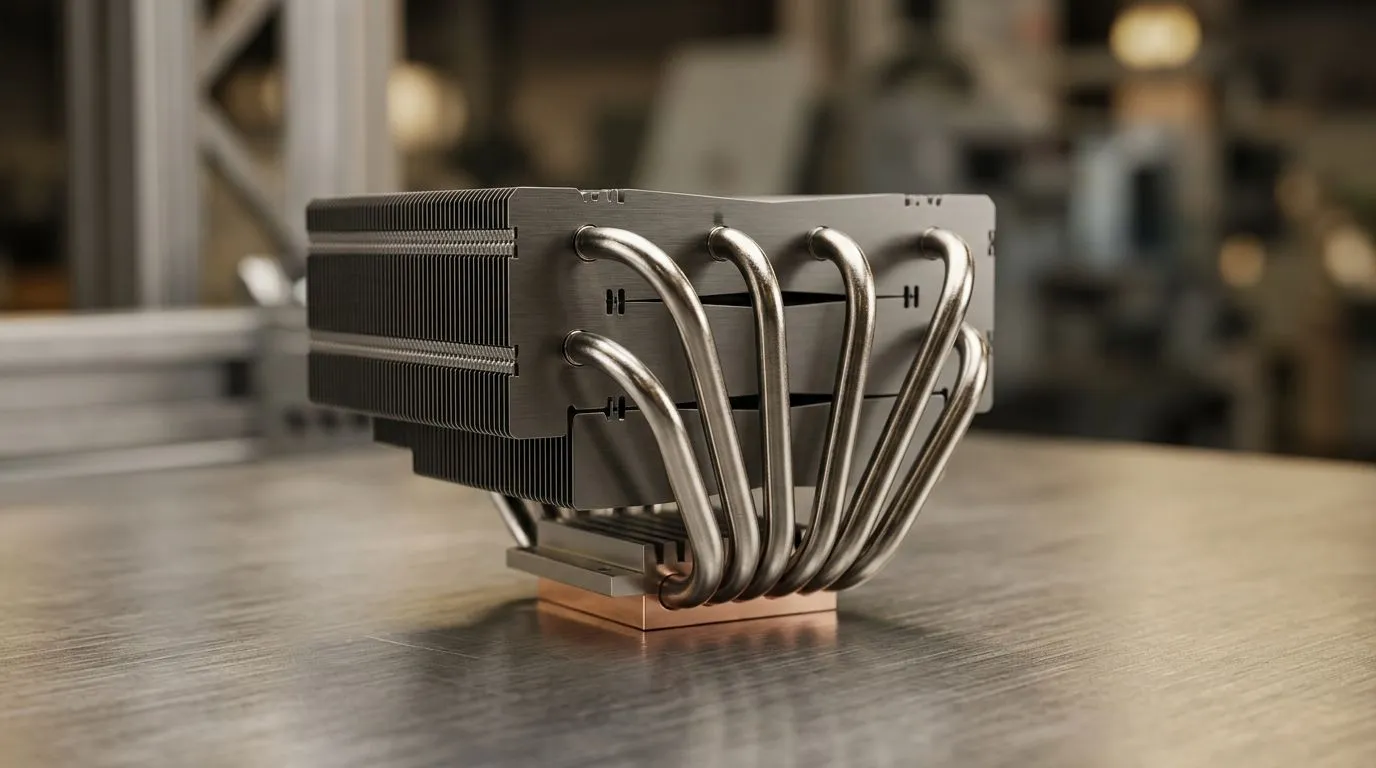
A heatpipe is a sealed tube inside many air coolers. It contains a small amount of working fluid. When one end heats up (near the CPU contact plate), the fluid absorbs heat and changes phase to a vapour. That vapour travels to the cooler’s fins where it releases heat and condenses back to liquid. The liquid then returns via capillary action to the hot end.
What this means in plain terms… heatpipes spread heat quickly across the heatsink, so more fin surface area can dump heat into the air. Faster heat transfer usually translates into lower CPU temperatures under sustained gaming loads. ⚡
The key design details you should look for
Not every air cooler is built the same. Here are the common design factors that affect real-world performance:
- Number and layout of heatpipes: More pipes (and better distribution) typically improve thermal spread, especially for wider heatsinks.
- Heatsink fin stack and surface area: Taller heatsinks and more fin area can move more heat, but only if airflow matches.
- Fan choice and airflow direction: Even the best heatpipe stack struggles with weak airflow. Fan placement matters.
- Contact quality at the CPU: Heat transfer starts at the base. Mounting pressure and flatness are critical.
Evetech stocks a wide variety of air coolers, so matching design to your CPU and case airflow is the real win. ✨
Picking an air cooler: Heatpipes meet airflow in your PC case
Heatpipes can move heat fast, but cooling still needs oxygen… and a clear path for exhaust. Before you buy, do a quick “desk reality check”:
- Measure your case cooler clearance and RAM height.
- Check whether you’ll exhaust out the top or front of the case.
- Look for dust filters. If they’re clogged, your temps will climb fast.
A micro-story from the shop floor: we’ve seen plenty of “overkill” coolers paired with a restrictive front intake. The CPU looked fine in benchmarks, then ran hot during a long raid session. The heatpipe was doing its job… but the airflow wasn’t.
Productivity Pro Tip ⚡
On Windows, stress-test your CPU safely by using your benchmark of choice for 5 to 10 minutes, then compare idle and sustained temperatures in your monitoring tool. If temps climb quickly and fans spike early, you likely have airflow or mounting pressure issues rather than a faulty cooler.
Where to start on Evetech
Start with the full range of options here: Explore air coolers on Evetech
If you want to narrow it down by cooler type and avoid decision fatigue, use these filters:
Final checklist: Better cooling isn’t one component, it’s the system
If you remember only three things, make them these:
- Heatpipes spread heat. Airflow removes it. Both must be right.
- Check case clearance, fan direction, and mounting quality.
- Buy for your sustained load, not just a quick benchmark run. 🔧
Ready to stop guessing and start building a cooler setup that actually holds temps during long sessions?
Ready to Find Your Perfect Match? The Mac vs Windows debate is complex, but for maximum power, choice, and value in South Africa, Windows is hard to beat. Explore our massive range of laptop specials and find the perfect machine to conquer your world.











