


MacBook Pro 16-Inch M5 Max: Complete Specs, Features and SA Pricing Guide
MacBook Pro 16-Inch M5 Max: Complete Specs,. Everything you need to know with SA pricing, step-by-step instructions & expert recommendations.
Read moreAnti-resonance fan technology uses tuned blade design to reduce vibration at speed. Learn how optimized blade counts lower harmonics, improve stability, and deliver smoother airflow for quieter performance. 🔧🔇
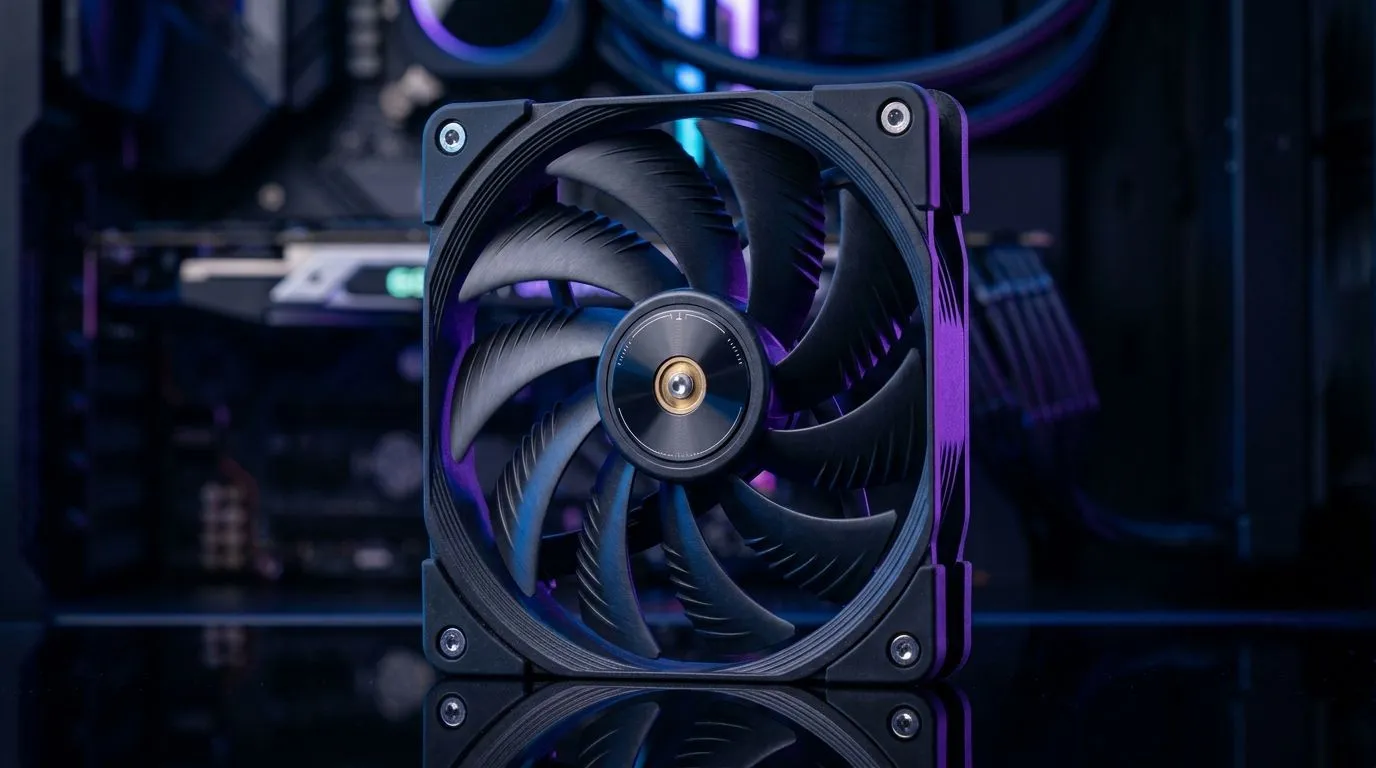
If your PC sounds like it’s “singing” during long Apex or Tarkov sessions, it’s usually not your game… it’s the fans. At higher speeds, even good case fans can create resonance, which turns into annoying high-frequency buzz. The good news? Anti-Resonance Fan Technology: Reduce Vibration at Speed is designed to keep airflow steady while reducing that distracting vibration, especially when the GPU gets hot and fan curves ramp up. 🔧
Anti-resonance designs typically tackle vibration at the source. That means engineering the fan blade geometry and hub structure so they don’t “lock in” to a resonant frequency. In practice, this can mean:
It’s not magic. If your case is flexing, if a fan cable is touching the blades, or if mounting pressure is uneven, you’ll still hear noise. But anti-resonance tech helps your fans behave better when they’re working hard.
Before buying new hardware, check the basics. Many “fan noise” issues are installation problems:
If you’re refreshing your rig, it’s worth browsing quality options like Evetech’s case fan range first, then build around your airflow plan.
Anti-resonance helps at speed, but fan size changes how hard a fan must work. Generally, larger fans can move the same air at lower RPM. That usually means less noise, especially in the medium-to-high range during gaming.
If you want to focus on 120mm options, filter here: 120mm case fans. If 140mm fits your case layout better, check: 140mm case fans.
Instead of maxing RPM instantly, use a sensible fan curve. Aim for:
This reduces the time fans spend in the “tiniest resonance sweet spot”, where buzz is often most noticeable.
On Windows, use a hardware monitoring tool to log CPU GPU temps while you game. Then adjust your fan curve so the RPM only spikes when temperatures cross your chosen threshold. This cuts unnecessary fan ramping, which is when vibration tends to become most obvious.
RGB is mostly visual, not acoustic. Still, different fan models can have different blade designs and frame materials, so lighting filters help you narrow choices without guessing. If you want fans with lighting effects, explore: RGB case fans. If you prefer a clean, minimal look, browse: non-RGB case fans.
When shopping, prioritise:
And if you’re unsure, tell us your case model and your current fan layout. We’ll help you avoid buying the “right fan for the wrong space” mistake. 🔧
Ready to Find Your Perfect Match? If your goal is a cooler, quieter build without overthinking it, start with the right case fans from Evetech. Explore our massive range of case fans for your setup and dial in the airflow you need for long South African gaming sessions.
Anti-resonance fan technology uses tuned blade geometry and blade counts to shift resonance and reduce vibration and noise at higher RPM.
Optimized blade counts help manage blade pass frequency and harmonics so they avoid matching common structural resonances during operation.
At speed, vibration can intensify due to higher aerodynamic loads and harmonic effects that may align with resonant frequencies in the frame.
Blade pass frequency is the rate blades pass a point. Matching or near-matching it to resonant frequencies can amplify vibration.
Yes. When vibration drops, airborne noise often drops too, improving subjective quietness during sustained high-speed cooling.
Look for engineering notes about reduced harmonics, smoother acoustic profiles, and lower vibration specs across a range of RPM.
It should not compromise airflow when designed correctly; the goal is maintaining efficiency while reducing vibration-induced losses and noise.
Most anti-resonance fans use standard form factors, but always verify size, mounting pattern, and RPM range with your build requirements.
MacBook Pro 16-Inch M5 Max: Complete Specs,. Everything you need to know with SA pricing, step-by-step instructions & expert recommendations.
Read more
Travelling With a MacBook: Travellers. Everything you need to know with SA pricing, step-by-step instructions & expert recommendations.
Read more
Back-to-School Parent Guide: Laptops. Everything you need to know with SA pricing, step-by-step instructions & expert recommendations.
Read more
MacBook Air 13-Inch M5: Complete Specs, Features. Everything you need to know with SA pricing, step-by-step instructions & expert recommendations.
Read more
MacBook Neo Unboxing and First Setup Guide for. Clear setup instructions with SA-specific considerations, troubleshooting tips & recommended components.
Read more
MacBook Pro 16-Inch M5 Pro: Complete Specs,. Everything you need to know with SA pricing, step-by-step instructions & expert recommendations.
Read more
CS2 Low FPS: Monitor Bottleneck. Real-world benchmark data, FPS numbers & performance analysis. What SA gamers can actually expect.

Is AOC a Good Monitor Brand for Gaming in South Africa Detailed answer with SA data, expert analysis & practical recommendations for local buyers.

What Gaming Monitor Can You Get for R20,000. Full parts list, Rand pricing & expected performance. Build confidently with SA-available components.

What Gamers Actually Bought: November Report. Real purchase data from SA retailers revealing what local buyers are actually choosing and why.

Can the RX 7700 XT Handle 1440p 144Hz Gaming. Performance testing verdict with real data & practical recommendations for SA buyers.

Top Laptop with Core i7 + RX 7700S: Picks picks evaluated on performance, value & SA availability with current Rand pricing from Evetech.

RX 7700 XT Black Myth Wukong 2 FPS: Performance. Real-world benchmark data, FPS numbers & performance analysis. What SA gamers can actually expect.

RTX 6080 Gran Turismo 7 PC Performance: FPS Test. Real-world benchmark data, FPS numbers & performance analysis. What SA gamers can actually expect.

Eliminate background noise in gaming voice chat using cardioid microphones to focus on your voice and reject room sounds. Get cleaner comms fast with smart placement and settings—🎮🎧

Wondering how much to spend on a high-end gaming headset in South Africa? We break down budget vs performance, what you actually get, and smart upgrade steps 🎧⚡

Wondering about THX Spatial Audio vs 7.1 surround for positional awareness? We compare imaging, depth, and cueing so you can pick the best option for gaming. 🎧👣

50mm bio-cellulose drivers vs standard drivers: does material affect audio precision? Compare clarity, bass control, and imaging so you can choose the right headphones. 🎧🔍