

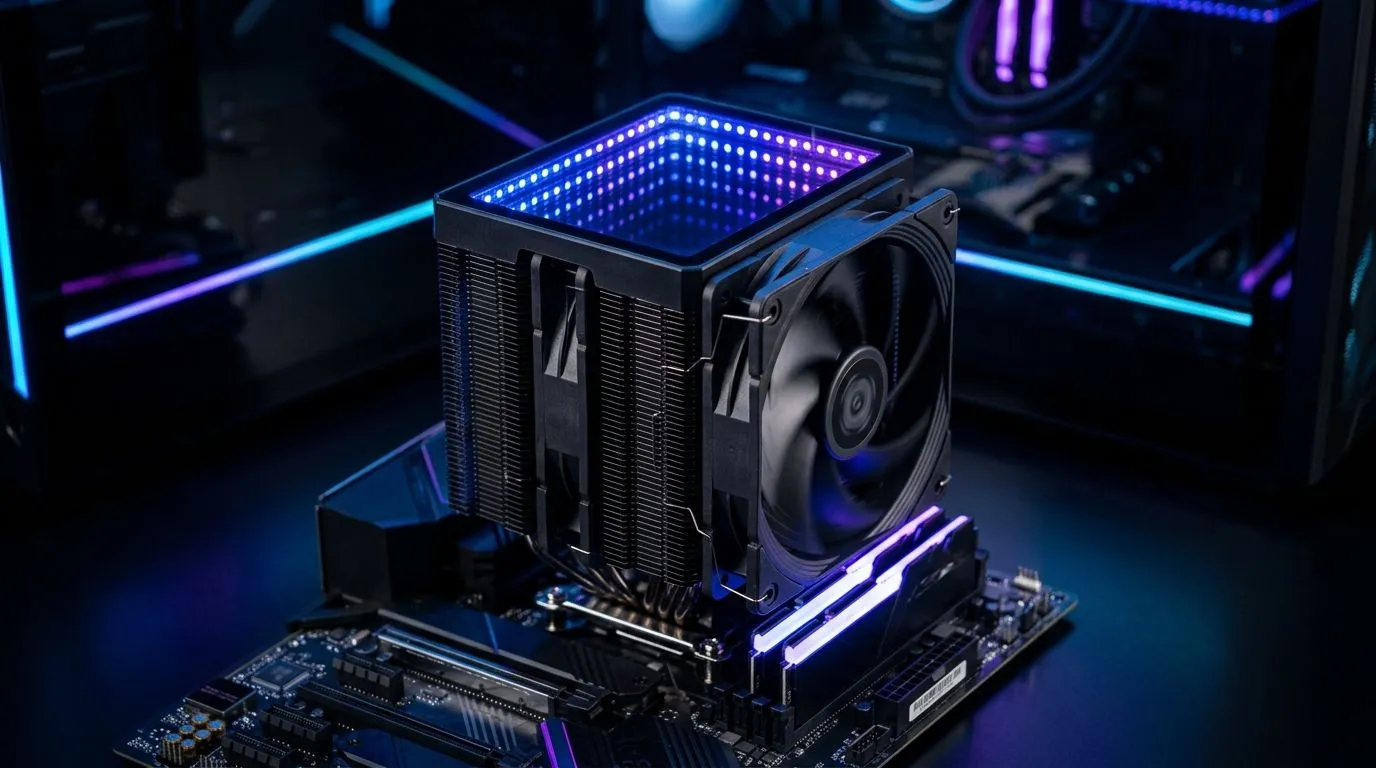
ARGB Infinity Mirror Lighting on CPU Air Coolers: Why It Looks So Wild ✨
If you’re the kind of gamer who spends more time tuning your setup than you do choosing your matchmaking… ARGB is your love language. RGB fans, synced strips, smooth animations… and that “infinity mirror” look that makes your rig feel like it belongs in a sci-fi tournament. ⚡ But what’s actually happening on CPU air coolers with ARGB Infinity Mirror Lighting on CPU Air Coolers: How It Works? Let’s break it down in plain English, with a few practical tips so your lighting doesn’t fight your build.
What “Infinity Mirror” Means on CPU Air Coolers 🔧
“Infinity mirror” is a lighting effect created by light reflecting between surfaces. On many modern coolers, the cooler face includes a reflective element plus a diffuser, and the LEDs shine into that layered surface. The result is the depth illusion: it looks like the light repeats forever.
On an ARGB setup, LEDs are addressable. That means each LED (or group of LEDs) can change colour independently, instead of displaying one single colour across the whole strip. When combined with the mirror-style optics, you get that “depth glow” rather than flat strip lighting.
Common real-world outcome:
- Your cooler shows layered light patterns instead of a simple bar.
- Animations look smoother because the controller can shift colours across zones.
ARGB Infinity Mirror Lighting on CPU Air Coolers: The Signal Pipeline (No Magic) ⚙️
Here’s the usual chain from “PC power on” to “your cooler looks unreal”:
- Power comes from the PSU into the motherboard.
- Addressable LED data goes from the motherboard’s ARGB headers (often 5V 3-pin) to the cooler’s LED controller.
- The motherboard (or the cooler’s compatible lighting ecosystem) sends patterns like “breathing”, “rainbow”, or fixed gradients.
- The cooler’s LEDs receive those commands and display the effect through the infinity mirror optics.
If your lighting doesn’t sync, it’s often one of these:
- Wrong header type (ARGB vs RGB). ARGB is addressable 5V.
- Not fully seated connectors.
- Motherboard software not detecting the controller.
- Fan/LED header splitters that exceed limits.
Build-Check Pro Tip 🔧
On your first boot, confirm your cooler’s lighting connector is on the correct 5V ARGB (3-pin) header. Then test before you cable-manage. Once the case is closed, fixing a loose connector is a pain… especially in smaller mid-towers.
Where to Start When Choosing an Air Cooler with ARGB ✨
If you’re building around an ARGB look, start with the basics first: cooler compatibility, fan size, and airflow for your CPU. Lighting should support performance, not replace it.
For options, browse Evetech’s selection here:
- https://www.evetech.co.za/PC-Components/cpu-coolers-84
- https://www.evetech.co.za/PC-Components/cpu-coolers-84?attributes-coolertype=Air+Cooler
- https://www.evetech.co.za/PC-Components/cpu-coolers-84?attributes-coolertype=Air+Cooler&attributes-coolingsize=120mm+Fans
Want a quick brand filter approach? These brands can be a good place to compare mirror-style ARGB designs:
- https://www.evetech.co.za/PC-Components/cpu-coolers-84?attributes-coolertype=Air+Cooler&brands=Deepcool
- https://www.evetech.co.za/PC-Components/cpu-coolers-84?attributes-coolertype=Air+Cooler&brands=EINAREX
In South African builds, 120mm fans are common because they often balance airflow and noise well. If you’re planning long sessions, quieter cooling is just as important as the visuals.
Quick Troubleshooting for ARGB Infinity Mirror Effects 🚀
So your cooler lights up, but it’s not behaving like you expected. Try this:
- No lighting at all: reseat the ARGB connector, then verify the motherboard header.
- Lights stuck on one colour: check your motherboard RGB software profile.
- Lighting works, but sync doesn’t: ensure the cooler is on the same ARGB control ecosystem (header type matters).
- Flicker during load: confirm power is stable and cables are firm.
If you’re building on a budget but still want that “infinity” depth, aim for a cooler that matches your case clearance and CPU thermal needs first. Then let the ARGB do the flex.
Ready to Find Your Perfect Match? The Mac vs Windows debate is complex, but for maximum power, choice, and value in South Africa, Windows is hard to beat. Explore our massive range of laptop specials and find the perfect machine to conquer your world.











