

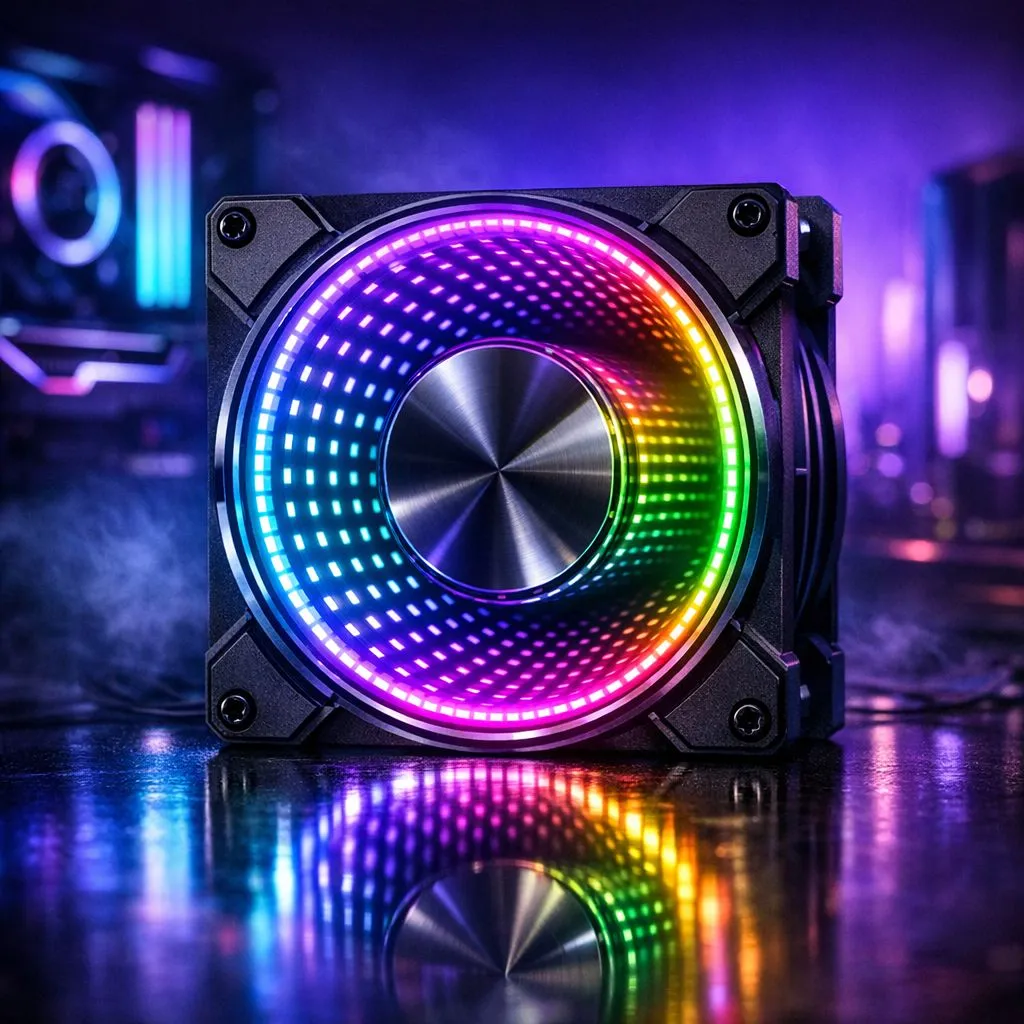
ARGB infinity mirror lighting essentials
South African battlestations love drama. From Jozi to Cape Town, adding an ARGB Infinity Mirror Lighting Guide for Gaming PCs to your rig turns a plain case into a hypnotic focal point. This short guide walks you through component choices, control options, and layout tricks so you spend more time playing and less time troubleshooting.
Choosing the right mirror and fans
Pick a reflective panel that fits your case front or side and allows depth for the infinity effect. For airflow and light, many builders pair the mirror with optimised case fans; browse Evetech’s full case fan range for options that match your case size and colour theme. For brand-loyal builders, consider Corsair fans with mature software support or Deepcool models that often balance price and performance.
- Corsair fans: great software integration and profiles.
- Deepcool fans: price-conscious options with strong lighting.
See Corsair choices here and Deepcool options here.
Lighting modes and controllers
ARGB strips need a compatible controller or motherboard header to sync effects. If you prefer standalone setups, RGB hubs with software can still deliver complex patterns. Decide early whether you want motherboard sync or an independent controller; it saves rewiring headaches. Explore RGB-enabled fans or choose non-lit fans if you want a subtle mirror glow without busy animations.
Size and placement tips
Size your fan and strip choices to match airflow needs. Many builders favour 120mm fans for compact cases and 140mm fans for improved static pressure and quieter operation. Consider placing the mirror slightly recessed with a strip behind the glass to create deeper reflections. Test effects in a darker room to judge intensity before final mounting.
Mounting Micro‑Tip ✨
For a deeper infinity effect, angle the strip slightly away from the glass and use a thin black border material to frame the mirror. This adds contrast and makes the LEDs seem to vanish into depth.
Syncing and software
Use motherboard RGB software if your board supports ARGB headers for the cleanest control. Otherwise, vendor apps can manage Corsair and Deepcool ecosystems. Keep firmware updated and name your lighting zones for quick presets. When in doubt, save a baseline profile with low brightness to protect your display and eyes.
Final setup and styling
Finish by balancing performance and looks. Plugging fans into the right headers keeps speeds governed by temperature, not just lighting. If you want pure aesthetics, a static low-power colour can read as luxury; if you game, choose breathing or reactive modes that mirror in-game events. For parts, compare 140mm fan lines to match your case airflow and lighting goals by browsing 140mm fans.
Small wins matter: try a single colour first, then build a scene with two layers of LEDs for depth and animation. Save your favourite profiles and test them while playing a visually rich title. If you love tweaking, bookmark Evetech pages for quick parts matching and ZAR pricing so you can buy with confidence today.
🔧 Happy building... small tweaks make massive visual returns.
Ready to Find Your Perfect Match? The Mac vs Windows debate is complex, but for maximum power, choice, and value in South Africa, Windows is hard to beat. Explore our massive range of laptop specials and find the perfect machine to conquer your world.











