

Top Surge-Protected Chargers That Justify Every Rand
Discover surge-protected chargers that users swear by for safety and value 💡 🔌. Backed by real reviews and performance insights 🔋
Read moreDiscover the best gaming monitor features to dominate the competition in South Africa! 🚀 We break down refresh rates, response times, and adaptive sync to give you the ultimate edge. Find out which specs truly matter for CS:GO, Valorant, and more. Your next win starts here!🏆
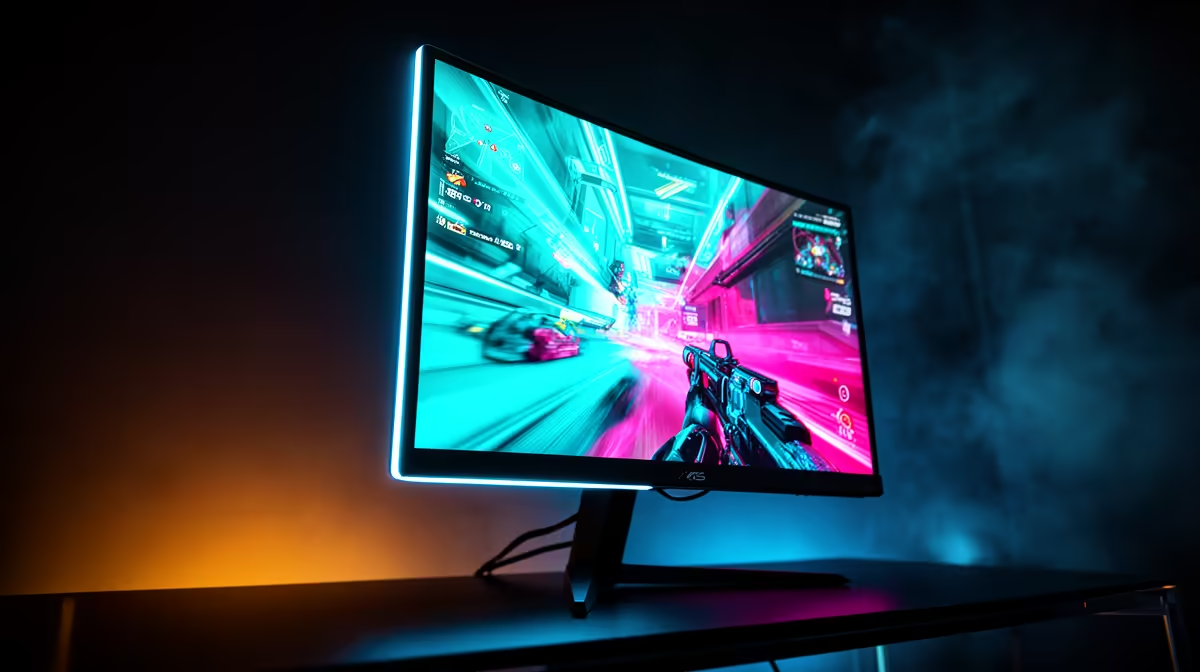
Alright, let's talk real. In the fast-paced lobbies of Valorant and Apex Legends, your biggest enemy isn't just the other team... it's lag. While we can't do much about South Africa's ping, we can control our hardware. Your monitor is your window to the battlefield, and having the best gaming monitor features is non-negotiable for competitive players. It's the difference between seeing an enemy first and seeing the respawn screen. Let's dive in. 🚀
When it comes to the best gaming monitor features, refresh rate is king. Measured in Hertz (Hz), it tells you how many times your screen updates with a new image every second. A standard 60Hz office monitor is fine for emails, but for gaming, it's a bottleneck. It creates motion blur and makes tracking fast-moving targets feel sluggish.
For any serious SA player, 144Hz is the absolute minimum entry point. The jump from 60Hz to 144Hz is massive, offering a smoother, more responsive experience that gives you a clear edge. If you're aiming for the top leaderboards, pushing for 240Hz or even 360Hz will give you the cleanest motion clarity possible, allowing for micro-adjustments that win duels. You can find options across the spectrum in today's top gaming monitors.
If refresh rate is how often the picture updates, response time is how fast it can do it. Measured in milliseconds (ms), it’s the time it takes for a pixel to change from one colour to another. A slow response time results in "ghosting" or motion blur, where you see faint trails behind moving objects. In a competitive shooter, that blur can completely obscure an enemy.
You'll want a monitor with a 1ms Gray-to-Gray (GTG) response time. This is one of the most critical features for competitive players. It ensures that each frame is rendered crisply, giving you a sharp image even during the most chaotic fights. Don't settle for less; you can browse a huge variety of low-latency PC monitors in our components section to find one that fits your budget.
Once you have your high-refresh-rate monitor, dive into your GPU's control panel (NVIDIA Control Panel or AMD Software). Boost the 'Digital Vibrance' or 'Saturation' slightly. This makes enemy player models pop against the background colours in games like CS2 and Valorant, making them easier to spot.
Not all screens are created equal. The panel technology inside your monitor dictates its performance regarding colour accuracy, viewing angles, and speed. Here's a quick rundown for competitive gaming:
Choosing the right panel is a key part of finding a monitor with the best features for your needs. You can often check out the best PC monitor deals to find a high-performance IPS panel for a great price in ZAR.
It's tempting to go for a massive 4K screen, but for pure competitive performance, it might not be the best choice. Most pro players prefer 24-inch to 27-inch monitors at 1080p (1920x1080) or 1440p (2560x1440) resolution. Why?
While those stunning 4K monitors are incredible for immersive single-player adventures, 1080p or 1440p remains the sweet spot for competitive play. ✨
A few other monitor features can enhance your competitive gaming experience:
Ultimately, the best gaming monitor is the one that lets you perform at your peak without getting in the way. Focus on a high refresh rate and a low response time first... everything else is a bonus.
Ready to See the Difference? Choosing a monitor is personal, but nailing the specs gives you a real competitive advantage. From lightning-fast refresh rates to crystal-clear panels, the right screen makes all the difference. Explore our massive range of gaming monitors and find the perfect display to dominate the lobby.
For competitive gaming, the most crucial features are a high refresh rate (144Hz or higher) and a low response time (1ms or less) to ensure smooth, blur-free visuals.
Yes, for serious competitors in fast-paced games like Valorant or CS:GO, a 240Hz monitor provides a noticeable advantage in smoothness and reaction time over 144Hz displays.
Both G-Sync (NVIDIA) and FreeSync (AMD) reduce screen tearing. Your choice should match your GPU. For competitive play, many pros disable it to minimize potential input lag.
Absolutely. TN panels are often fastest but have weaker colors. IPS panels offer better colors and viewing angles with improving response times, making them a popular balanced choice.
The best response time for gaming, especially competitive titles, is 1ms (millisecond) or lower. This minimizes motion blur and ghosting for the clearest possible image during fast action.
Extremely important. Low input lag ensures the time between your mouse action and the on-screen result is minimal, which is critical for high-stakes competitive gaming performance.
Discover surge-protected chargers that users swear by for safety and value 💡 🔌. Backed by real reviews and performance insights 🔋
Read more
- Audit frame gen impact; - Test parry windows; - Recommend fixes. Frame Gen Code Vein 2: Learn how frame generation affects parry timing, tests and practical fixes to keep parries consistent. 🕹️⚡
Read more
Is a Ultra Short Throw Projector Good for Gaming?. Diagnosis steps, proven fixes & when to seek professional help. SA-specific support info included.

Is a Short Throw Projector Good for Gaming? Input. Diagnosis steps, proven fixes & when to seek professional help. SA-specific support info included.

Top Mouse Settings for Competitive FPS: Sensitivity picks evaluated on performance, value & SA availability with current Rand pricing from Evetech.

Top Speakers for MacBook Desk Setup picks evaluated on performance, value & SA availability with current Rand pricing from Evetech.

Is a Ergonomic Chair Better Than a Standard Office Chair for Gaming Detailed answer with SA data, expert analysis & practical recommendations for local buyers.

Use Spotlight Search Like a Pro on macOS. Step-by-step instructions with SA-specific tips, common pitfalls to avoid & expert recommendations.

wireless keyboard Fan Noise Too Loud: Quiet. Everything you need to know with SA pricing, step-by-step instructions & expert recommendations.

Connection Timeout: Troubleshooting Guide #2. Diagnosis steps, proven fixes & when to seek professional help. SA-specific support info included.

Gaming PC Question: Is my power supply dying Detailed answer with SA data, expert analysis & practical recommendations for local buyers.

Projector Throw Ratio Calculator: Perfect. SA-focused analysis with local pricing data, real-world insights & actionable buying advice.

Monitor Stock Levels in Nelspruit: July Report. Current stock data & price tracking for SA buyers. See what is available and where prices are heading.

CS2 Low FPS: Power Supply Bottleneck. Real-world benchmark data, FPS numbers & performance analysis. What SA gamers can actually expect.