

Budget 1TB SSD Under R1500 in South Africa: What to Look For (and why it matters)
Buying storage in South Africa is a bit like choosing your next upgrade between “now” and “later”. You want fast load times for games, quick boot for your rig, and enough space for textures, clips, and installs… without going over budget.
A Budget 1TB SSD Under R1500 in South Africa: What to Look For isn’t just about chasing capacity. It’s about picking the right interface, form factor, and performance level so your PC feels snappy instead of “almost fast”.
Let’s make that choice simple. 🔧
Budget 1TB SSD Under R1500: Know the interface (SATA vs NVMe)
Most deals around R1500 will be either SATA SSD or NVMe SSD.
- SATA SSD (2.5"): Reliable, easy to fit if your PC has a 2.5" bay.
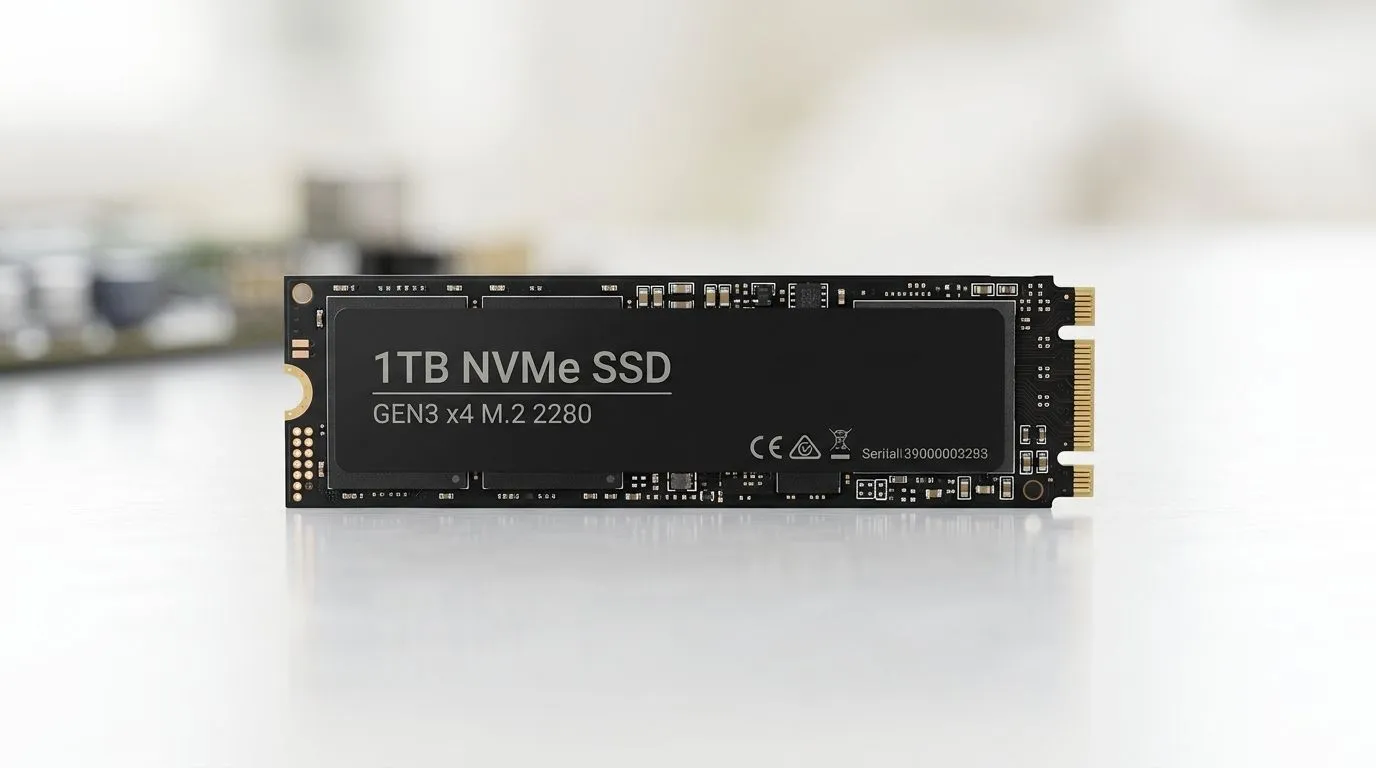
- NVMe SSD (M.2): Much faster in real-world use, especially for game installs and loading screens, assuming your motherboard supports it.
If you’re shopping now, start with Evetech’s solid-state drive selection so you can compare models and filters quickly: Browse solid state drives at Evetech
When you’re narrowing down, brand filters help you avoid surprises: Explore ADATA options
And if you prefer a more “set-and-forget” feel: Check out Kingston SSDs
Budget 1TB SSD Under R1500: Pick the right form factor for your PC
Here’s the most common mistake: buying an SSD that physically does not fit your system. For most modern builds and upgrades, you’re likely looking at M.2 2280. But not all PCs support NVMe or the same M.2 length.
If your motherboard has an M.2 slot and you want an easy match: Shop by M.2 2280 form factor
If you’re unsure, check your motherboard manual or look for a label near the M.2 slot. When you get it wrong, you end up paying twice… and nobody wants that in SA. 😅
Budget 1TB SSD Under R1500: Match Gen speed to your motherboard
NVMe generations are another trap. An NVMe drive might be fast, but it will run according to what your motherboard supports. “Good enough” is fine. Buying something that’s incompatible is not.
Evetech makes it easier to filter by supported interface generations: Filter by Gen 5 (NVM…) compatibility
Practical takeaway? If your board supports Gen 4, a Gen 5 drive will still work. It just won’t hit peak Gen 5 speeds. Still, it can be a smart buy if the price is right. ⚡
Budget 1TB SSD Under R1500: Performance specs you should actually care about
For gaming and everyday use, you care about:
- Sequential speeds (useful for big file transfers)
- Random IOPS and overall responsiveness (important for OS and game launching)
- DRAM vs DRAM-less (DRAM-less designs can be fine, but they may vary more under heavy writes)
- Endurance rating / TBW (helps you gauge long-term reliability)
If you’re building a “mostly games” PC, you’ll feel the difference quickly when your SSD is the system drive. If you’re video editing or doing heavy writes, TBW and sustained performance matter more.
Productivity Pro Tip ✨
On Windows, use the PowerToys FancyZones utility to create custom snap layouts for your windows. It's a lifesaver for managing multiple apps on an ultrawide monitor, letting you organise your timeline, preview window, and asset folders perfectly for video editing.
Budget 1TB SSD Under R1500 in South Africa: Quick buying checklist before you click “Add to cart”
Before you buy, confirm:
- Capacity: you want 1TB (not “almost 1TB”)
- Interface: SATA or NVMe
- Form factor: 2.5" vs M.2, and specifically 2280 if going M.2
- Motherboard support: NVMe availability and generation
- Warranty: don’t skip it
Then you’re set for faster installs, quicker launches, and a smoother Windows experience. 🚀
Ready to Find Your Perfect Match? If you’re trying to keep upgrades under R1500 while still getting real speed, the easiest path is choosing the right SSD format for your build and matching it to your motherboard. Check out our current specials and find a deal that fits your setup. Explore our massive range of laptop specials and get the performance upgrade you’ve been aiming for.











