

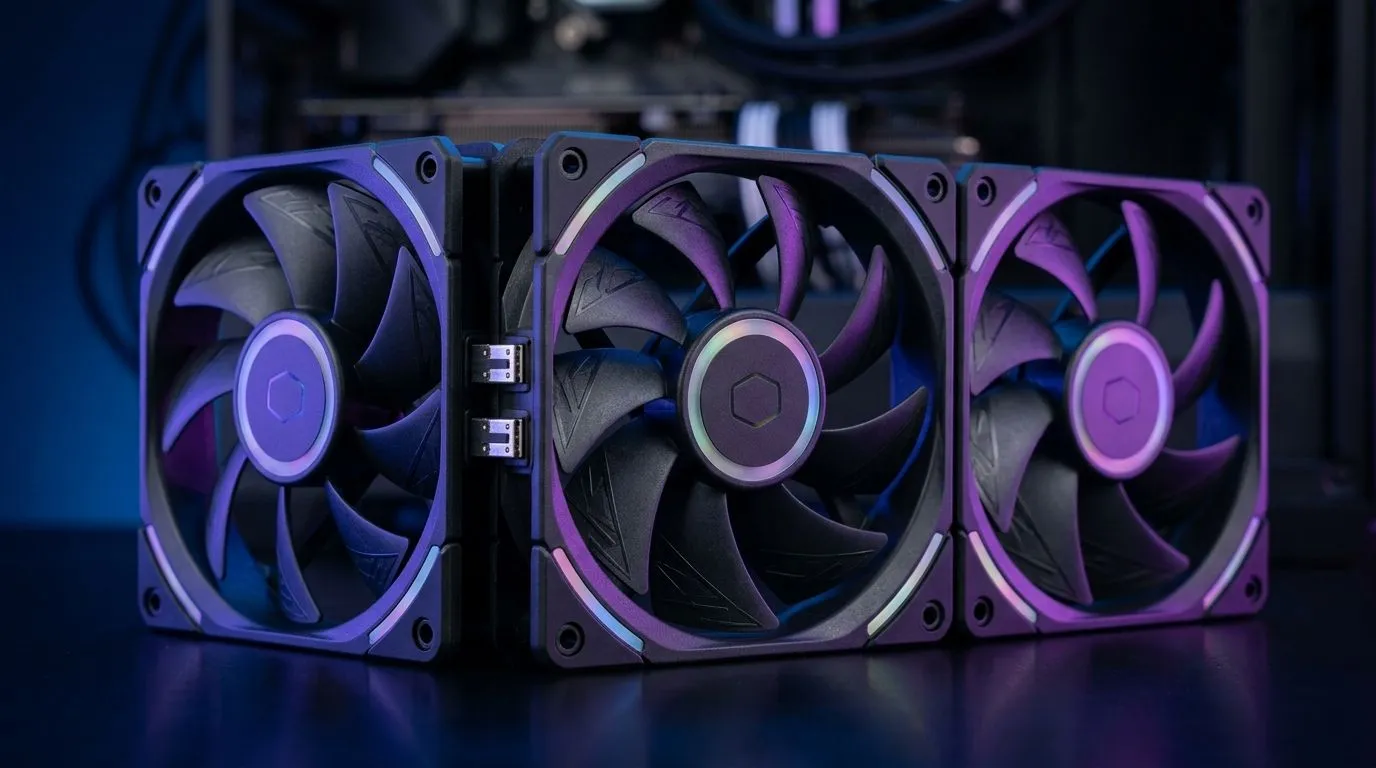
Cable-Free Fan-to-Fan Connections vs Standard Fan Cabling: Why South Africans Feel the Difference
If your PC build is looking like a spaghetti bowl, you’re not alone. South African gamers spend hours on performance tweaks, then get stuck fighting cables when they clean up a case for better airflow. 🔧 The truth is… airflow isn’t just about fan RPM. It’s also about how neatly your fans are powered and linked. That’s where Cable-Free Fan-to-Fan Connections vs Standard Fan Cabling becomes a real buying decision, not just a spec-sheet detail.
In this Deep Dives guide, we’ll break down what you gain (and what you might trade) when you choose daisy-chain style cabling versus cable-free fan interconnects. We’ll also help you pick the right case-fan setup for common South African builds, from tight micro-ATX towers to RGB-heavy battlestations. ✨
Cable-Free vs Standard: How fan control actually works in builds
With standard fan cabling, each fan usually needs its own connection to a hub, controller, or motherboard header. That’s simple, but it can add clutter fast, especially with multi-fan setups, front intake + top exhaust + rear exhaust plans, and RGB fans.
With cable-free fan-to-fan connections, manufacturers use an interconnect method that links fans together without running a separate cable to each one in the chain. The main benefits tend to be:
- Less cable bulk, which can help maintain cleaner airflow paths
- Easier installation when you’re working in compact cases
- Often faster troubleshooting when a single fan goes quiet
However, there are practical limits:
- Interconnect systems can be model-specific. If one fan in the chain is incompatible, the whole setup can become a problem.
- You may still need a proper power and signal source for the chain overall, depending on the design.
For shoppers, the real question is: do you want convenience and neatness now, or maximum flexibility later?
What to check before you buy (and avoid regrettable builds) ⚡
Before you add fans, do a quick “compatibility reality check”:
- Motherboard header availability: do you have enough fan headers (or a hub)?
- Case clearance: front intakes often sit close to PSU shrouds or drive cages. Even 120mm vs 140mm changes fitment.
- Fan sizing plan: pick a consistent approach so you don’t end up mixing spacing and bracket kits unnecessarily.
Use these Evetech fan listings to compare size options and lighting variants that match your build:
- 120mm options (often best for tighter spaces): Browse 120mm case fans
- 140mm options (often best for lower-noise airflow): Browse 140mm case fans
If you’re hunting RGB, decide early how far you want the look to go:
- Explore RGB case fans
- Or keep it clean with non-RGB selections: See non-RGB options
The quietest win: reduce cable friction at install time 🔧
{TipBox title:"Productivity Pro Tip ⚡" , On a new build, dry-fit your fans with the side panel off first. Route your interconnect or standard cables behind the motherboard tray before you tighten anything. This prevents rework later when you discover a cable blocks a PSU screw or a top fan doesn’t sit flush. Double-check fan direction with an airflow arrow on the frame before final mounting. }
So… should you choose Cable-Free Fan-to-Fan Connections vs Standard Fan Cabling?
Here’s a grounded way to decide:
Choose cable-free fan-to-fan connections if you:
- Want a clean build with less visible clutter
- Are installing multiple fans and want faster assembly
- Prefer easy cable management for maintenance
Choose standard fan cabling if you:
- Want maximum compatibility across different fan models
- Like swapping parts later without worrying about a proprietary chain design
- Build with mixed brands where uniform interconnect support is uncertain
If you’re choosing based on brand lineup, start with a broad selection and narrow down from there:
- Shop a wide range of case fans
- If you’re considering CORSAIR specifically: View CORSAIR case fans
- For Deepcool fans: Check out Deepcool case fans
At the end of the day… you’re buying airflow control and build sanity. Cable-free links can make your rig easier to live with. Standard cabling can make your rig easier to upgrade. Both can perform well, but your best choice depends on your case space, your motherboard headers, and your future upgrade plans. 🚀
Ready to Find Your Perfect Match? If you’re planning a clean, high-airflow build, choosing the right fans and connections is only half the battle. Get the rest of the advantage with parts that fit your style and your budget. Explore our massive range of laptop specials and find the perfect machine to conquer your world.











