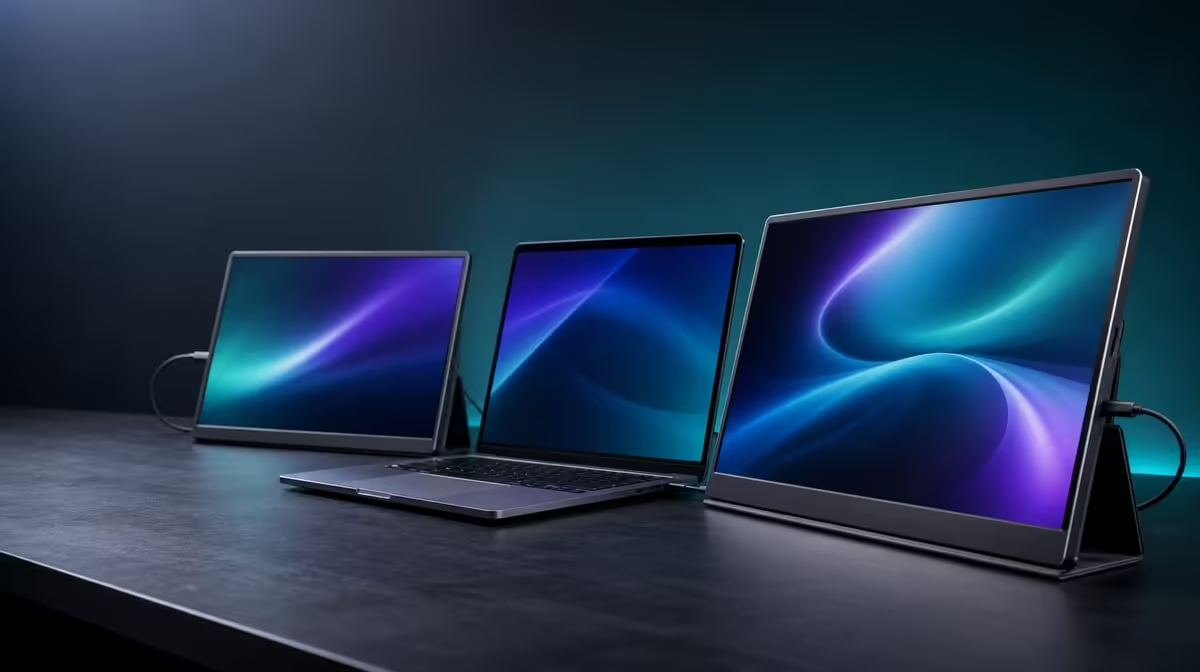
Study and creative work often share the same tension: source material, production tools and communication all compete for a small laptop display. To choose a dual-screen monitor for SA study and creation, map those activities onto visible work areas, prove the host connection and test the full kit between locations. The R4,299 UPERFECT Delta offers two independent Full HD panels as one candidate.
Quick Answer
Choose the Delta when two 15.6-inch 1920 x 1080 IPS screens give named study or creative tasks a stable place, the laptop supports the required connection and the folding assembly suits the travel routine. Its R4,299 package includes a built-in stand, compatible one-cable operation and separate-source capability. The 25ms response favours productivity over fast competitive motion.
📚 Design the study layout before buying
Write down a normal session. A learner may need course material beside notes, a data table beside an assignment or a lecture beside a reference document. One Delta panel can hold the active task while the other protects source material from continual covering and reopening.
The laptop remains part of the picture. Its screen can hold communication, a calendar or a third supporting view. That does not mean all three displays must be full at once. A clear layout with quiet areas can improve focus more than a wall of notifications.
Choose extension to create separate workspaces. Mirroring is useful for repeating content to another viewer but does not deliver the same multitasking benefit.
At native 1920 x 1080, begin both panels with matching operating-system scale. Test reading distance and adjust application zoom where needed rather than forcing too much material into each area.
Browse the Evetech portable display category for current study-oriented formats.
🎨 Give creative tools deliberate positions
For editing, separate the timeline, preview, file browser or notes according to the stage of work. For CAD, reserve a panel for the drawing or model and another for properties, instructions or reference. The best arrangement is the one that reduces covering the main work, not the one with the most open windows.
Run a representative project for at least one working block. Move tools between the two independent panels and laptop until pointer travel and text size feel natural. Save a screenshot of the final display arrangement so it can be rebuilt after travel.
Consider motion honestly. The Delta has a stated 25ms response, so it is not designed around speed-focused gaming. Video editing can still use secondary panels for timelines, controls and files, but anyone making motion-critical judgements should test the intended division of work.
The IPS panels provide matching Full HD canvases, while colour-critical work still depends on gamut, calibration and measured accuracy. Judge the tasks the display specifications can support and keep performance promises tied to direct evidence.
🔌 Confirm the exact source plan
One-cable operation is conditional on the host. The selected laptop USB-C port must supply the Delta's necessary two-display video and power route. Check the notebook model and port capabilities rather than assuming every USB-C connector behaves alike.
After approval, open the monitor on its integrated stand and connect while the assembly remains still. Identify both panels in display settings, choose extension and test a simple window across all visible areas. Repeat after sleep and wake.
Two separate compatible devices can also feed the independent panels, one source per screen. That may help a creator compare material from another device or keep a secondary system visible. It uses a different connection map from one laptop driving the full desktop, so plan the required leads and desk space.
Cable slack should remain away from the 360-degree hinge. A neat source plan loses value when a tight lead pulls the folding body out of position.
🎒 Make South African mobility concrete
List the actual route: home, campus, studio, office or client site. Set up on surfaces similar to those places. The stand must remain stable, the laptop keyboard must stay accessible and both displays need a readable viewing angle.
Close applications before disconnecting, support the panels while folding and protect them in the bag. Put the closed monitor beside the intended laptop, charger and cables and test the complete load in the actual compartment.
Rebuild at a second table and note the time required to restore detection and window positions. A travel feature earns value when it preserves a familiar working method away from the main desk, not merely because the monitor can be folded.
When most work happens in one permanent location, compare fixed alternatives in the Evetech PC monitor range. Portability should be paid for when it is used.
Decide whether R4,299 fits the outcome
Keep the price beside the complete package: two Full HD IPS panels, independent operation, built-in support and the folding body. Do not invent a separate cost for the second screen or stand.
Then score the result in study or creative terms. Did the extra view reduce switching? Could a lesson, reference or timeline remain visible? Did the laptop run the complete layout comfortably? Was the travel cycle safe and repeatable?
Frequency matters. A learner who changes location every day may use the folding design far more often than a creator with one studio desk. A person who regularly compares two source devices may value independent input differently from someone with one notebook.
The correct answer can still be no if the host path is unsuitable, the 25ms motion profile conflicts with the core task or the kit does not fit the journey. A reasoned refusal is better than paying for features that remain unused.
Check current availability through Evetech. The monitor best-seller page can add market context after study, creation, connection and travel have been assessed.
Revisit the decision after a representative deadline or project milestone. A layout that looks organised in a short trial may still create excessive pointer travel, distraction or setup effort during sustained work. If the two panels keep essential source and tool views visible throughout the real assignment, their benefit has survived a better test. If one stays unused, redesign the roles before assuming more display area is automatically better.
Frequently Asked Questions
How can two screens help study?
They can keep the active assignment on one display and source material, notes or a lecture on the other.
Which creative tasks can use the layout?
Editing tools, timelines, previews, CAD views, references and file management can be distributed across independent work areas.
What must the laptop support?
For one-cable use, its selected USB-C port needs to output both external pictures and satisfy the power requirement.
Can different devices use the two panels?
Yes. Each independent screen can display a compatible source device.
Is the Delta built for fast competitive play?
No. Its 25ms response positions it more naturally around productivity and general creative workflows.
Will it fit a student's current backpack?
That cannot be assumed. Test the closed display alongside the notebook, power equipment and leads in the intended bag.
What is included at R4,299?
The price covers the dual 15.6-inch Full HD monitor assembly with its folding body and built-in stand.
Where can fixed monitors be compared?
Use Evetech's PC monitor category when a permanent study or studio setup is the better fit.
Should all three visible screens stay busy?
No. Keep only useful information visible; a quieter layout can protect focus while retaining separate space when it is needed.
Ready to give study material and creative tools their own visible space?
Compare Evetech monitors and test the Delta against your laptop, everyday projects and real travel kit.