

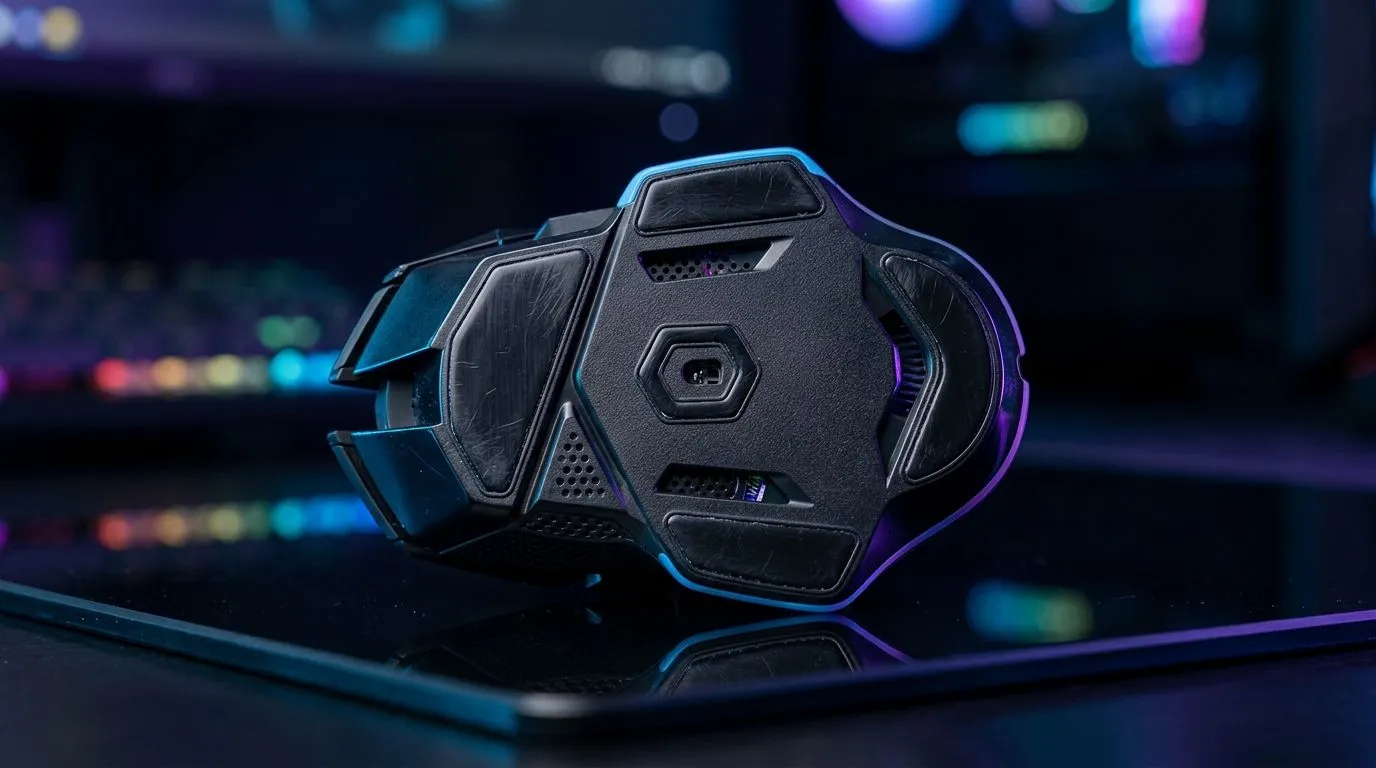
Why Cleaning Gaming Mouse Skates Matters for Smooth Glide
South African gamers know every millisecond counts in intense FPS battles or competitive MOBA matches. If your mouse skates are dirty or worn, they drag and slow your movement. That’s a hidden handicap you don’t want. Cleaning and maintaining gaming mouse skates ensures a smooth glide and precise control—critical for nailing those headshots or quick reflex plays. ⚡ Let’s dive into how to keep your mouse sliding effortlessly.
How to Clean Your Gaming Mouse Skates Safely
Dirty skates trap dust, skin oils, and fibres from your mouse mat. This grime causes uneven glide and can even scratch the mat surface. To clean your gaming mouse skates:
- Power off and unplug your wired or wireless mouse.
- Gently wipe the skates using a microfiber cloth slightly dampened with isopropyl alcohol.
- Use a soft brush or cotton swab to get into tiny gaps.
- Dry completely before plugging your mouse back in.
Avoid harsh chemicals that degrade the Teflon or PTFE material common in quality mouse skates. For replacements, check out Evetech’s extensive range of mouse accessories — you’ll find premium skate sets designed for smooth, consistent gliding.
Maintenance Tips for Optimal Mouse Performance
Maintaining your gaming mouse skates goes beyond cleaning. Here’s what the pros do regularly:
- Inspect skates for scratches or thinning edges; replace if performance dips.
- Rotate your mouse hand position sometimes to avoid uneven wear.
- Keep your mouse mat clean too; accumulated dust can transfer back to the skates.
For gamers using the latest wired or wireless tech, consider browsing Evetech’s selection of wired mice and wireless mice. Many models come with pre-installed high-grade skates or easy replacement kits.
Choosing the Right Skates for Your Gaming Mouse
Not all skates are created equal. Materials like PTFE offer ultra-low friction and last longer than cheaper plastic skates. Thickness can affect how much your mouse lifts off the surface, impacting glide distance. When choosing skates, aim for a balance of smooth glide and control that suits your playstyle.
Explore Evetech’s gaming mouse components for specific skate upgrades tailored to popular brands and models. Investing in quality skates helps maintain consistent sensor tracking and reduces wrist strain over long sessions.
Pro Tip for Glide Perfection
Upgrade old skates with high-quality PTFE variants and clean your mouse mat weekly to slash friction. It’s a small fix with a massive impact on aiming precision.
Micro-Story: The Difference in Competitive Play
One local gamer shared how cleaning her mouse skates transformed her aim. “After months of sticky skates, my precision felt off. A quick clean and replacing worn skates from Evetech made aiming smoother—my K:D ratio even improved. It’s those little tweaks every serious gamer needs.”
Whether you game casually or compete online, maintaining your mouse’s glide ensures you’re never held back by avoidable tech issues. For those looking to upgrade, check Evetech’s best gaming mouse deals for affordable performance boosts.
Ready to Upgrade Your Glide? Keep your mouse performance top-tier with quality skates and accessories. Shop now at Evetech for performance that leaves lag in the dust.











