

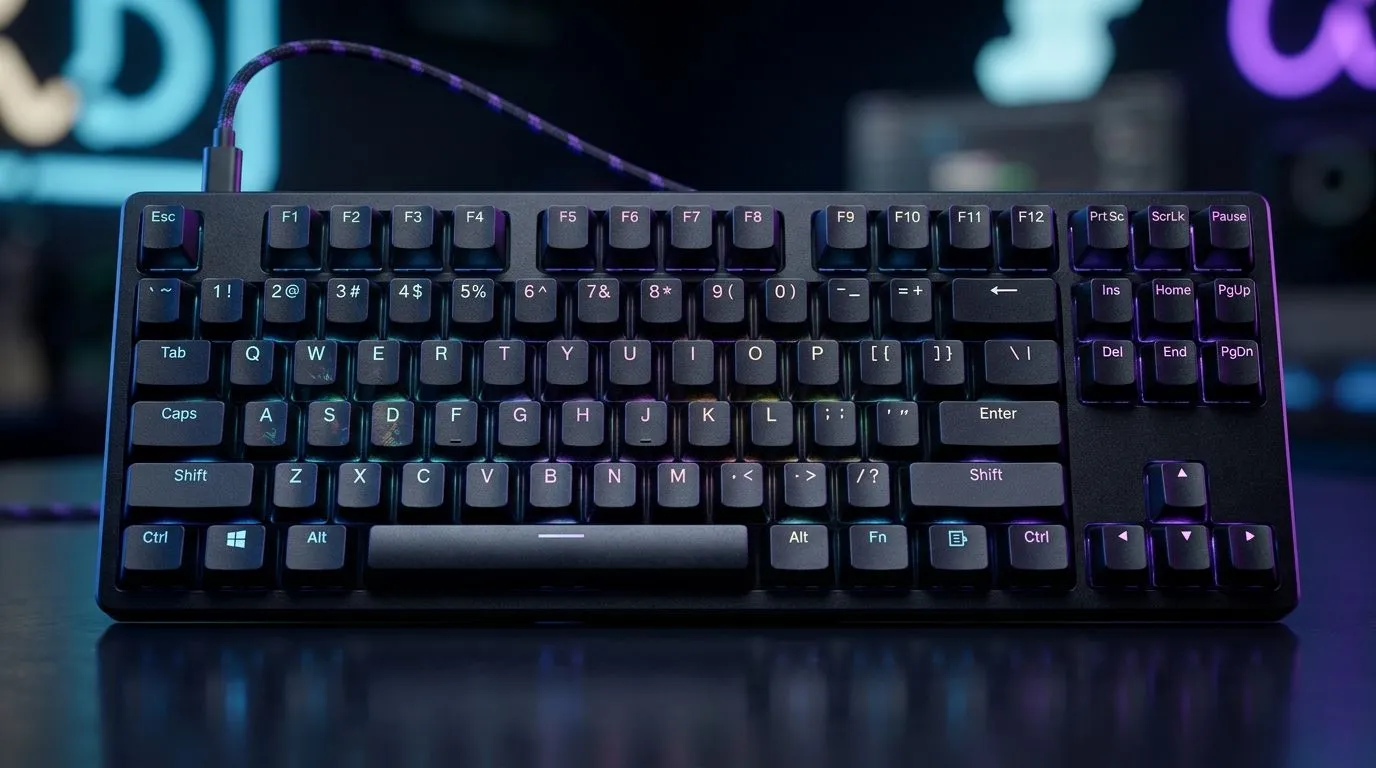
Small Desk, Big FPS Dreams: Why Compact TKL Matters in South Africa 🎮
If your gaming setup is more “shared desk” than “full battlestation”, a full-size keyboard can feel like dead weight. The good news? Compact TKL keyboards free up mouse space, keep your posture natural, and still deliver the key performance you want for ranked play. In South Africa, where desk space and budgets are both real constraints, choosing the right layout is often the difference between “nice” and “actually comfortable” every night.
Compact TKL Keyboards for Small Desk Gaming in South Africa: What to Look For 🔧
“TKL” means you’re skipping the number pad, usually keeping function keys and arrows. That reduction can give you more room for controlled aiming and quick flicks… especially if you use a wider mouse pad.
Here’s what matters most when shopping:
Switch feel (and why it changes your consistency)
Before you chase RGB, think about how the keys feel. Mechanical switches affect actuation force and consistency, which can impact rhythm in shooters and productivity between matches. If you game a lot, choose something that matches your typing style too.
Wired vs wireless reliability
Wireless TKLs are convenient, but for competitive play, many players prefer wired for consistent latency and fewer battery worries. If you do go wireless, get a model with stable connectivity and a sensible charging routine.
Layout sanity: keep your muscle memory
Try to avoid layouts that move common keys in ways that fight your muscle memory. Compact can be “small but smart”… or “small but annoying”, depending on how the keyboard is built.
Productivity Pro Tip ⚡
On Windows, use the PowerToys FancyZones utility to create custom snap layouts for your games launcher, Discord, and browser guides. A TKL setup usually means you’ll sit closer, so keeping the UI organised helps you stay focused between rounds. You’ll also reduce accidental clicks when your mouse travel is shorter. If you use multiple screens, set zones that match your typical match flow.
Compact TKL Keyboards for Small Desk Gaming in South Africa: Deal-Savvy Buying Guide 🇿🇦
Budget is a factor, so shop smart. Start by deciding your connectivity, then narrow by essentials like backlighting (if you like it), build quality, and switch type.
If you want to compare options quickly, start with keyboard deal pages and then move to the specific connectivity category you care about:
- Browse top keyboard offers and build your shortlist here: best gaming keyboard deals
- If you’re price-first and want to compare what’s currently moving, check this: buy cheapest gaming keyboard in South Africa
- For desk setups where reliability matters most, look at wired picks: cheapest gaming keyboard deals (Wired)
- If you need clean cable management for a shared space, wireless options are here: cheapest gaming keyboard deals (Wireless)
- Want a matched feel for aiming and movement? Use a bundle check to simplify your upgrade path: buy keyboard & mouse combo
And yes, bundles can be good value in ZAR because you’re not reinventing the wheel. You’re getting a cohesive setup, right from the start.
Compact TKL Keyboards for Small Desk Gaming in South Africa: Quick Setup Checklist for Faster Play 🚀
Once you pick a compact TKL, set it up properly:
- Calibrate your desk height: Your elbows should sit comfortably. Shorter mouse travel feels great when your posture is stable.
- Assign keybinds intentionally: If you’re moving from full-size, confirm that your crouch, interact, and reload keys sit where your fingers expect.
- Test with your main game mode: Spend 10 minutes in a low-stakes mode. Muscle memory matters more than specs on day one.
- Tame the distractions: If RGB is overwhelming, tone it down. Focus wins matches.
Ready to upgrade without wasting desk space ✨
The right compact TKL keyboard can make your setup feel “new” even when you didn’t change everything else. Use the connectivity choice, confirm your layout comfort, and you’ll feel the difference quickly… especially in close-quarters fights.
Ready to Find Your Perfect Match? The Mac vs Windows debate is complex, but for maximum power, choice, and value in South Africa, Windows is hard to beat. Explore our massive range of laptop specials and find the perfect machine to conquer your world.











