

Quick Answer
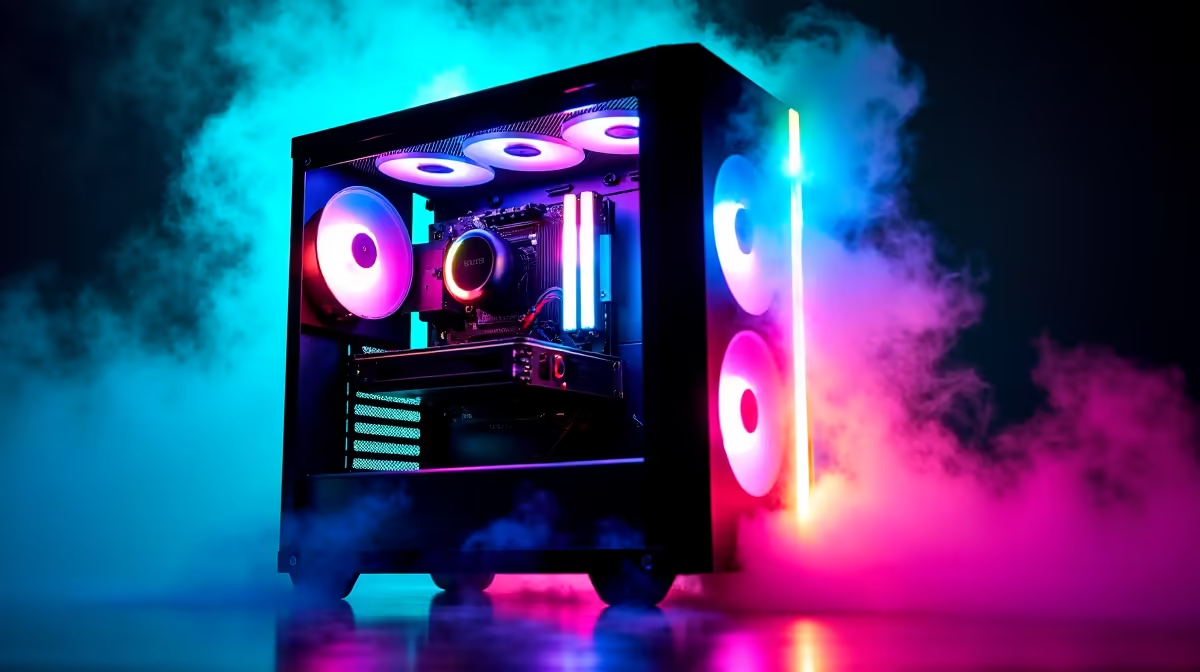
Setting up RGB backlighting transforms a gaming setup from functional to visually striking. Whether you are using RGB fans, strips, motherboard headers, or peripheral sync software, the process follows a few consistent steps: connect hardware to the correct headers, install the right software, and sync everything through a unified lighting controller.
Understanding RGB Headers and Connectors
Before touching a single cable, you need to know what type of RGB your components use. There are two main standards: the older 12V RGB header (4-pin, also called ARGB at 12V) and the newer 5V ARGB header (3-pin). These are not interchangeable. Plugging a 12V strip into a 5V header will damage the component permanently, so always check your motherboard manual and your RGB device specifications before connecting.
Most modern South African gaming builds using mid-range to high-end motherboards will have at least one 5V ARGB header and one 12V RGB header onboard. Budget boards sometimes only carry one type, so plan your component choices around what your motherboard actually supports. If you run out of headers, RGB splitter cables and hub controllers let you expand your header count without buying a new board.
Connecting RGB Strips, Fans, and Peripherals
For case fans with ARGB lighting, run the fan power cable to a fan header or fan hub, and run the separate ARGB data cable to your motherboard's 5V 3-pin header. The arrow on the connector marks pin 1 and must align with the pin 1 marking on the header.
RGB LED strips follow the same logic. Measure the strip against the area you want to illuminate (behind the monitor, inside the case, under a desk edge), cut at the marked cut points only, and connect to your chosen header. Avoid bending strips sharply around corners as this breaks the copper traces.
For USB-connected peripherals like keyboards, mice, and headsets with RGB, no header wiring is required. These are controlled entirely through software.
Software Sync: Getting Everything to Match
The weakest point of most RGB setups is fragmented software. Different brands ship their own apps and these rarely talk to each other out of the box. The major motherboard manufacturers each offer their own ecosystem: ASUS has Aura Sync, MSI has Mystic Light, Gigabyte has Fusion 2.0, and ASRock has Polychrome Sync.
If all your components are from one ecosystem, setup is straightforward. If you are mixing brands (which is common in South African builds where you pick the best price-per-performance at the time), you have two options. First, check whether your peripheral software supports the motherboard's lighting API. Second, consider a universal solution like SignalRGB or OpenRGB, both of which support a wide range of hardware across different brands and allow you to run a single unified lighting profile.
Once software is installed, open the lighting control panel, detect your connected devices, and assign them all to the same lighting profile or effect. Popular choices include static colour, breathing, rainbow wave, and reactive lighting that responds to in-game events.
Optimising Your RGB Setup for SA Gaming Conditions
South African gamers should factor loadshedding into their RGB planning. RGB fans, strips, and peripherals all consume power, and during extended loadshedding sessions running on a UPS, every watt counts. If you are on inverter or UPS power, consider switching to a static single-colour profile rather than animated effects, which can draw more power depending on the LED count and brightness setting.
For students in residence or koshuis setups, RGB lighting can double as ambient room lighting in the evenings, reducing the need for overhead lights while gaming. A warm white or soft amber static colour on desk strips is surprisingly effective as a study-friendly alternative to full-overhead lighting.
Price-wise, RGB fans from reputable brands start at around R250 to R350 per unit in South Africa, while addressable LED strips run from R150 upward depending on length. Budget your RGB spend as part of your total build cost and prioritise case fans that serve a dual purpose: airflow and aesthetics.
Frequently Asked Questions
Can I mix ARGB and RGB components in the same build?
Yes, but they must connect to their respective header types. A 5V ARGB component goes to a 3-pin 5V header, and a 12V RGB component goes to a 4-pin 12V header. You can have both in the same build as long as your motherboard has both header types or you use a controller hub.
Why is my RGB not showing up in the software?
First check that the physical connection is secure and the connector is correctly oriented. Then confirm you have the latest version of your motherboard's RGB software installed. Some devices also need a driver installed separately before the lighting app can detect them.
Does RGB affect gaming performance?
No, RGB lighting has zero impact on CPU or GPU performance. The only minor consideration is power draw on a UPS or inverter during loadshedding, but even a fully lit RGB build adds only a few watts to your total system consumption.
What is the easiest way to sync all my RGB if I have mixed brands?
OpenRGB is a free, open-source tool that supports a wide range of hardware brands and lets you control everything from one interface without needing multiple brand-specific apps running simultaneously.
Ready to Find Your Perfect Match? Ready to build or upgrade your RGB gaming rig? Browse gaming PC deals at Evetech











