

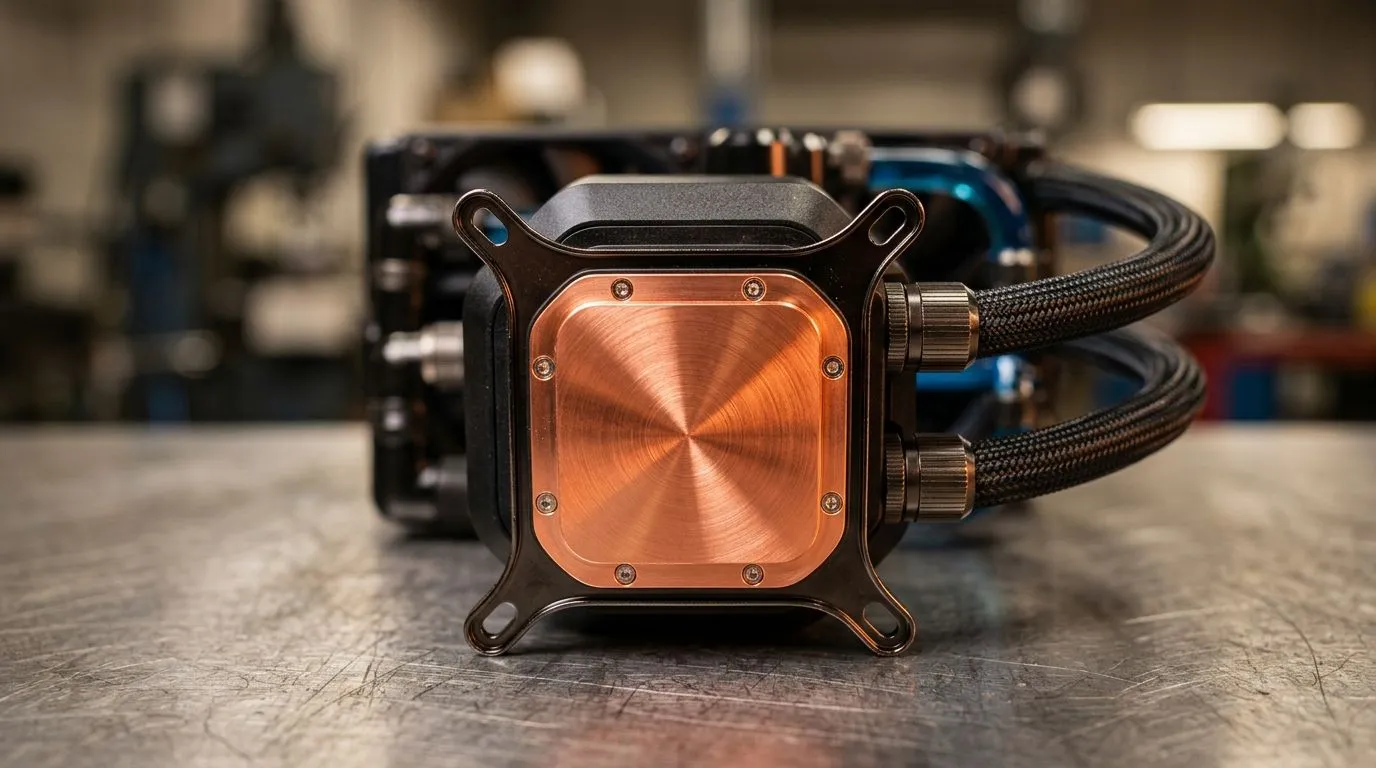
Copper Baseplates for Liquid Coolers: Better Heat Transfer
Upgrading your cooler? Copper baseplates matter. South African gamers pushing high clocks notice lower temps and steadier boost clocks when heat leaves the CPU faster. Copper's thermal conductivity beats common alternatives, making liquid coolers with copper contact an obvious pick for long sessions. Here's how to pick and pair them with the right fans and case airflow. 🔧
Why copper baseplates improve liquid cooler performance
Copper baseplates sit between your CPU heatspreader and the pump block. Copper conducts heat rapidly into the coolant, reducing hotspot formation and improving sustained performance. If you are focused on peak FPS or stable streaming, that difference becomes tangible. For case airflow and fan choices, start by checking Evetech’s case fan selection to match your radiator size and aesthetics: browse case fans here. https://www.evetech.co.za/PC-Components/case-fans-97.aspx
Real-world tip from builders
Local builders often swap stock contact plates for higher quality copper or ensure factory copper surfaces are perfectly flat. Even minor surface imperfections affect thermal interface performance. Want brand-specific options? Corsair fans and coolers are popular for matched kits; see Corsair fans on Evetech. https://www.evetech.co.za/PC-Components/case-fans-97.aspx?brands=CORSAIR
Cooling Pro Tip ⚡
Always use a thin, even layer of high-quality thermal paste between the CPU and copper baseplate. Too much paste can be worse than too little. If you lap a baseplate, proceed carefully and test temperatures after each pass.
Matching radiator, fans and airflow for best heat transfer
A copper baseplate helps transfer heat into the loop, but radiator surface area and fan choice remove that heat. Deepcool solutions offer a range of radiators and fans suited to budget and high-end builds; compare Deepcool options here. https://www.evetech.co.za/PC-Components/case-fans-97.aspx?brands=Deepcool
Size matters. Many builders choose 120mm or 140mm fans for radiator duty. Pick the size that fits your radiator and case; see 120mm options here and 140mm options here. https://www.evetech.co.za/PC-Components/case-fans-97.aspx?attributes-size=120mm https://www.evetech.co.za/PC-Components/case-fans-97.aspx?attributes-size=140mm
Lighting is personal. RGB fans can add flair, but plain fans sometimes give better static pressure and airflow for radiators. Shop RGB models or non-RGB options depending on priorities. https://www.evetech.co.za/PC-Components/case-fans-97.aspx?attributes-lightingeffects=RGB https://www.evetech.co.za/PC-Components/case-fans-97.aspx?attributes-lightingeffects=None
Quick setup checklist and local buying tips for copper baseplates
- Confirm your case supports radiator thickness and fan depth.
- Use high static pressure fans for radiators.
- Ensure your pump and loop are secure and leak tested before long sessions.
Small investments in a true copper baseplate and sensible fan pairing often yield lower sustained CPU temperatures. That means more stable clocks, longer component life, and fewer noisy spin-ups during heavy loads. ✨
Ready to upgrade your cooling stack? Explore radiator and fan combos, test different fan curves, and consider the modest ZAR investment compared with heat-related throttling.
One Johannesburg builder told us swapping a worn cooler for a copper‑based block dropped 8°C under Prime95, letting their Ryzen hold higher clocks without extra noise. You might not need lab tests to feel the change; listen for fewer fan ramp ups and enjoy steadier framerates during long sessions. Always keep an eye on mounting pressure and clear tubing. 🚀
Ready to Find Your Perfect Match? The Mac vs Windows debate is complex, but for maximum power, choice, and value in South Africa, Windows is hard to beat. Explore our massive range of laptop specials and find the perfect machine to conquer your world.











