


Complete Guide: Setting Up Monitor Light
Setting Up Monitor Light. Tested & verified settings for best FPS and visual quality on SA hardware budgets.
Read morecpu cooler heat pipes: Find out how many heat pipes you need for real-world cooling, performance trade-offs, and the best choices for your build. 🔧❄️
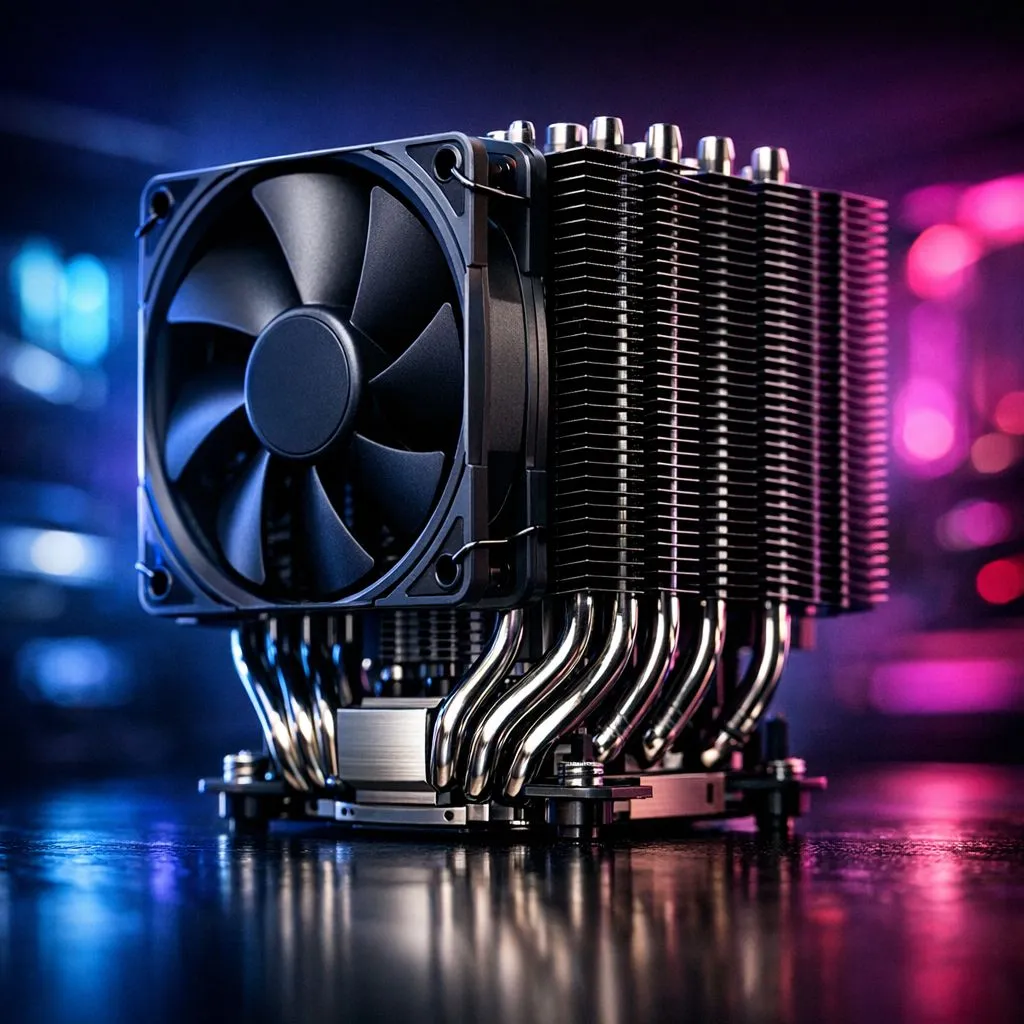
You’re staring at two CPU coolers. One has four shiny copper pipes. The other boasts six. They look similar, but the price difference is noticeable. Does more always mean better? How many CPU cooler heat pipes do you actually need for your rig? It’s a question every South African PC builder faces, and getting it wrong can mean leaving performance on the table… or wasting your hard-earned cash. Let's clear the air.
Before we count them, let's quickly break down what these pipes are for. Think of them as super-efficient heat highways. Inside each sealed copper pipe is a tiny amount of liquid and a wick structure.
It's a brilliant, passive system that makes modern CPU coolers so effective.
The right number of heat pipes depends entirely on your CPU and what you do with it. It’s not a one-size-fits-all answer. Let's match the hardware to the workload.
If your PC is for daily browsing, office work, or light gaming on a budget-friendly chip, you don't need a monster cooler. For these processors, a cooler with 2 to 4 heat pipes is more than enough. This is a significant upgrade over most stock coolers, offering lower temperatures and much quieter operation. It's the perfect sweet spot for keeping your system cool without overspending, and you'll find plenty of excellent air coolers in this range.
This is where most of us gamers live. You're running demanding titles, maybe streaming a bit, or editing videos. Your CPU works hard and generates serious heat. Here, the ideal number of CPU cooler heat pipes is 4 to 6. This range provides the thermal headroom to keep your CPU boosting to its max speeds during intense sessions, ensuring you get every frame you paid for. A quality cooler with six pipes is often the gold standard for balancing performance and value, especially popular 120mm air coolers that fit in most cases.
Are you pushing your high-end CPU to its absolute limits with overclocking? Then you need maximum cooling potential. For these top-tier chips, you should be looking for high-performance air coolers with 6 to 8 heat pipes. 🚀 These flagship coolers are designed to dissipate huge amounts of heat, preventing thermal throttling and allowing for stable, aggressive overclocks. Brands like Deepcool are famous for their beefy, multi-pipe designs that can compete even with some liquid coolers.
Your CPU cooler can't work in a vacuum. Ensure your PC case has good overall airflow, with at least one intake fan at the front and one exhaust fan at the back. This constantly supplies your cooler with fresh, cool air and removes the hot air it expels, dramatically improving its efficiency. A hot case makes even the best cooler struggle.
While the heat pipe count is a great starting point, other factors play a crucial role in a cooler's performance.
Considering all these factors will help you choose a truly balanced cooler from great value brands like EINAREX or other top contenders.
So, how many CPU cooler heat pipes do you need? Match the cooler to the CPU. A four-pipe cooler is fantastic for a Ryzen 5, but it will struggle with an overclocked Core i9. Conversely, putting a massive eight-pipe beast on a Core i3 is overkill.
By understanding what your processor needs, you can make a smart, informed choice that keeps your temps low, your performance high, and your PC running smoothly for years to come. ✨
Ready to Tame Your Temps? Now that you know exactly what to look for, finding the perfect cooler is easy. From budget-friendly upgrades to enthusiast-grade towers, we've got the ideal solution for your build. Explore our massive range of CPU coolers and keep your rig frosty.
Most mainstream air coolers use 4–6 heat pipes; high-TDP or heavily overclocked CPUs can benefit from 6–8. Design matters as much as count.
No. More heat pipes only help when sized and arranged correctly and paired with proper fins and airflow. Design beats raw count.
Often 6 outperforms 4 under heavy loads, but differences shrink with efficient fin layout, good fan choice, and solid base contact.
Not usually. Many gaming setups perform well with well-designed 4–6 pipe coolers; 8 pipes mainly benefit extreme overclocks or very high TDP chips.
Larger diameter pipes can carry more heat, but wick structure, length, and base contact also determine real thermal transfer.
No. Simply adding pipes without redesign yields small gains. A balanced fin stack, solid base contact, and airflow are key.
Staggered or direct-contact layouts with fewer, thicker pipes often work best in tight cases where airflow is limited.
Setting Up Monitor Light. Tested & verified settings for best FPS and visual quality on SA hardware budgets.
Read more
Assassins Creed Shadows Ultrawide Support: 21:9. Clear setup instructions with SA-specific considerations, troubleshooting tips & recommended components.
Read more
Complete Gaming Setup Guide for the Collector. Clear setup instructions with SA-specific considerations, troubleshooting tips & recommended components.
Read more
Will the Steam Deck 2 Have an OLED Screen? Leaked. Plain-English explanation of what it means, why it matters & how it affects your buying decisions in SA.
Read more
Setting Up Ultrawide 144Hz. Tested & verified settings for best FPS and visual quality on SA hardware budgets.
Read more
Kingdom Come: Deliverance 2 Ultrawide Support. Clear setup instructions with SA-specific considerations, troubleshooting tips & recommended components.
Read more
When Will the RTX 6090 Launch in South Africa Detailed answer with SA data, expert analysis & practical recommendations for local buyers.

Top Valorant Settings for RTX 5070: FPS Optimisation picks evaluated on performance, value & SA availability with current Rand pricing from Evetech.

RDNA 3.5 Graphics in Ryzen AI 400? Can You Game. Plain-English explanation of what it means, why it matters & how it affects your buying decisions in SA.

GPU Price Index : December Report. Current stock data & price tracking for SA buyers. See what is available and where prices are heading.

Can the RX 7700 XT Handle 1440p 144Hz Gaming. Performance testing verdict with real data & practical recommendations for SA buyers.

Top Laptop with Core i7 + RX 7700S: Picks picks evaluated on performance, value & SA availability with current Rand pricing from Evetech.

RX 7700 XT Black Myth Wukong 2 FPS: Performance. Real-world benchmark data, FPS numbers & performance analysis. What SA gamers can actually expect.

RTX 6080 Gran Turismo 7 PC Performance: FPS Test. Real-world benchmark data, FPS numbers & performance analysis. What SA gamers can actually expect.
Setting Up Monitor Light. Tested & verified settings for best FPS and visual quality on SA hardware budgets.
Assassins Creed Shadows Ultrawide Support: 21:9. Clear setup instructions with SA-specific considerations, troubleshooting tips & recommended components.
Complete Gaming Setup Guide for the Collector. Clear setup instructions with SA-specific considerations, troubleshooting tips & recommended components.
Will the Steam Deck 2 Have an OLED Screen? Leaked. Plain-English explanation of what it means, why it matters & how it affects your buying decisions in SA.