

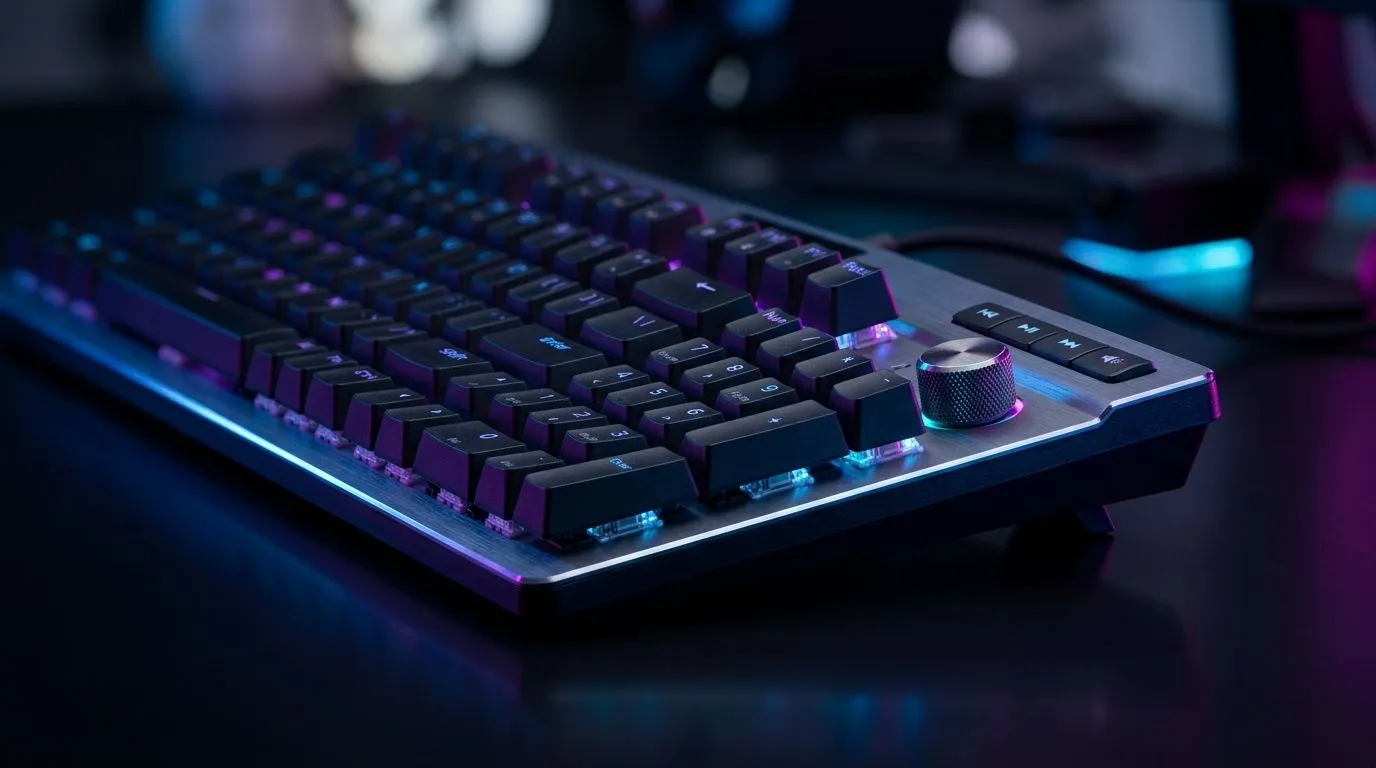
Dedicated Media Controls on Gaming Keyboards: Volume Knobs Guide for South African Gamers 🎮
If your keyboard volume is buried in the Windows slider, you’re losing time you could spend fragging… or simply enjoying a playlist between matches. South African gamers want practical upgrades: fast volume changes, track skip, and media mute without tabbing out. In this guide, we’ll break down dedicated media controls on gaming keyboards, especially the all-important volume knob. You’ll learn what to look for, what to avoid, and which connectivity style fits your setup best.
What “Dedicated Media Controls” Actually Do 🔧
Dedicated media controls are physical buttons and dials mapped to common functions like:
- Volume up/down (usually a knob)
- Mute
- Play/pause
- Next/previous track
- Sometimes a media wheel push or shortcut combos
The big win is speed. During ranked games, you shouldn’t have to alt-tab to adjust audio. A volume knob gives you tactile control, even if you’re using Teamspeak, Discord, or game voice chat.
Volume Knob vs Button Controls: Which Feels Better?
A knob is usually smoother for quick adjustments. Buttons are better for precise step changes. Either way, the key is how consistently the media functions work with your operating system.
What to check before buying:
- Does the keyboard advertise “dedicated media controls” clearly?
- Does it mention hardware volume control, not just software-only macros?
- Are there media buttons that avoid conflicting with your gaming keys?
Dedicated Media Controls on Gaming Keyboards: The Specs That Matter Most ⚡
Before you spend your ZAR, focus on these real-world factors.
1) Build quality and knob “feel”
A cheap knob can wobble, click too loudly, or jump in volume steps. Look for a keyboard line that’s built to last and aimed at gaming desks, not office use.
2) Connectivity type: Wired vs Wireless
Your connectivity changes reliability and latency expectations. If you game competitively, wired is often the simplest. If you’re going desk-clean, wireless can be worth it, as long as your setup handles it well.
Consider browsing these Evetech options:
- Wired keyboards: https://www.evetech.co.za/components/buy-cheapest-gaming-keyboard-in-south-africa-52.aspx?attributes-connectivity=Wired
- Wireless keyboards: https://www.evetech.co.za/components/buy-cheapest-gaming-keyboard-in-south-africa-52.aspx?attributes-connectivity=Wireless
3) Compatibility and driver dependence
Some “media controls” rely on software features. Others work out of the box as standard media keys. If a keyboard requires extra setup just to change volume, that defeats the purpose in the heat of a match.
If you want a quick starting point for budget options, start here: https://www.evetech.co.za/components/buy-cheapest-gaming-keyboard-in-south-africa-52.aspx
Dial-In Your Desk Setup: Fast Volume Without Interrupting Gameplay 🚀
Here’s a micro-story from a typical South African gaming night. The lobby is loud, your friend’s voice is peaking, and you still need to turn down music. If your keyboard has a dedicated volume knob, you can adjust immediately while staying focused. No cursor hunting. No audio chaos.
Try this workflow:
- Set your game audio and Discord levels first.
- Use the keyboard knob for quick “in-match” tweaks.
- Only use Windows volume for big changes, like switching between desktop and game.
Productivity Pro Tip ⚡
Productivity Pro Tip ⚡
On Windows, use the PowerToys FancyZones utility to create custom snap layouts for your windows. It's a lifesaver for managing multiple apps on an ultrawide monitor, letting you organise your timeline, preview window, and asset folders perfectly for video editing.
Dedicated Media Controls on Gaming Keyboards: Pair Smart, Save Money in ZAR ✨
If you’re rebuilding your whole rig, it’s worth matching keyboard upgrades with a compatible mouse. A keyboard with proper media controls is useful, but pairing it with a solid mouse improves your overall comfort and accuracy.
If you’d like a bundled route, check: https://www.evetech.co.za/buy-keyboard-mouse-combo/x/1583.aspx
And if you’re hunting deals right now, use Evetech’s curated keyboard savings: https://www.evetech.co.za/best-gaming-keyboard-deals/x/055.aspx
Dedicated Media Controls on Gaming Keyboards: Quick Buying Checklist ✅
Use this checklist in-store or online before you click “buy now”:
- Knob movement feels smooth, not scratchy
- Media functions are advertised as dedicated hardware controls
- Wireless setup matches your tolerance for complexity
- You can adjust volume without alt-tabbing
- The keyboard fits your desk, not just your wishlist
Then you’re ready to choose with confidence… and hear the difference immediately.
Ready to Find Your Perfect Match? The Mac vs Windows debate is complex, but for maximum power, choice, and value in South Africa, Windows is hard to beat. Explore our massive range of laptop specials and find the perfect machine to conquer your world.











