

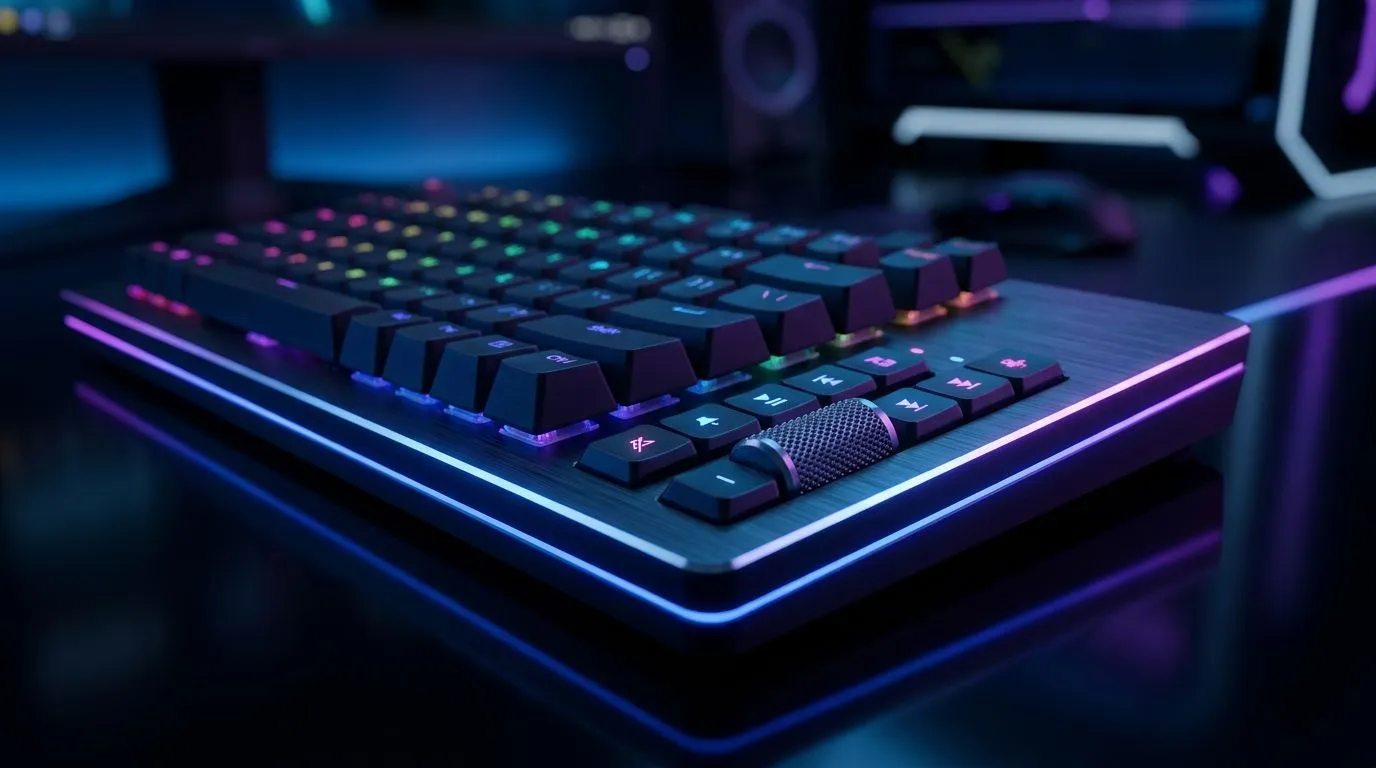
Dedicated Media Controls on Mechanical Gaming Keyboards: why your hands will thank you
If you’re the kind of gamer who hits pause mid-match to tweak audio, brightness, or chat volume… you already know the pain. Dedicated media keys on a mechanical keyboard mean you stop alt-tabbing, stop hunting through menus, and keep your aim steady. 🎮🔧 In South Africa, where every millisecond and every rand matters, this small upgrade can make your setup feel smoother from day one.
Dedicated Media Controls on Mechanical Gaming Keyboards: what they actually are
Dedicated media controls are physical buttons (often above the main keys or integrated into the layout) for play/pause, next/previous track, volume up/down, and sometimes mute. Unlike “function-layer” shortcuts, they don’t require you to hold a key combination. That matters when you’re in a Discord call, streaming gameplay, or adjusting game audio on the fly.
You’ll usually see two approaches:
- One-touch media keys (true dedicated buttons).
- Programmable keys that can be mapped to media actions in software.
From a usability angle, dedicated controls are great for high-frequency tasks. You press, it happens, you’re back to playing.
Where this helps most for SA gamers
- FPS and competitive games: quick volume adjustments without leaving the match.
- Content creation: scrub audio timing in editing apps faster.
- Shared setups: family or roommates can use volume controls without learning shortcuts.
Dedicated Media Controls on Mechanical Gaming Keyboards: wired vs wireless, and why it changes your choice ⚡
Dedicated media controls can show up on both wired and wireless boards. But your day-to-day experience can feel different.
- Wired keyboards tend to stay consistent and are often the go-to for competitive play where you want minimal fuss.
- Wireless can be convenient for desk setups and cleaner cable management, but you’ll want to check battery life and connection stability.
If you’re planning your next keyboard purchase in SA, consider starting with solid deal routes for each connectivity type:
- Wired options: compare keyboard deals on Evetech for wired boards
- Wireless options: compare keyboard deals on Evetech for wireless boards
And if you want a broader starting point, browse Evetech’s keyboard deals for gamers.
Dedicated Media Controls on Mechanical Gaming Keyboards: how to choose the right layout ✨
Not all media keys feel equal. Some are useful, some are fiddly. Before you buy, check these points:
1) Placement and reach
Look for controls you can hit with your right hand without moving your WASD grip. If the buttons are too far to the side, you’ll avoid them during real matches.
2) Volume control type
A dedicated volume wheel is often faster than separate + and - buttons. But if you prefer step-based changes, separate buttons can be easier to control.
3) Compatibility with your apps
Most keyboards use standard media key functions, which Windows/macOS recognise. If you rely on specific software for control mappings, confirm the keyboard supports custom profiles.
Productivity Pro Tip 🔧
On Windows, use the built-in Sound settings to route game audio correctly, then use your dedicated media controls to adjust system volume without alt-tabbing. If you run OBS or a browser-based stream, this keeps your audio level stable while you focus on gameplay.
4) Pair it with the right combo
A keyboard upgrade is even better when the rest of your gear matches. If you’re building a cohesive desk setup, explore Evetech keyboard and mouse combos for value you can actually feel.
Dedicated Media Controls on Mechanical Gaming Keyboards: quick buying checklist before checkout 🚀
Before you click “add to cart”, ask yourself:
- Do I want true one-touch media keys, or programmable shortcuts are fine?
- Will I reach the controls comfortably while gaming?
- Am I choosing wired for consistency or wireless for cleaner setup?
- Does the keyboard’s layout fit my playstyle (especially if you use custom keybinds)?
If budget is tight, you can still land an upgrade. Start with cheapest gaming keyboard options on Evetech and filter by what matters to you.
Ready to Find Your Perfect Match? The Mac vs Windows debate is complex, but for maximum power, choice, and value in South Africa, Windows is hard to beat. Explore our massive range of laptop specials and find the perfect machine to conquer your world.











