

Quick answer for South African builders 🔧
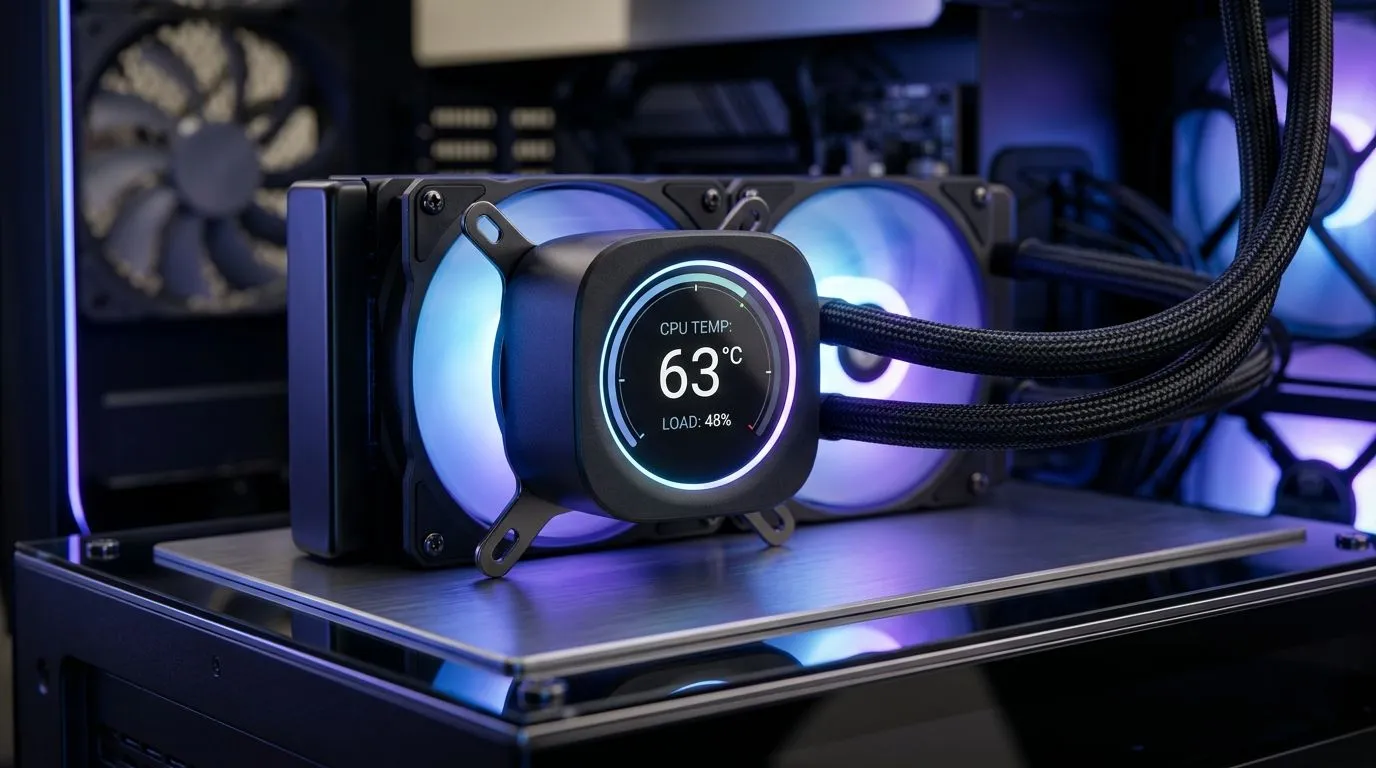
Does a Digital Display on a CPU Cooler Improve Monitoring? Short answer: sometimes. A built‑in display can show temps, fan speeds and ARGB profiles at a glance, which helps when you overclock or troubleshoot in real time. For gamers in Cape Town or Joburg who push their rigs, that instant feedback beats ALT+TAB juggling. But a display adds cost, complexity and potential software reliance.
What a display actually shows
Most displays report CPU core temperature, pump RPM and custom GIFs or status bars. They draw data from sensors or companion software. If you want simple, accurate readouts without external apps, a small LED panel can be handy. If you prefer deep logging, Windows utilities and motherboard BIOS still give more detailed charts.
Browse Evetech's case fan range for compatible cooling parts: https://www.evetech.co.za/PC-Components/case-fans-97.aspx
When it improves monitoring
A display helps during stress tests, when you need to see sudden spikes. It’s also useful for quick checks during LAN meetups or stream breaks. For AIOs and large air coolers, local readouts reduce reliance on on‑screen overlays. Consider brand ecosystems; some displays integrate better with specific RGB and fan controllers.
If you prefer reliable branded fans, check Corsair stock here: https://www.evetech.co.za/PC-Components/case-fans-97.aspx?brands=CORSAIR
Practical tips before you buy
Pair a display cooler with quality fans and a good case airflow plan. Match sizes and airflow: 120mm or 140mm fan specs matter for noise and thermal performance. Swap noisy low‑RPM fans for high‑static pressure models when radiators are involved.
Need 120mm fans? See options: https://www.evetech.co.za/PC-Components/case-fans-97.aspx?attributes-size=120mm Prefer 140mm solutions? Browse 140mm fans: https://www.evetech.co.za/PC-Components/case-fans-97.aspx?attributes-size=140mm
Cooling Tip ⚡
Rotate between BIOS monitoring and on‑display readouts to verify accuracy. If readings mismatch, re‑calibrate sensors and update firmware.
Pitfalls and user stories ✨
A friend in Pretoria fitted a display cooler to impress on stream. It looked great but required extra cables and a software sync that crashed once during a ranked game. The takeaway: displays are aesthetic and practical, but they can introduce failure points. Also check lighting options; some displays pair only with RGB ecosystems.
Compare RGB and non‑RGB options before committing: https://www.evetech.co.za/PC-Components/case-fans-97.aspx?attributes-lightingeffects=RGB Or choose minimalist fans without lighting: https://www.evetech.co.za/PC-Components/case-fans-97.aspx?attributes-lightingeffects=None
Final verdict for local buyers
A digital display on a CPU cooler improves monitoring when you need quick, local feedback and value aesthetics. If you want deep logging or minimal complexity, stick to motherboards and software tools. For most South African gamers building for performance and style, the display adds useful information and flair… just budget for quality components and possible firmware updates. 🚀
If you favour quiet performance over flashy effects, check brand alternatives. Deepcool makes some cost-effective AIOs and radiator fans that balance noise and cooling. Compare their offerings and user reviews before you commit. Browse the Deepcool range and confirm radiator compatibility, bracket sizing and pump headers to avoid surprises during installation. If you need help matching parts, contact Evetech support for local advice, ZAR pricing, and extended warranty details before you buy. Support can assist with compatibility checks. https://www.evetech.co.za/PC-Components/case-fans-97.aspx?brands=Deepcool
Ready to Find Your Perfect Match? The Mac vs Windows debate is complex, but for maximum power, choice, and value in South Africa, Windows is hard to beat. Explore our massive range of laptop specials and find the perfect machine to conquer your world.











