

Dual-Sided ARGB vs Single-Sided RGB Fans: Why South African Builders Care
If you’re building a gaming PC in South Africa, “looks” matter… but so does airflow. 🤔 A good fan doesn’t just spin. It moves hot air out and makes your build look intentional under your desk lights. That’s why dual-sided ARGB vs single-sided RGB fans is suddenly a big deal for case modders and new buyers alike.
In this Deep Dive, we’ll break down the key differences, what you’ll actually notice in real builds, and how to choose the right fans without wasting money.
Understanding the Lighting Difference: Dual-Sided ARGB vs Single-Sided RGB Fans
The biggest difference is simple: where the light is visible and how flexible the lighting looks.
What “dual-sided” usually means
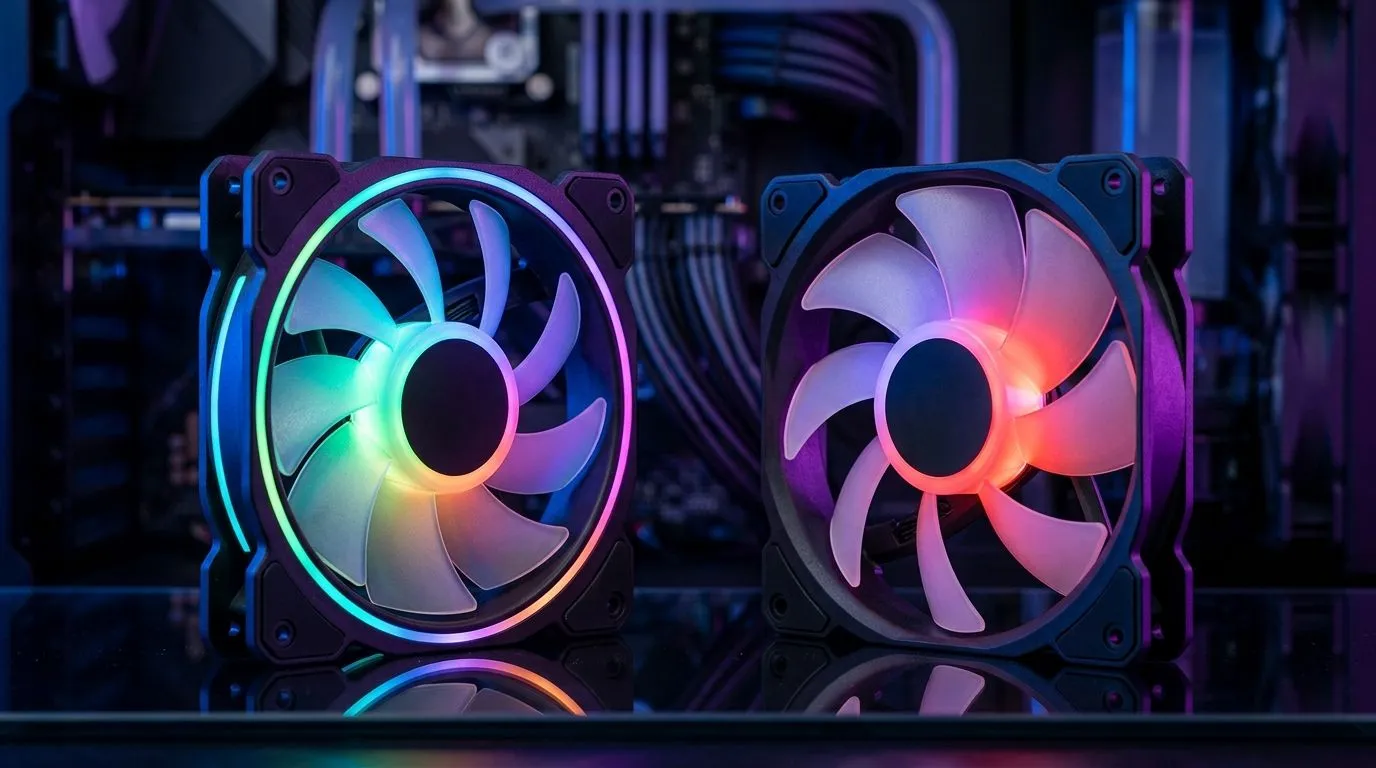
Dual-sided fans let you see lighting from both sides of the fan (front and rear), which tends to look brighter and more “even” inside a case. This is especially noticeable when you have:
- A glass panel that shows both the fan blades and ring lighting
- Fans installed in areas with reflective surfaces (GPU shroud, motherboard heatsinks)
- Multiple fans running so you get a layered look ✨
What “single-sided” usually means
Single-sided RGB fans are typically lit mainly on the side facing the visible panel. From the back side, the blades may look more plain, depending on the design. This isn’t “bad” at all. It’s just less dramatic when your fans are mounted in positions where both sides are visible.
Fan specs and options you can shop locally
Evetech stocks a wide set of case fans across different lighting effects and sizes, so you can match your build aesthetics and airflow needs:
- RGB lighting effects options
- None (for clean builds)
- 120mm and 140mm configurations
You can browse the full range here: case fans on Evetech.
Performance & Build Planning: What Changes Beyond the Colours 🔧
Lighting is fun, but thermals win games and stability. When choosing between dual-sided ARGB and single-sided RGB, think in layers:
1) Airflow beats flash
Fan brightness doesn’t cool your CPU. Look at basic airflow capability and ensure you’re filling your case with sensible intake and exhaust. If your case is starved for intake, your shiny fans won’t save you.
2) Mounting direction matters
If your fans are only visible from one side (front intake with no side-view), single-sided RGB can look totally fine. If you’re doing a “show build” with fans facing multiple glass panels or you’re using a vertical GPU mount that exposes more of the fan area, dual-sided ARGB gives more consistent glow.
Productivity Pro Tip ⚡
On Windows, use the PowerToys FancyZones utility to create custom snap layouts for your monitors, so you can compare fan specs, open YouTube air tests, and keep a parts list visible while you build. It speeds up your decision-making when you’re juggling airflow direction, fan size, and RGB control options.
3) Match lighting effects to your control setup
If your case lighting is already wired for addressable effects, dual-sided ARGB often aligns better with that look. If you’re staying simple, you may not gain much from the extra “show”.
For specific lighting effect filters, check: RGB lighting effect options and non-RGB (clean builds) options.
How to Choose Fast: A Practical Checklist for South African Buyers 🚀
Use this quick rule-set before you click “add to cart”:
- If both sides will be visible (or you want a “full glow” look): lean toward dual-sided ARGB.
- If only one side matters: single-sided RGB can be a better value.
- Pick the right size first: 120mm is common for many cases, but 140mm can be great where supported.
- Don’t ignore brand ecosystems if you care about sync and software control.
Size filters to get you moving:
If you’re brand-curious, you can also filter by:
CALLTOACTION
Ready to Find Your Perfect Match? Upgrade your build with fans that look right and cool properly. Compare dual-sided ARGB and single-sided RGB options, then choose the size and lighting effects that fit your case. Explore our case fans and get the right airflow for your next build in South Africa.











