

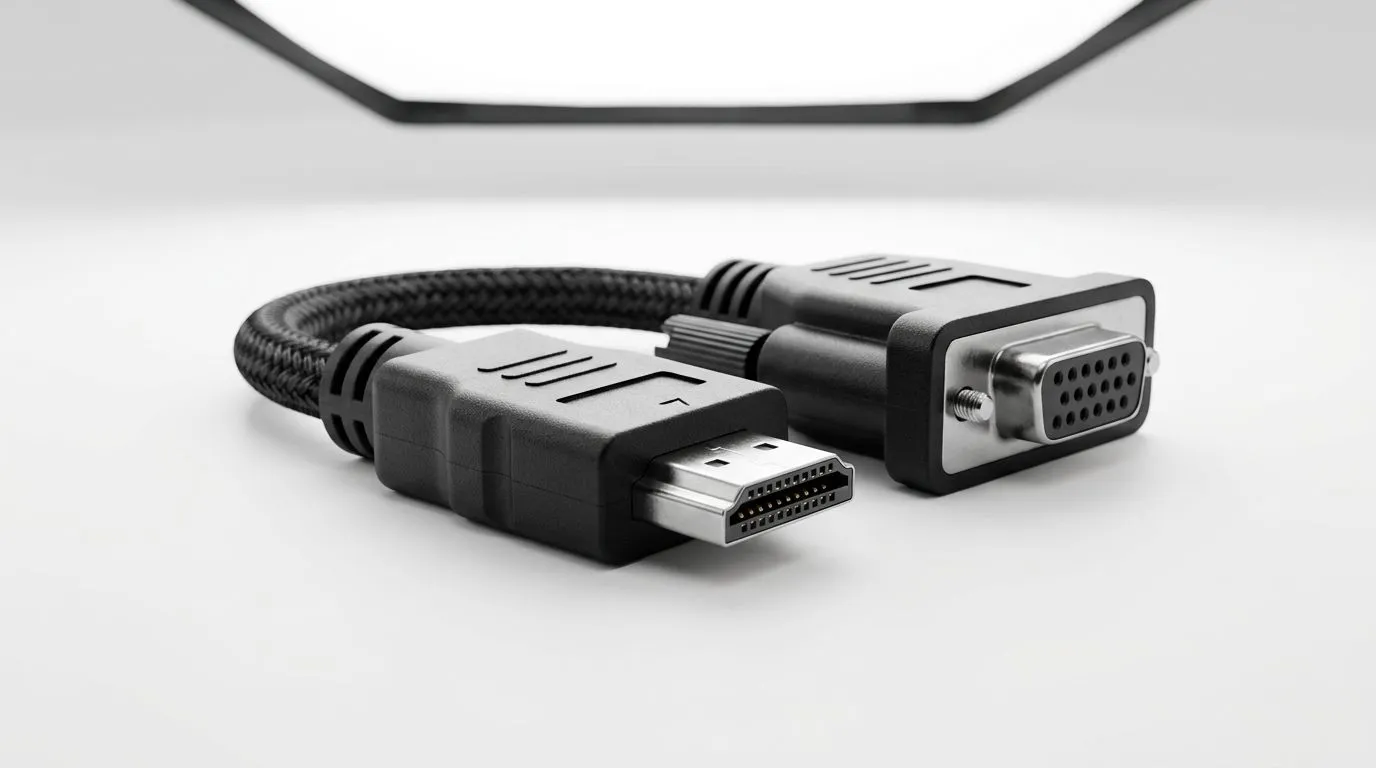
Durable HDMI to VGA Adapter for Reliable Loadshedding Recovery
Evetech kit nerds know the moment the lights flicker, your whole setup can feel… fragile. 🔌 For South African gamers and home-office warriors, the right backup connection matters. A Durable HDMI to VGA Adapter for Reliable Loadshedding Recovery helps you keep your monitor usable when you need to switch outputs fast, plug into an older display, or repurpose equipment during outages. ⚡ Let’s make your recovery plan less stressful and more “plug-and-play”.
Durable HDMI to VGA Adapter for Reliable Loadshedding Recovery: Why It Matters During Loadshedding
When load shedding hits, it’s not just power. It’s compatibility. You might still have a screen, but the inputs on that screen may not match your newer laptop or console ports.
- Many modern laptops and desktops use HDMI only for external display output.
- Some monitors, especially older ones or budget spares, still expect VGA.
- A solid HDMI-to-VGA adapter can bridge that gap so you can keep working, streaming, or gaming on the display you already have.
The “durable” part is key. HDMI-to-VGA adapters often fail due to loose connectors, thin cables, or poor shielding. Choose one that feels firm, supports stable signal output, and matches your typical cable lengths.
Durable HDMI to VGA Adapter for Reliable Loadshedding Recovery: What to Check Before You Buy 🔧
Before you add an adapter to cart, do a quick compatibility check. This saves time, money, and that annoying “it doesn’t work” moment.
Check Your Device Output (HDMI) and Your Monitor Input (VGA)
Confirm:
- Your source device has an HDMI output (laptop, mini PC, some consoles).
- Your target display has VGA (15-pin) input.
If either side is different, the adapter won’t solve the problem.
Confirm Resolution Expectations
VGA is older tech. Your adapter can usually carry common resolutions, but VGA has limits compared to HDMI. To avoid disappointment:
- Start with your monitor’s native resolution.
- If the image looks stretched or blurry, try reducing resolution in display settings.
Prioritise Build Quality Over Cheap Extras
In practical terms, durability often comes down to:
- A secure connector fit (no wiggle)
- Strain relief on the cable end (less damage from movement)
- Good shielding (fewer signal artefacts)
If you’re setting this up as an emergency fallback, you want it to work reliably the first time.
Productivity Pro Tip ⚡
On Windows, open Settings → System → Display, then use Advanced display to confirm the correct monitor resolution. When you swap adapters during an outage, Windows sometimes keeps the last known settings, which can make an otherwise working VGA setup look “wrong.” Adjust resolution once and you’re back in control fast.
Durable HDMI to VGA Adapter for Reliable Loadshedding Recovery: Setup That Actually Works
Here’s a simple, low-stress workflow you can use when the power situation changes.
- Test your adapter on a normal day.
Don’t wait for load shedding. Plug it in once, confirm the picture, and set the resolution. - Use a short, secure cable run.
If your adapter uses a longer cable, try to keep it tidy. Loose cabling is how signals get noisy. - Label your “recovery cables.”
If you have a UPS, power strip, and a spare monitor, keep the HDMI, adapter, and VGA cable together. Future-you will thank you. - Decide your fallback use-case.
Are you aiming for browsing, work calls, or gaming? Gaming on VGA is possible, but it’s not the same as HDMI-to-DisplayPort quality. Still, having the option is the win.
A micro-story from the Evetech community: lots of us learned this the hard way. The monitor was ready… but the connection wasn’t. Once you sort the adapter upfront, outages become “inconvenient”, not “panic mode”.
Durable HDMI to VGA Adapter for Reliable Loadshedding Recovery: Find the Right Gear at Evetech
If you’re rebuilding your home setup for power resilience, don’t stop at the adapter. Consider the rest of your supporting cast: cables, spares, and accessories that help you swap gear quickly.
Want to browse options and build a more reliable gaming or workstation bundle? Start here:
- Explore more gaming accessories on Evetech: buy gaming accessories
- Look for deals in the accessories category: gaming accessories deals
- Or browse the same category with the gaming accessories filter: gaming accessories category
That’s the easiest way to keep your kit consistent, so your recovery plan doesn’t fall apart when you need it most. 🚀
Ready to Find Your Perfect Match? Durability matters when load shedding hits, because you need your setup to switch over fast. Shop smarter with Evetech’s gaming accessories and build a resilient desk today. Explore our massive range of laptop specials and find the perfect machine to conquer your world.











