

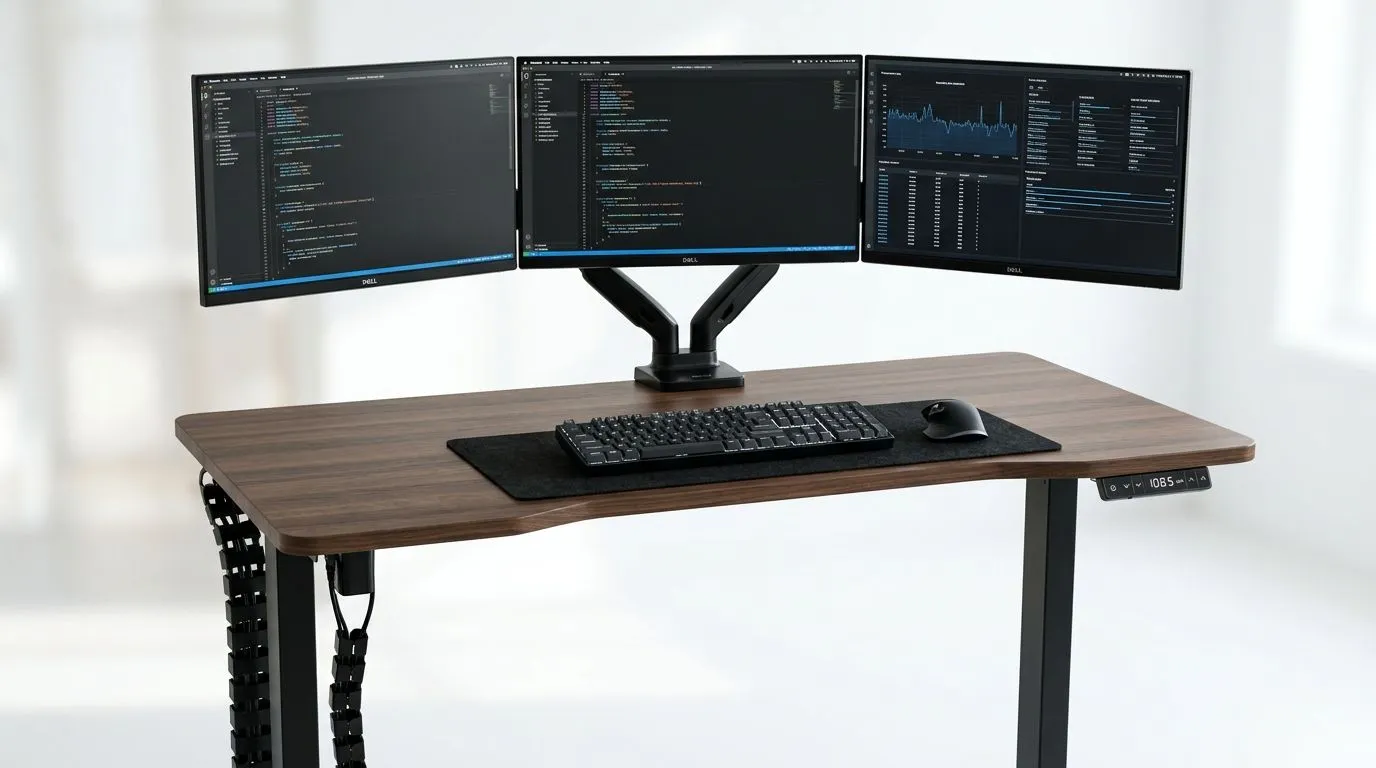
Electric Standing Desk Buying Guide for Multi-Monitor Setups ⚡
If your desk feels cramped, your neck is carrying the team, and your cables look like a spider web after load shedding, it may be time to rethink your setup. An electric standing desk can make a serious difference for multi-monitor users who game, stream, code, or work long hours. The right desk is not just about height adjustment... it is about stability, surface space, and keeping three screens from wobbling when you lean in for that clutch moment.
Electric Standing Desk Buying Guide for Multi-Monitor Setups
A multi-monitor rig needs more than “enough room”. You want a desk that handles weight properly, gives you usable depth, and stays steady when the motors raise it. If your primary screen is central and the side displays sit on arms, the desk must support both the arm load and the movement stress. That matters a lot when you’re pushing for a clean, tidy battlestation.
For South African buyers, it also helps to think about value in rand terms. A strong desk can save you from replacing cheaper furniture later. If you are browsing options, start with a standard gaming desk layout like this gaming desk range to compare size, shape, and features before narrowing it down.
What matters most for multi-monitor users
Look for these essentials first:
- Weight capacity: monitors, arms, speakers, and accessories add up fast.
- Table depth: deeper desks help keep screens at a better viewing distance.
- Width: triple-monitor users usually need more room than they expect.
- Motor quality: smoother lifting means less shaking during height changes.
- Frame stability: a strong base matters more than flashy lighting.
- Cable management: neat routing keeps the setup practical when the desk moves.
A lot of buyers focus on aesthetics first. Fair enough... the desk should look good. But for three screens, stability is the real luxury.
Electric Standing Desk Buying Guide for Multi-Monitor Setups
If you prefer premium styling and a more refined finish, it is worth checking branded options too. Some desks are built with heavier frames or more polished surfaces, which can suit a long-term setup better. For example, you can browse AutoFull gaming desk options if you want to compare design-led choices with the standard range.
A small but important tip: measure your monitor stand footprint before you buy. Triple-monitor layouts can eat up surface space quickly, especially if the outer panels are on swivelling arms. A desk that feels “big enough” in a showroom can feel tight once your keyboard, mouse, speakers, and laptop dock are in place.
Height range and comfort
An electric standing desk should let you sit and stand without awkward compromises. If it only reaches one comfortable position, it defeats the purpose. Your elbows should stay relaxed, your wrists should stay neutral, and your screens should remain at eye level. That helps reduce fatigue over long sessions.
For gaming, standing is not about playing every match upright. It is about changing posture during breaks, queue times, or admin work. That variety matters more than people think 🔧
Workspace Pro Tip ⚡
On Windows, use the PowerToys FancyZones utility to create custom snap layouts for your windows. It's a lifesaver for managing multiple apps on an ultrawide monitor, letting you organise your timeline, preview window, and asset folders perfectly for video editing.
Electric Standing Desk Buying Guide for Multi-Monitor Setups
Style matters too, especially if your desk is part of a visible gaming room or content creator background. Clean lines, dark finishes, and sturdy frames usually age better than trend-heavy designs. If you want something with a more sculpted look, take a look at Arozzi gaming desks and compare them against the rest of the market.
You should also think about desk accessories. Monitor arms, headphone hooks, and under-desk cable trays can make a huge difference. They free up usable space and keep your setup practical when the desk lifts. That is especially useful in homes where one room has to do everything.
A simple buying checklist
Before you click buy, ask yourself:
- Can it support my full monitor setup?
- Will it fit the room, door clearance, and chair movement?
- Is the desktop wide and deep enough for my layout?
- Does it look good enough for daily use?
- Can I manage cables cleanly when it moves up and down?
If the answer is “mostly yes”, keep looking. The right desk should feel like a fit, not a compromise.
Electric Standing Desk Buying Guide for Multi-Monitor Setups
For buyers who want to keep the setup clean and practical, it is worth checking more understated options too. Some desks focus on a balance of price, build, and useful features rather than flashy extras. You can compare Nitro gaming desks if you want another angle before deciding.
The best part? Once your desk is sorted, everything else gets easier. Your monitors line up better. Your posture improves. Your workspace feels less cluttered. And when the lights go off for another South African power hiccup, at least your battlestation feels organised enough to recover fast once the power is back on ⚡
Electric Standing Desk Buying Guide for Multi-Monitor Setups
Final thoughts before you buy
For multi-monitor users, the smartest choice is usually the desk that balances space, stability, and movement. Ignore the temptation to buy purely on looks. Focus on how your screens, arms, and daily habits will actually use the desk.
If you work, game, and stream from the same station, an electric standing desk can be one of the best upgrades you make. It is not just furniture. It is the foundation of the whole setup.
Ready to Find Your Perfect Match? The Mac vs Windows debate is complex, but for maximum power, choice, and value in South Africa, Windows is hard to beat. Explore our massive range of laptop specials and find the perfect machine to conquer your world.











