Why Ergonomic Office Chair Settings Matter for Your Health and Focus ⚡
Spending long hours at your desk isn’t just about grinding tasks or intense gaming sessions — it’s about how comfortable and supported you feel throughout the day. Ergonomic office chair settings can be the difference between ending your day refreshed or dealing with aches and poor focus. Whether you're a developer, content creator, or a South African gamer working from home, setting your chair right protects your back and boosts productivity.
For gamers and work-from-home warriors alike, the right chair settings help maintain posture and minimise strain — essentials for all-day comfort and performance.
Key Ergonomic Adjustments for Maximum Comfort 🔧
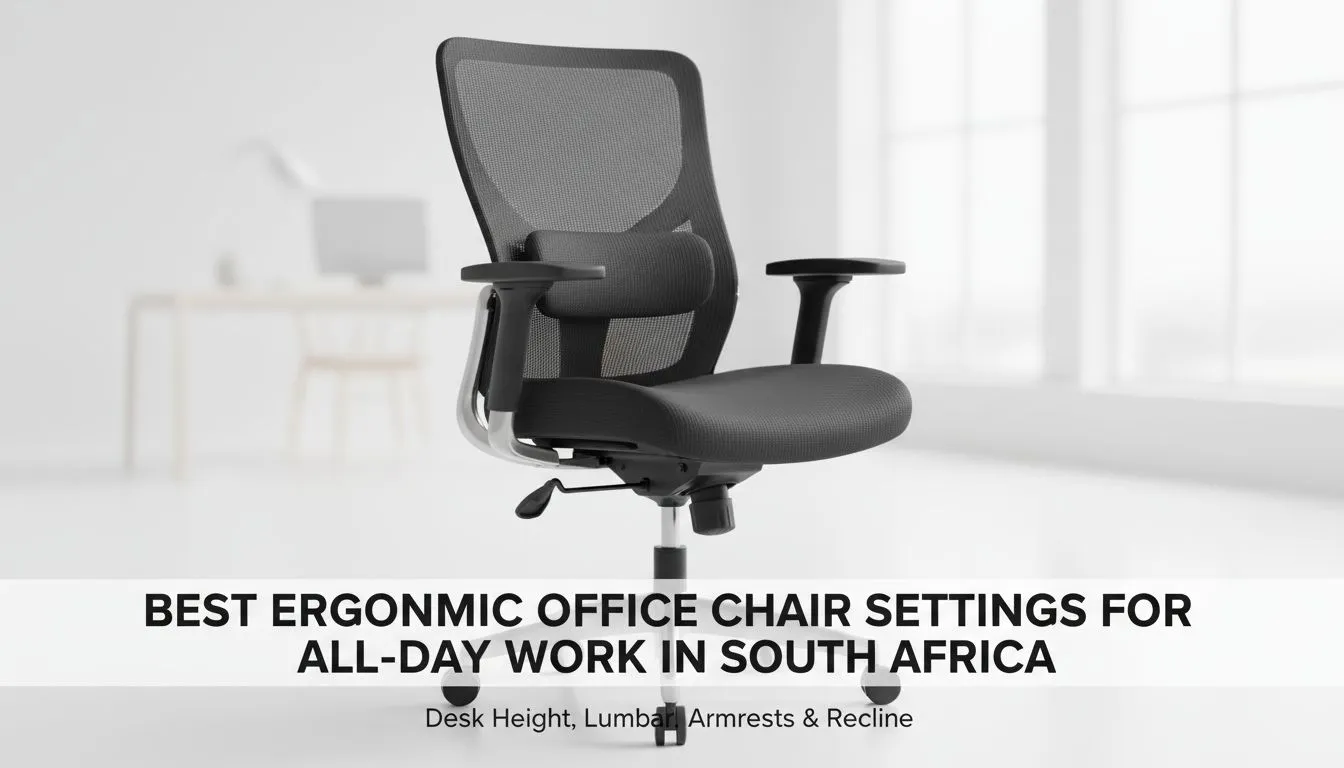
Proper chair adjustments unlock a world of comfort. Start with the seat height: your feet should rest flat on the floor, knees at around 90 degrees. This prevents fatigue in your legs and keeps circulation flowing. Next, adjust the seat depth to support your thighs without pressure behind the knees.
Don’t forget lumbar support: a subtle curve that follows your spine’s natural shape keeps your lower back from slouching. Many premium options like Noblechairs gaming chairs feature adjustable lumbar cushions designed with ergonomics in mind.
Finally, tweak your armrests so your shoulders relax and elbows hover comfortably near your body. This reduces shoulder tension, which builds up after hours of typing or gaming.
Choosing the Right Gaming Chair for Ergonomics in South Africa 🚀
Your chair’s design matters just as much as fine-tuning the settings. If you’re browsing options, consider Vertagear gaming chairs. These models blend solid ergonomics with style — great for the SA gamer who wants a setup that performs and looks sharp.
On a budget but still want ergonomic support? Check out gaming chairs in South Africa under R5000. Affordable doesn't have to mean uncomfortable, especially when you know the key adjustments to make.
If you prefer tailored ergonomic designs, Enova chairs offer excellent support and adjustability to keep South African office workers comfortable all day.
Expert Insight: Why You Should Invest in Quality Ergonomic Equipment ✨
Years of research show that investing in a quality ergonomic chair lowers the risk of musculoskeletal issues. South African professionals, especially those working remotely, report better focus and less fatigue when their chairs properly support their posture.
You might think it’s just another chair, but an ergonomic seat is a foundation for your productivity and health. Brands featured at Evetech come backed by detailed research and buyer feedback, ensuring durability and comfort at competitive prices.
Quick Tip
Adjust your chair's tilt tension to allow slight backward movement — it eases spinal pressure during long sessions, keeping you relaxed yet supported.
Ergonomic Chair Settings for Different Activities
Adjusting your chair for work differs slightly from gaming comfort. When working, a more upright posture helps maintain alert focus, so lock your chair’s tilt. For gaming, lean back slightly to absorb the thrill without tensing your back.
Remember to take regular breaks, stretch, and shift positions. Even the best chair can’t replace moving your body every hour or so. Pair your ergonomic set-up with a well-planned workspace featuring good lighting and screen height for best results.
See the wide range of gaming chairs in South Africa Evetech offers to find what suits your work and play balance.
Upgrade Your Comfort and Productivity
Ready for all-day support? Discover premium ergonomic office chairs and gaming chairs tailored to your needs. Shop now at Evetech for performance that leaves lag in the dust.